23-EN
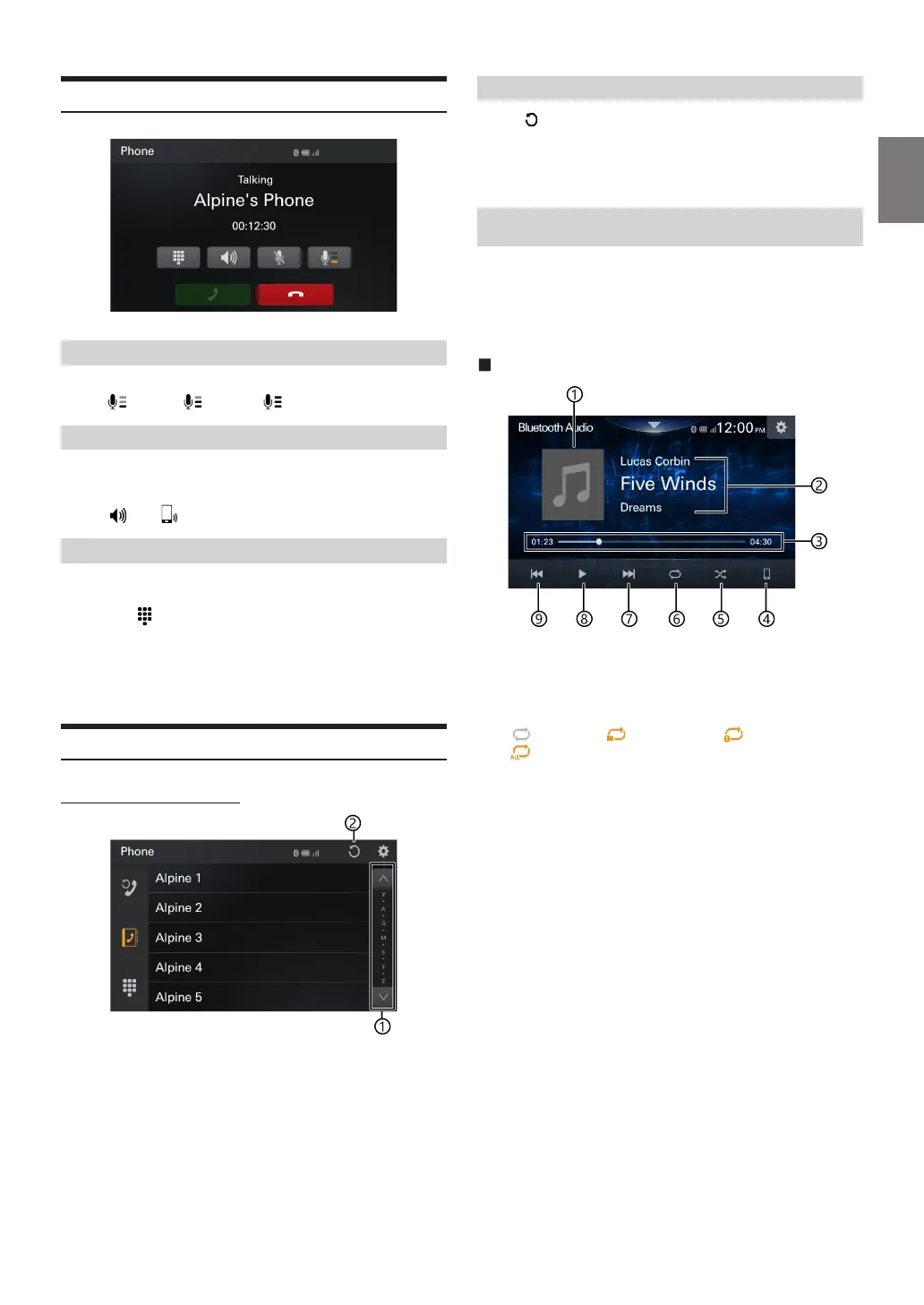
Phone Operation Screen
Adjusting the Speech Volume
You can adjust Mic. Level (Microphone Level).
Level 1: Level 2: Level 3:
Changing the Voice Output
e voice output for calls is switchable between car speakers and the
mobile phone speaker.
Touch [ ] or [ ].
DTMF (Touch-Tone) Function
Transmits a DTMF (Touch-Tone) during a call.
1
Touch [ ] (Keypad).
The number input screen (Keypad) appears.
2
Input number.
•
You can transmit a Touch-Tone signal during a call.
Phone Book Function
Phone Book screen example
A
Use to narrow down your search for names, etc.
B
You can synchronize the system’s phone book with the
mobile phone’s phone book.
Synchronizing the Phone Book
Touch [ ].
Synchronization of the phone books starts.
•
You can store up to 1,000 registered name in the phone book.
•
You can store up to 5 phone numbers by one person’s name.
Bluetooth® Audio
If a Bluetooth compatible mobile phone, portable player, etc. is
connected by wireless, you can play back a song (operation is
controllable from the unit).
•
Operation may vary, depending on the Bluetooth compatible device
Bluetooth Audio main screen example
A
Default image display
B
Information display
C
Elapsed time/Total time for playing
D
Search device
E
Shue mode
F
[ ]repeat_o,[ ]repeat_folder,[i ]repeat_one,
[ ]repeat_all
G
Finds the beginning of next chapter
H
Pause and Play
I
Finds the previous le
•
Song title/Artist title/Album title/Elapsed time do not display for
AVRCP Ver. 1.0.
•
To play back audio, a mobile phone or a portable player conforming to
A2DP (Advanced Audio Distribution Prole) or AVRCP (Audio/Video
Remote Control Prole) is required.
Not all functions work with all devices.
•
During a call, sound on the Bluetooth audio source is paused.
Compatible AVRCP versions: 1.0, 1.3, 1.4, 1.5, 1.6.2
•
Available functions may dier depending on the AVRCP version.



 To Next Page