29-EN
Language Setup
[Language] is selected on the System Setup Menu screen. e Setup
menu, feedback information, etc. for this unit can be changed to appear
in the selected language.
Setting item:
Language
Setting contents:
English (US),French,Spanish,Portuguese
•
e currently selected language is displayed.
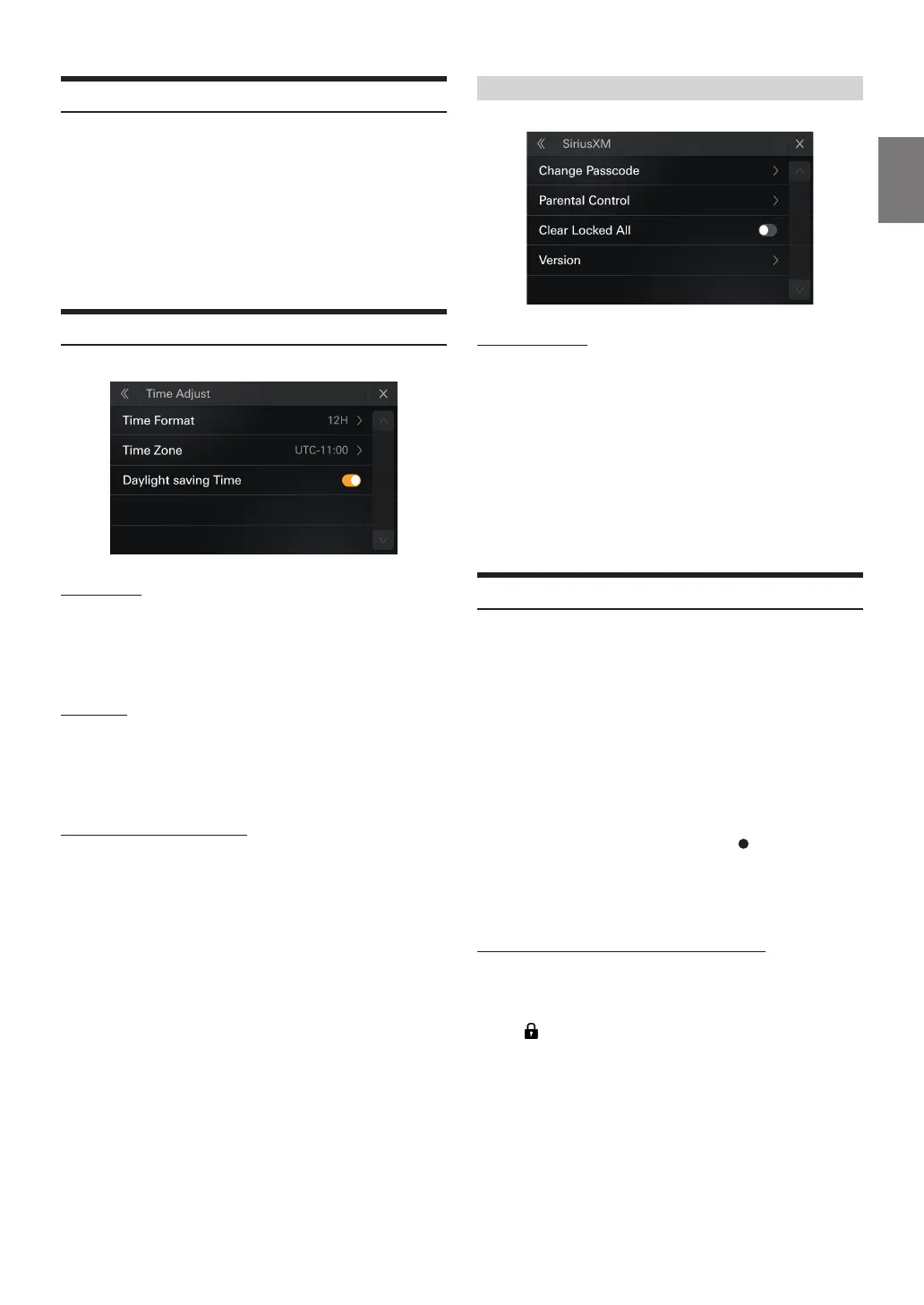
Time Adjust Setup
[Time Adjust] is selected on the System Setup Menu screen.
Time Format
Setting item:
Time Format
Setting items:
12h, 24h(Initial setting)
Time Zone
Setting item:
Time Zone
Setting contents
UTC-12.00h~UTC+14.00
Daylight saving Time ON/OFF
Setting item:
Daylight saving Time
Setting contents
O (Initial setting), On
SiriusXM Setup
Change Passcode
Setting item:
Change Passcode
Setting contents:
Edit the passcode.
1
Enter the current passcode and then touch [OK].
2
Enter the new passcode and then touch [OK].
3
Enter the conrm passcode and then touch [OK].
Parental Control
You can lock out channels with passcode protection. Channels that
are locked cannot be accessed without entering the passcode. You can
unlock a channel or change the passcode using this menu option.
Setting item:
Parental Lock On/O
1
Touch [Parental Control].
A passcode input screen is displayed.
2
Touch the numeric keypad to input a 4-digit passcode
The initial default 4-digit passcode is set to 0000.
After entering the digit, it is displayed as “
”.
Touch [Clear] to delete all entered numbers.
3
Touch [OK].
The channels list screen is displayed.
Setting the Lock status of individual channels
4
Touch [ Channels].
• To lock the channel,touch the appropriate channel.
• When you touch the locked channel,the channel is unlocked.
appears and the channel is locked.



 To Next Page