40-EN
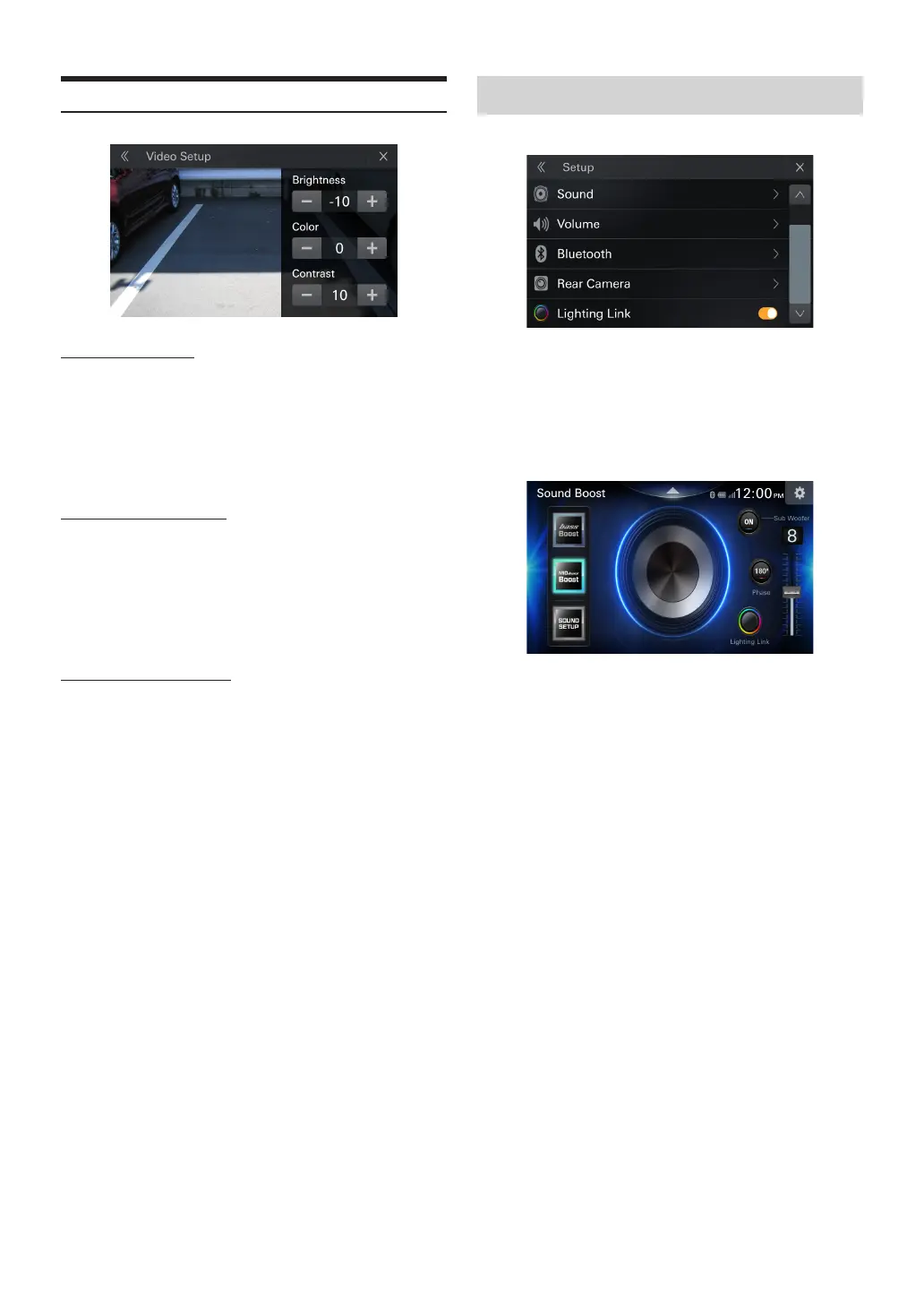
Video Setup
Adjusting Brightness
Setting item:
Brightness
Setting contents:
-10 to 10 (Initial setting: 0)
•
You can adjust the brightness of USB Video and reverse video between
MIN(-10)and MAX(10)
Adjusting Color of Display
Setting item:
Colors
Setting contents:
-10 to 10 (Initial setting: 0)
•
You can adjust the color of USB Video and reverse video between
MIN(-10)and MAX(10)
Adjusting Display Contrast
Setting item:
Contrast
Setting contents:
-10 to 10 (Initial setting: 0)
•
You can adjust the Contrast of USB Video and reverse video between
MIN(-10)and MAX(10)
Lighting Link ON/OFF
[Lighting link] is selected on the Setup menu screen.
Setting item:
Lighting Link
Setting contents
On:
Lighting link icon displayed on sound boost screen
O:
The Lighting link icon on the sound boost screen is not displayed



 To Next Page