34-EN
Adjustable frequency bands:
Band1: 50 Hz
Band2: 80 Hz
Band3: 125 Hz
Band4: 200 Hz
Band5: 315 Hz
Band6: 500 Hz
Band7: 800 Hz
Band8: 1.25k Hz
Band9: 2k Hz
Band10: 3.15k Hz
Band11: 5k Hz
Band12: 8k Hz
Band13: 12.5k Hz
Adjusting the Level
1
Select Band Slide up or down to adjust the level of
selected band.
Setting contents:
-12 to 12 (Initial setting: 0)
2
To adjust another band, repeat step 1, and adjust all
bands.
3
To store the adjusted setting value, touch and hold
[Preset 1], [Preset 2], or [Preset 3] for at least 2 seconds.
•
Band2, Band7 and Band12 are the same as the Bass and Middle
controls. For details on setting Bass and Treble, see “Adjusting the Bass/
Middle/Treble” (page 33).
•
Settings exceeding the frequency of adjacent bands are not available
•
While adjusting the EQ Setting, you should consider the frequency
response of the connected speakers.
•
When you apply the adjusted Band in the EQ setting screen,Preset EQ
(page 34) is unselected
•
Touch [Flat] to initialize all values.
Calling the EQ Setting adjusted value
Calling the pre-set EQ Setting adjusted value.
Touch [Preset 1], [Preset 2], or [Preset 3] on the EQ Setting
screen.
The setting stored in the Preset will be recalled.
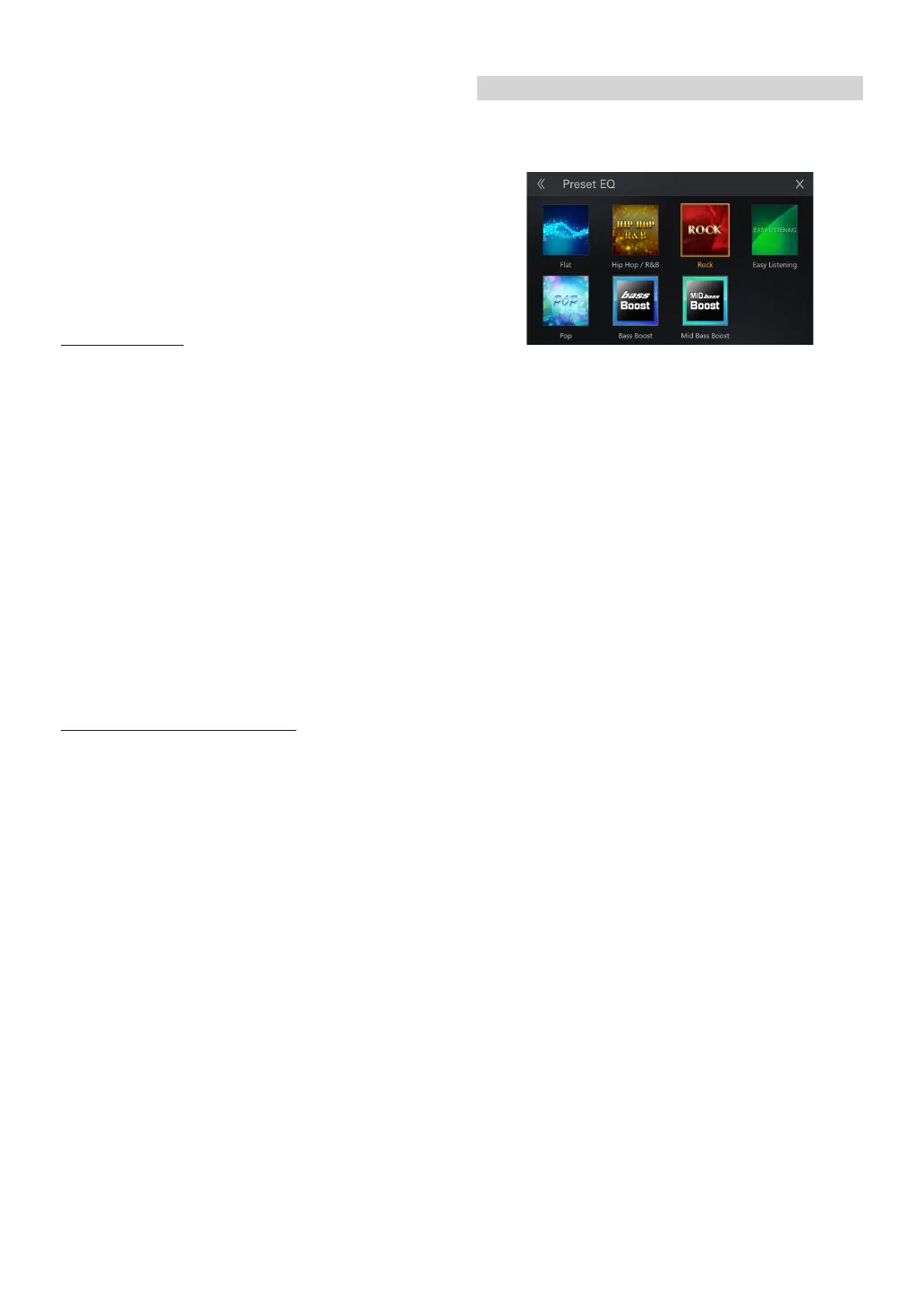
Setting an Equalizer
6 typical equalizer settings are preset at the factory for a variety
of musical source material. You can also preset an equalizer by
customizing.
Setting item:
Preset EQ
Setting contents:
Flat (Initial setting), Hip Hop/R&B, Rock, Easy Listening, Pop, Bass Boost Mid
Bass Boost
•
When the Defeat setting is [On], you cannot perform the set up.
•
Only one type can be set .
•
you can set [preset1/preset2/preset3 ]in the EQ setting screen. (page
33)
•
When you set [preset1/preset2/preset3 ]in the EQ setting screen.(page
33). Preset EQ is unselected



 To Next Page