38-EN
Volume Setup
Volume Setup
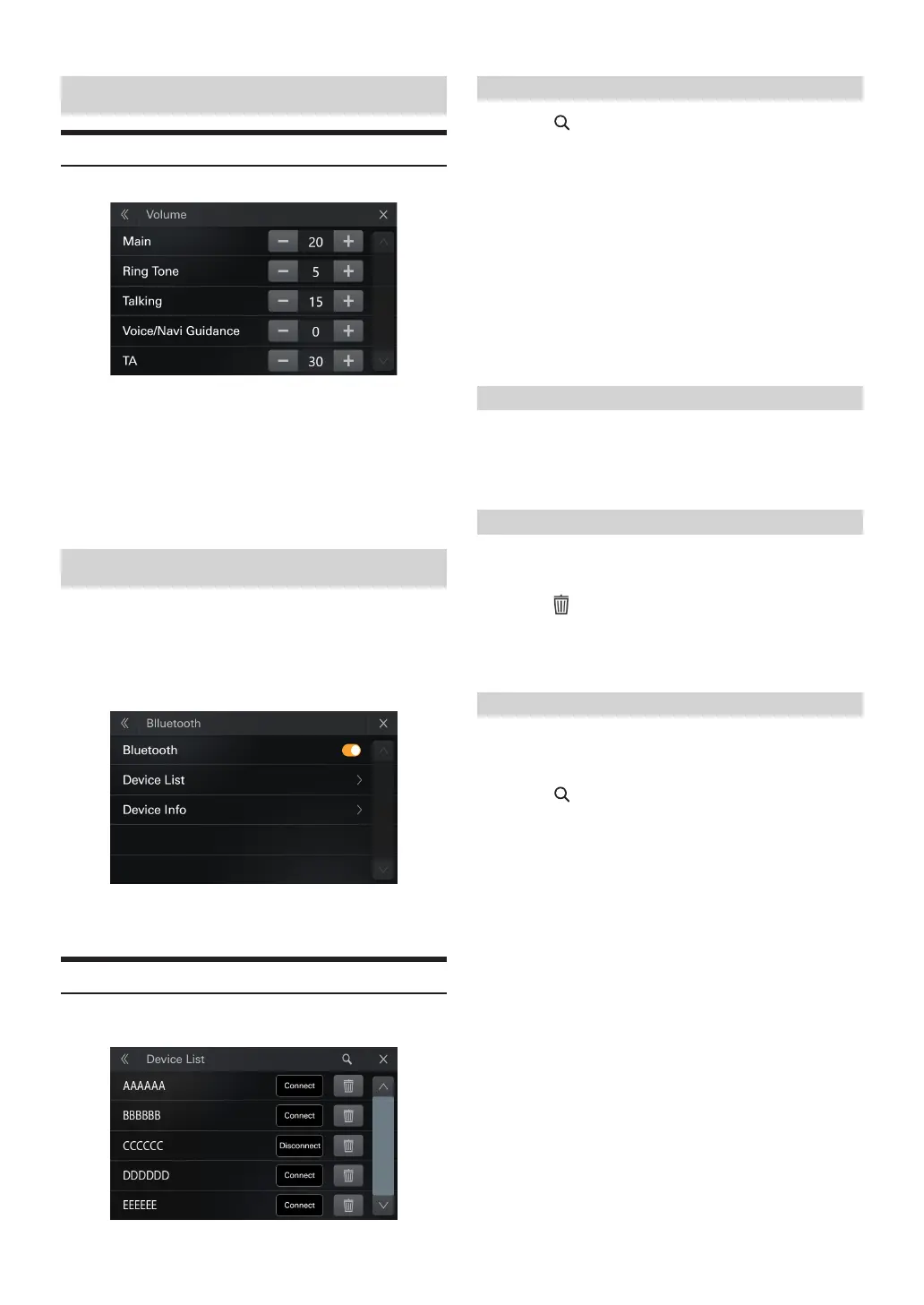
[Volume] is selected on the Setup menu screen.
Setting item:
Main.Ring Vol.Talking.Voice/Navi Guidance.TA
Setting contents:
Main :01 to 35(Initial setting: 10)
Ring Vol :01 to 35(Initial setting: 18)
Ring Vol :01 to 35(Initial setting: 18)
Voice/Navi Guidance :01 to 35(Initial setting: 18)
TA :01 to 35(Initial setting: 10)
Bluetooth Setup
[Bluetooth] is selected on the Setup menu screen.
Setting item:
Bluetooth
Setting contents:
Bluetooth,Devices List, Devices Info,
Bluetooth
•
You can turn Bluetooth on or o
Device List
[Devices] is selected on the Bluetooth Setup Menu screen.
You can register and set up Bluetooth compatible devices.
Pairing the Bluetooth Device
1
Touch [ ] to enter [Search] screen to search for
Devices.
2
Select a device and follow the on-screen prompts to
connect devices
3
Screen prompts 6 character Numeric passkey to pair
When the device registration is complete, a message appears
and the device returns to [Device List].
•
e Bluetooth registration process diers depending on the device
version and SSP (Simple Secure Pairing). If a 4 or 6 character Numeric
Comparison appears on this system, enter the Numeric Comparison on
the Bluetooth device.
•
If a 6 character Passkey appears on this system, make sure the same
passkey is displayed on the Bluetooth device, and follow the screen.
Fast pairing the Bluetooth Device
Select one of 5 paired Bluetooth compatible devices that you previously
registered.
1
Touch [Connect] on the Bluetooth Setup Menu screen.
Deleting a Bluetooth Device from the list
You can delete the information of a previously connected Bluetooth
compatible device.
1
Touch [ ] on the Bluetooth Setup Menu screen.
2
Touch [Yes].
•
Touching [No] will cancel the setting.
Searching for a Bluetooth Device
Setting item:
Search
1
Touch [ ] on the device list interface in Bluetooth
Setup.
The Bluetooth devices can be searched are displayed in a list.
2
Touch the device you want to connect from the list.
You can register up to 5 Bluetooth compatible mobile phones.
3
When the device registration is complete, a message
appears and the device returns to [Device List].
•
Connect to new Bluetooth compatible device when there are 5 paired
devices registered , the system will delete the last paired device
automatically



 To Next Page