24
1
2
3
Changement de la
couleur de l'éclairage
Cambio del color de
iluminación
Changing Lighting Col-
our
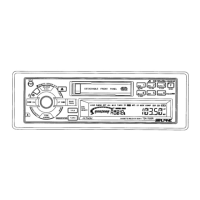
Appuyez pendant au moins 3 secondes sur
la touche INTLZ.
Mantenga presionado el botón INTLZ
durante 3 segundos por lo menos.
Press the INTLZ button for at least 3
seconds.
Press the f UP button to select
"AMBER."
Each press of the f UP button scrolls
the modes as follows:
Note: If you press the DN g button the
display scrolls in reverse
sequence.
Appuyez sur la touche f UP pour
sélectionner "AMBER".
A chaque pression sur la touche f UP, les
modes changent de la façon suivante:
Remarque: Quand vous appuyez sur la
touche DN g, les modes
changent dans le sens
inverse.
Presione el botón f UP para seleccionar
"AMBER".
Cada vez que presione el botón f UP, el
modo cambiará de la siguiente forma:
Nota: Si presiona el botón DN g, la
visualización de los modos
cambiará en sentido inverso.
Press the TUNE button to change the
lighting colour between AMBER OFF (blue
for TDA-7572R and green for TDA-7570R)
and AMBER ON (amber).
Appuyez sur la touche de TUNE pour
changer la couleur de l'affichage el choisir
ANBER OFF (bleu pour le TDA-7572R et
vert pour le TDA-7570R) ou AMBER ON
(orange).
Presione el botón de TUNE para cambiar el
color de iluminación entre AMBER OFF (azul
para el TDA-7572R y verde para el
TDA-7570R) y AMBER ON (ámbar).
→ FM-LV → REG → PTY31 → AMBER → DIM
BC ← SCR ← MUTE ← BEEP ← NFP ←
→ FM-LV → REG → PTY31 → AMBER → DIM
BC ← SCR ← MUTE ← BEEP ← NFP ←
→ FM-LV → REG → PTY31 → AMBER → DIM
BC ← SCR ← MUTE ← BEEP ← NFP ←
Press and hold the INTLZ button for at
least 3 seconds to set the lighting colour.
Appuyez pendant au moins 3 secondes sur
la touche INTLZ pour valider la couleur de
l'affichage.
Mantenga presionado el botón INTLZ
durante 3 segundos por lo menos para
establecer el color de iluminación.
4
3
41
2
EspañolFrançaisEnglish



 To Next Page