EasyManua.ls Logo

Alpine TUE-DAB1U - User Manual

Alpine TUE-DAB1U
74 pages
Print Icon
To Next Page IconTo Next Page
Loading...
EN
FOR CAR USE ONLY / NUR FÜR AUTOMOBILGEBRAUCH / POUR APPLICATION AUTOMOBILE
UNIQUEMENT / PER IL SOLO UTILIZZO IN AUTOMOBILE / KUN TIL BRUG I BILEN / KUN FOR BRUK I BIL
ADD ON DAB/ DAB+ TUNER
TUE-DAB1U
•  OWNER’S MANUAL
Please read before using this equipment.
•  BEDIENUNGSANLEITUNG
Bitte vor der Verwendung des Produkts lesen.
•  MANUEL D’UTILISATION
Veuillez lire ce manuel avant d’utiliser ce matériel.
•  MANUALE DELL’UTENTE
Leggere il manuale prima di usare il dispositivo.
•  BRUGERMANUAL
Læs venligst denne manual, før produktet tages i brug.
•  BRUKERHÅNDBOK
Les før du bruker dette utstyret.
DE
FR
IT
DA
NO
ALPINE ELECTRONICS MARKETING, INC.
1-7, Yukigaya-Otsukamachi, Ota-ku,
Tokyo 145-0067, JAPAN
Phone: 03-5499-4531
ALPINE ELECTRONICS OF AMERICA, INC.
19145 Gramercy Place,Torrance,
California 90501, U.S.A.
Phone 1-800-ALPINE-1 (1-800-257-4631)
ALPINE ELECTRONICS OF CANADA, INC.
777 Supertest Road,Toronto,
Ontario M3J 2M9, Canada
Phone 1-800-ALPINE-1 (1-800-257-4631)
ALPINE ELECTRONICS OF AUSTRALIA PTY. LTD.
161-165 Princes Highway,
Hallam Victoria 3803, Australia
Phone 03-8787-1200
ALPINE ELECTRONICS GmbH
Wilhelm-Wagenfeld-Str. 1-3,
80807 München, Germany
Phone 089-32 42 640
ALPINE ELECTRONICS OF U.K. LTD.
Alpine House
Fletchamstead Highway,
Coventry CV4 9TW, U.K.
Phone 0870-33 33 763
ALPINE ITALIA S.p.A.
Viale C. Colombo 8, 20090 Trezzano
Sul Naviglio (MI), Italy
Phone 02-484781
ALPINE ELECTRONICS DE ESPAÑA, S.A.
Portal de Gamarra 36, Pabellón, 32
01013 Vitoria (Alava)-APDO 133, Spain
Phone 945-283588
ALPINE ELECTRONICS FRANCE S.A.R.L.
(RCS PONTOISE B 338 101 280)
98, Rue de la Belle Etoile, Z.I. Paris Nord Il,
B.P. 50016, 95945 Roissy Charles de Gaulle
Cedex, France
Phone 01-48638989
LP13-0113_Alpine_TUE-DAB1U_ML.indb 1 7/12/2013 6:59:38 PM

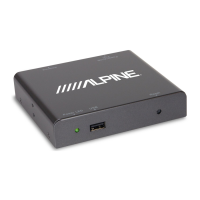
Table of Contents

Questions and Answers

  • M
    Michael HuntAug 11, 2025
    What to do if my Alpine TUE-DAB1U has no picture and no audio?
    • K
      Katie MitchellAug 11, 2025
      If your Alpine Tuner shows no picture and no audio, first, ensure the power cord is correctly inserted into the unit. If it is, check whether the TUE-DAB1U is switched on. If not, press the [POWER] button on the remote control.
  • J
    John CastroAug 17, 2025
    Why is there no sound on my Alpine TUE-DAB1U, but the video is fine?
    • J
      Jennifer CookAug 17, 2025
      If you're getting video but no sound on your Alpine Tuner, the audio might be muted. Try pressing the [VOL+] button to increase the volume.
  • M
    michaelvanessaAug 23, 2025
    What to do if all channels show low signal quality in DAB/DAB+ mode on my Alpine TUE-DAB1U Tuner?
    • A
      alexaharrisAug 23, 2025
      If, in DAB/DAB+ mode, all channels show low signal quality on your Alpine Tuner, first check the antenna connections and try placing the antenna in a different location. Also, verify if radio service is available in your area by checking your country's DAB radio coverage map, as digital radio isn't available in non-covered areas.
  • C
    Chad MunozAug 28, 2025
    Why is the screen black on my Alpine TUE-DAB1U Tuner, but the audio is fine?
    • R
      Robert CoxAug 28, 2025
      If the screen of your Alpine Tuner is black but the audio is fine, it might be because the screen is disabled while driving. Depending on your screen's specifications, video image may be disabled while driving. Contact your authorized dealer for more information.
  • S
    Sean YatesSep 3, 2025
    Why is the number of radio channels not as expected on my Alpine TUE-DAB1U Tuner in DAB/DAB+ mode?
    • L
      Lance HerreraSep 3, 2025
      If the number of radio channels in DAB/DAB+ mode on your Alpine Tuner is not as expected, it could be due to the local broadcasting system limiting the available channels. Perform a “Scan” to rescan all the channels. Alternatively, the signal quality of some DAB channels may be too low; in this case, use an active antenna instead of a passive antenna for better reception quality. Also, ensure that the Phantom Feed for an active antenna is switched ‘ON’ in the Antenna Menu.

Alpine TUE-DAB1U Specifications

General IconGeneral
BrandAlpine
ModelTUE-DAB1U
CategoryTuner
LanguageEnglish