7
Altai C2s Dual-Band 2x2 802.11ac WiFi AP/Bridge
Installation Guide
Altai Technologies Ltd. All rights reserved
2.5. Mounting Options
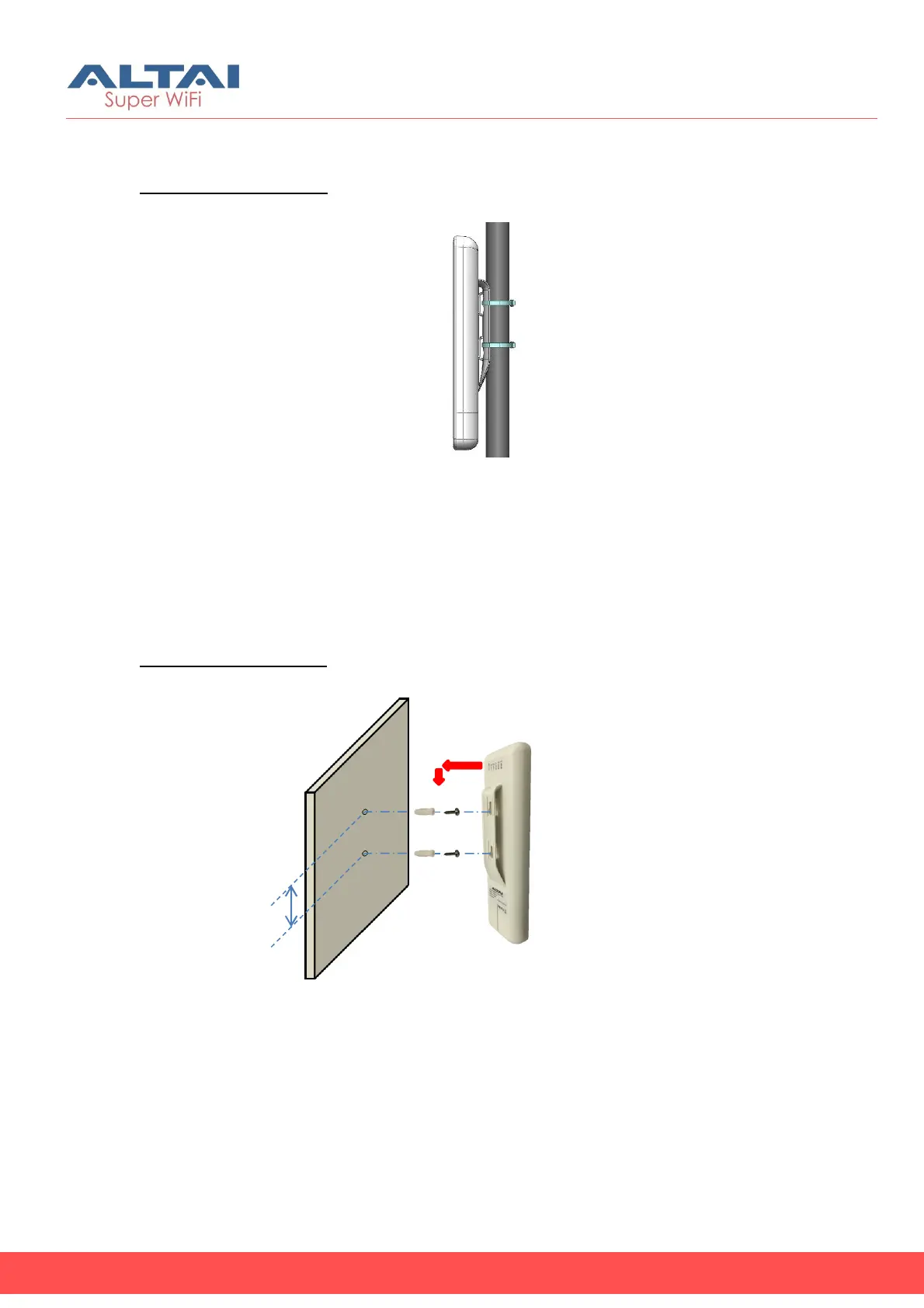
Option 1: Pole Mount
1. Orient the device to point to the target coverage area (for AP
mode) or to the target AP (for Station mode).
2. Loop two cable ties through the slots on the back of the device and
then wrap them around the pole.
3. Tighten the cable ties to ensure the device is firmly in place.
Option 2: Wall Mount
1. Using the back mount base as reference, mark the location of the
mounting holes on a flat wall surface.
2. Drill mounting holes on the marked locations. The two holes should
be 60mm (2.3 inches) apart.
3. Fasten the device to the wall using the mounting anchors and
screws provided.
60mm
(a)Mounting Anchor
(b)Mounting Screw
(a) (b)
(a) (b)



 To Next Page