6
Altai C2s Dual-Band 2x2 802.11ac WiFi AP/Bridge
Installation Guide
Altai Technologies Ltd. All rights reserved
2.3. Preparation for Installing C2s
Before installation, please prepare the following tools:
1) Needle-Nose Pliers (for cable feed-through)
2) Screw Driver (for wall mount)
3) RJ45 Shielded Connector Crimper
4) STP CAT5e/6 Straight Cable x 2
5) Waterproof Sealing Tapes and Electrical Tapes
6) Grounding Cable
7) An 802.3at to Passive PoE Adapter (Optional and ordered
separately when using with 802.3at-compliant PoE switch or
PoE injector)
2.4. Cable Feed-Through
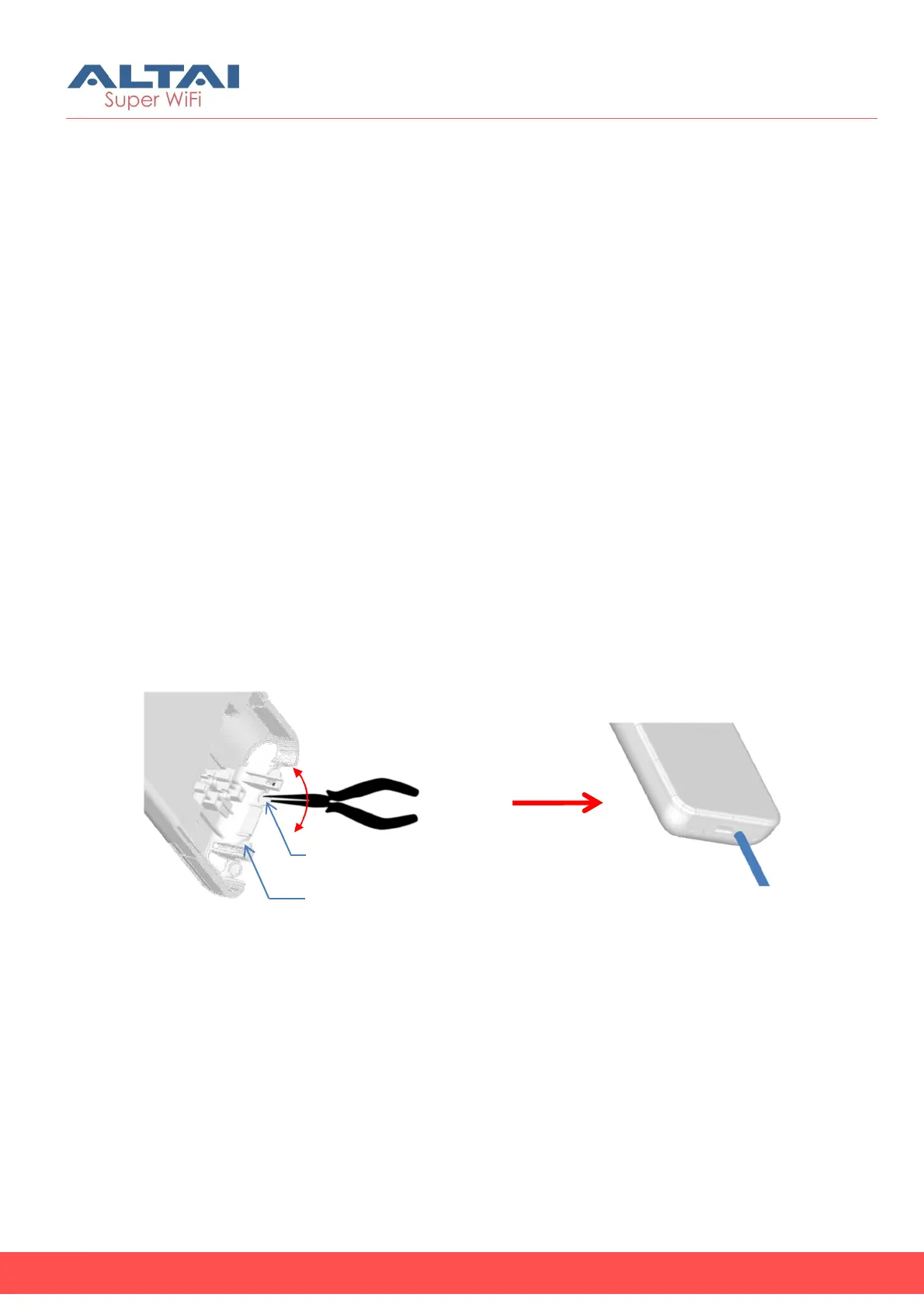
1. Prepare a pair of needle-nose pliers.
2. Follow the instructions on the drawing below to cut a feed-through
hole for ETH0 Port cabling.
3. Cut another hole with pliers for ETH1 Port cabling if necessary.
For ETH1 Port Cabling
For ETH0 Port Cabling



 To Next Page