21
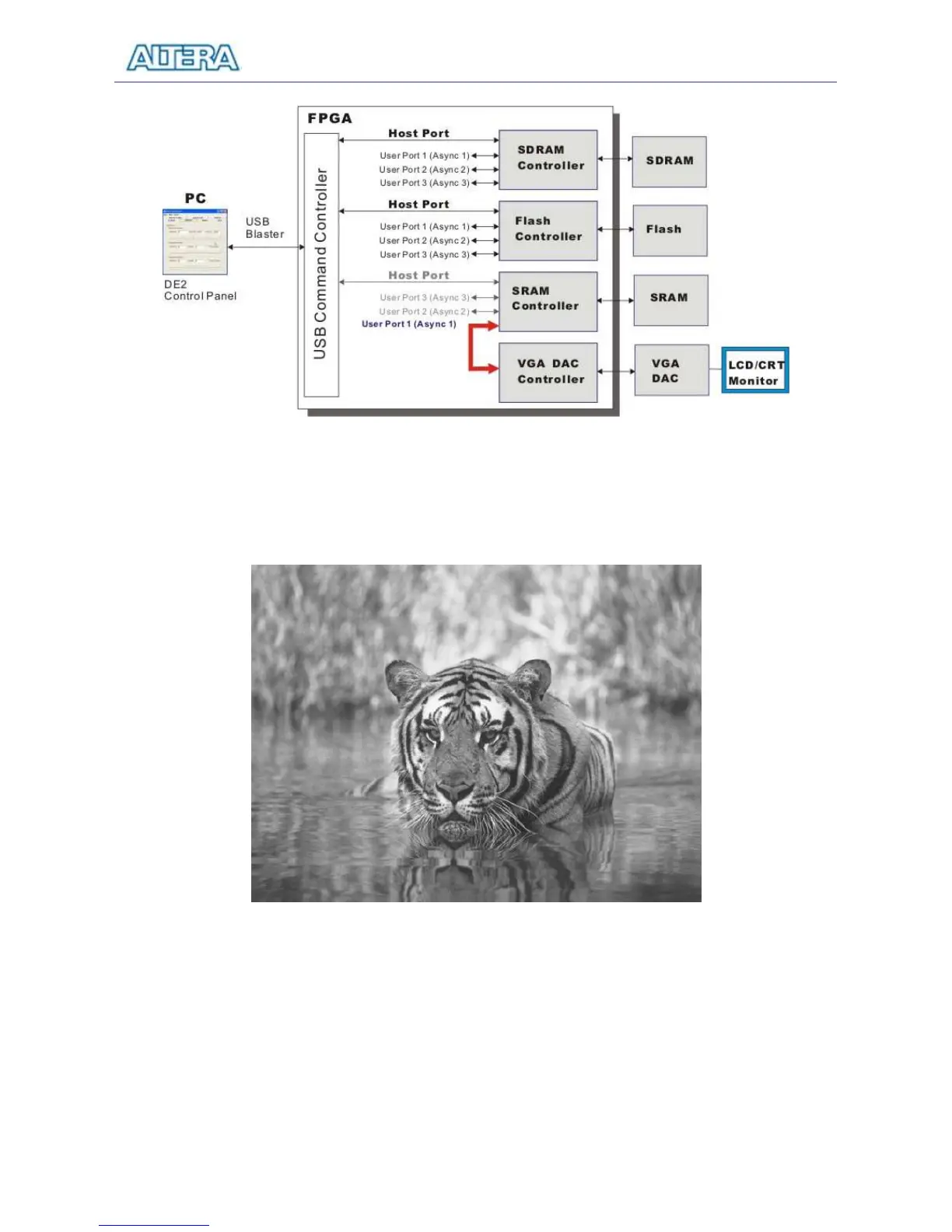
Figure 3.11. Multi-Port Controller configured to display an image from the SRAM.
Figure 3.12. A displayed image.
You can display any image file by loading it into the SRAM chip or into an M4K memory block in
the Cyclone II chip. This requires generating a bitmap file, which may be done as follows:
1. Load the desired image into an image processing tool, such as Corel PhotoPaint.
2. Resample the original image to have a 640 x 480 resolution. Save the modified image in
the Windows Bitmap format.



 To Next Page