EasyManua.ls Logo

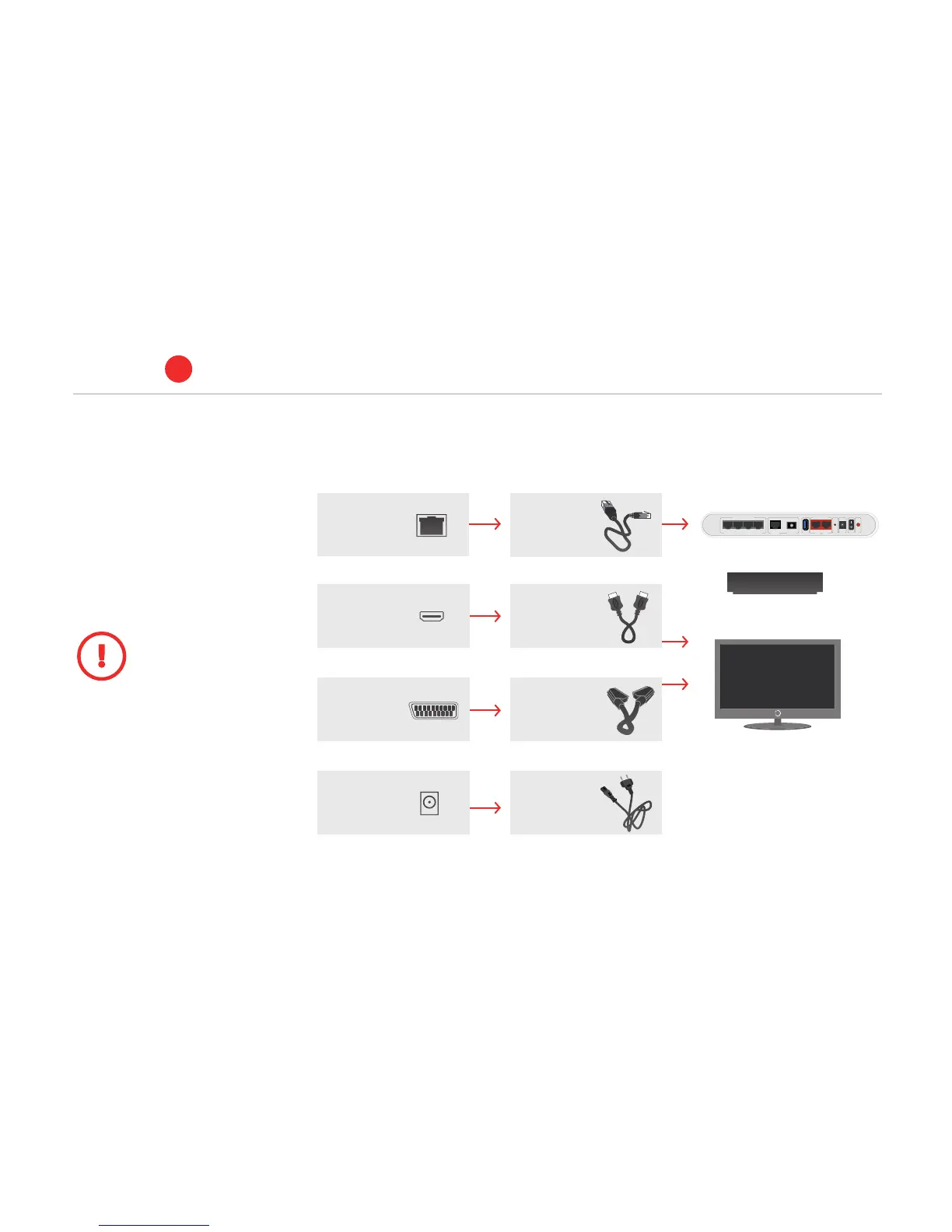
ALTIBOX TV - How to Connect the Set-Top Box to the Home Hub and TV; Connections on the Rear of the Set-Top Box; Type of Cable; Home Hub

Default Icon
30 pages
Print Icon
To Next Page IconTo Next Page
To Previous Page IconTo Previous Page
Loading...
Home hub
To be connected to the set-top box
Hjemmesentral
TV
Ethernet
UTP cat.
5-cabel
SCART
ETHERNET POWER
HDMI
Power Power cable
SCART
ETHERNET POWER
HDMI
Alternative 1:
HDMI
HDMI cable
or
SCART
ETHERNET POWER
HDMI
Alternativ 2:
SCART
SCART cable
SCART
ETHERNET POWER
HDMI
Connections on the rear of
the set-top box:
Type of cable:
TV / BREDBÅND TELEFONI
M2M LAN1 LAN2 LAN3
Fiber
WAN
USB
Tel 1 Tel 2
Reset Power On/Off WPS
BASE
Connect to home hub
ALTIBOX TV
1
4. How to connect the set-top box to
the home hub and TV:
For further information – see guide
that comes with the set-top box or
see altibox.no/brukerveiledninger
We recommend that
you use HDMI cable that
almost all TVs made after
2005 have. HDMI will give
the best picture quality. Follow the
instructions on the set-top box on
start-up, or see the installation guide
that came with the set-top box.
4