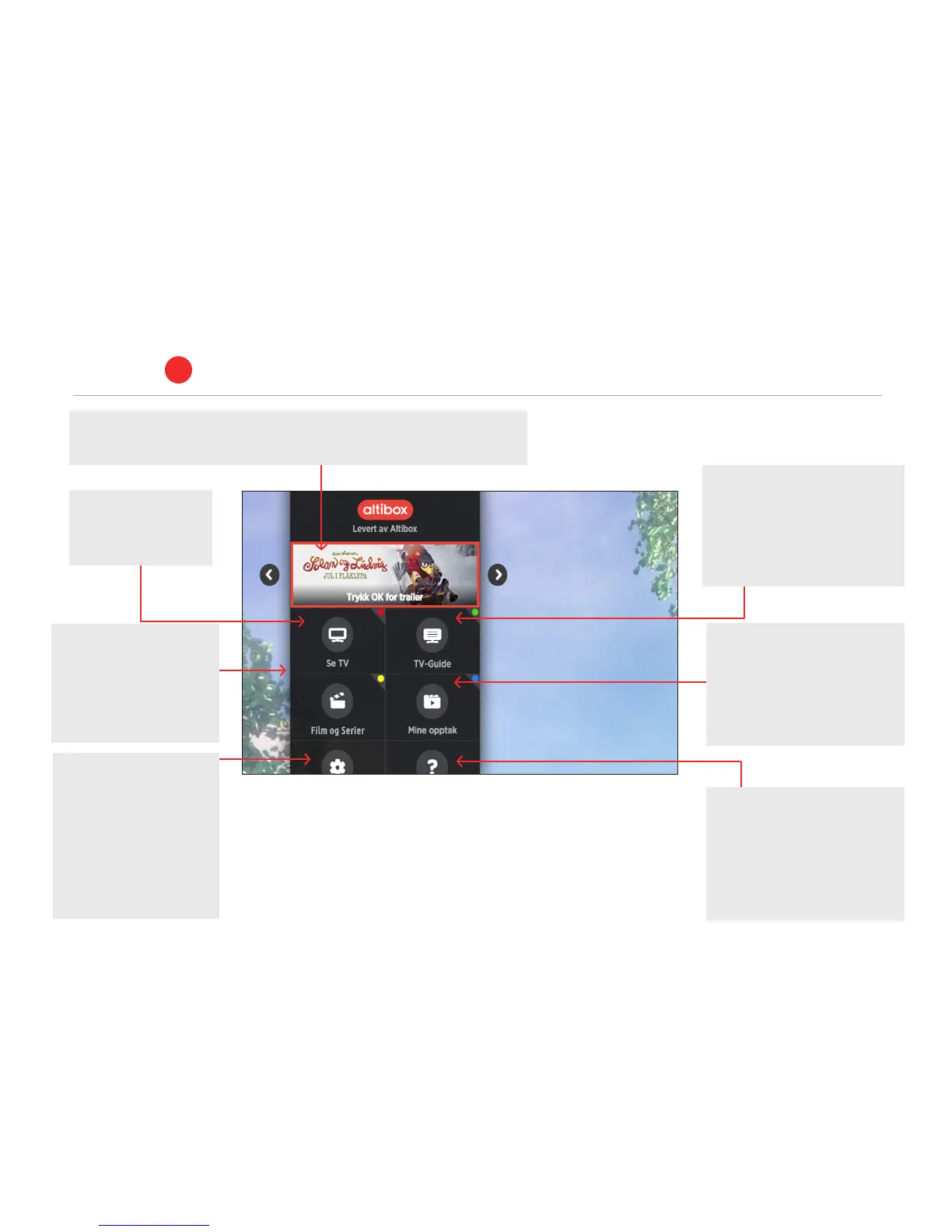
Se tv (See TV)
– The red button
opens live TV.
TV guide
– The green button will open the
extended TV guide that contains
the programme times for all
channels for the next 14 days.
Innstillinger (Settings)
– Here you can change
among other things,
the language, restart
the set-top box, set up
favourite channels and
sort TV channels.
Tjenester (Services)
– Support films, ordering of TV
and broadband products, First
Aid, Radio, aquarium and log
fire in HD.
Film og Serier
– The yellow button will
open the film rental
service. Choose from
several thousand films
and TV series.
Mine opptak (My recordings)
– The blue button opens Mine
opptak (My recordings), which
will show all of the recordings
you have made on your Altibox
video recorder (PVR).
Banner
– Here you will find the most recent releases in our film rental service,
campaigns and interesting oers.
TV portal and services
ALTIBOX TV
3
9



 To Next Page