EasyManua.ls Logo

ALTIBOX TV - Wireless Tv-Extra Receiver

Default Icon
30 pages
Print Icon
To Next Page IconTo Next Page
To Previous Page IconTo Previous Page
Loading...
Type of cable:
WIRELESS TV  EXTRA RECEIVER
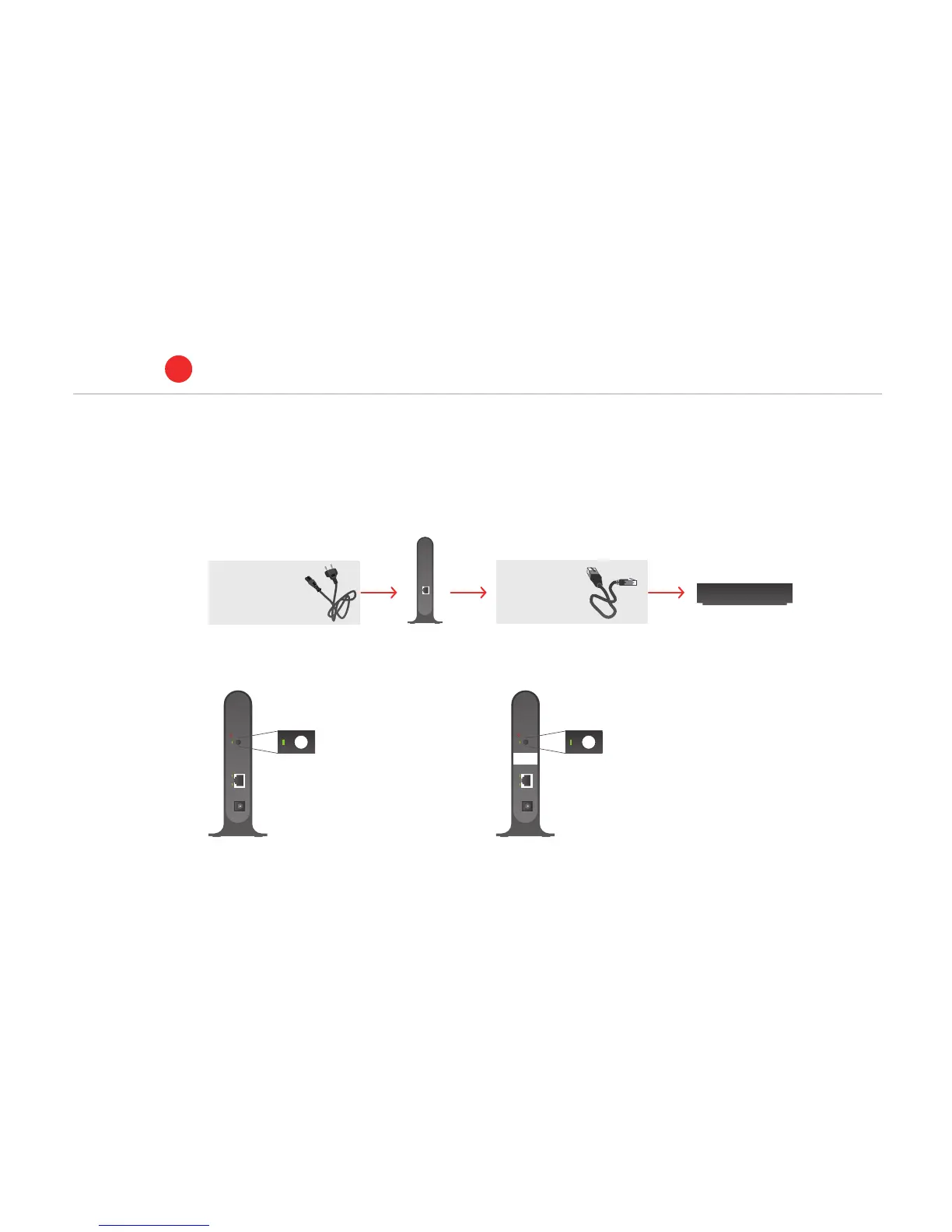
1. Make sure that the unit marked ’BASE’ is connected to the power and by a network cable to a TV socket on the home hub.
UTP cat.
5 cable
Power cable
Type of cable:
Wireless unit
(unmarked)
BASE
set-top box
BASE
2. Connect the extra
receiver to the power
and with the network
cable to the set-top
box
3. Wait 60 seconds
then the WPS button
for two seconds on
the extra receiver.
4. You now have 2
minutes to press the
WPS button for two
seconds on the unit
marked ’BASE’.
5. The system is ready for use.
BASE
WPS
WPS
RESET
LAN
POWER
+12V DC
WPS
WPS
RESET
LAN
POWER
+12V DC
BASE
WPS
WPS
RESET
LAN
POWER
+12V DC
WPS
WPS
RESET
LAN
POWER
+12V DC
Connect to home hub
ALTIBOX TV
1
6