EAV64334 06/2017 9
About the Book
At a Glance
Document Scope
The purpose of this document is to provide information about the safety function incorporated in the drive.
The drive supports the STO safety function according to the IEC 61800-5-2 standard.
Validity Note
Original instructions and information given in this manual have been written in English (before optional
translation).
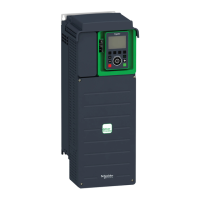
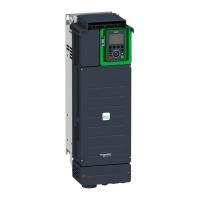
This documentation is valid for the Altivar Process drives and drive systems described in the Installation
manual.
The technical characteristics of the devices described in this document also appear online. To access this
information online:
The characteristics that are presented in this manual should be the same as those characteristics that
appear online. In line with our policy of constant improvement, we may revise content over time to improve
clarity and accuracy. If you see a difference between the manual and online information, use the online
information as your reference.
Related Documents
Use your tablet or your PC to quickly access detailed and comprehensive information on all our products
on www.schneider-electric.com.
The internet site provides the information you need for products and solutions:
The whole catalog for detailed characteristics and selection guides,
The CAD files to help design your installation, available in over 20 different file formats,
All software and firmware to maintain your installation up to date,
A large quantity of White Papers, Environment documents, Application solutions, Specifications... to
gain a better understanding of our electrical systems and equipment or automation,
And finally all the User Guides related to your drive, listed below:
(Other option manuals and Instruction sheets are available on www.schneider-electric.com)
Step Action
1 Go to the Schneider Electric home page
www.schneider-electric.com
.
2 In the Search box type the reference of a product or the name of a product range.
Do not include blank spaces in the reference or product range.
To get information on grouping similar modules, use asterisks (
*
).
3 If you entered a reference, go to the Product Datasheets search results and click on the reference that
interests you.
If you entered the name of a product range, go to the Product Ranges search results and click on the
product range that interests you.
4 If more than one reference appears in the Products search results, click on the reference that interests
you.
5 Depending on the size of your screen, you may need to scroll down to see the data sheet.
6 To save or print a data sheet as a .pdf file, click Download XXX product datasheet.
Title of Documentation Catalog Number
ATV600 Getting Started
EAV63253
(English),
EAV63254
(French),
EAV63255
(German),
EAV63256
(Spanish),
EAV63257
(Italian),
EAV64298
(Chinese)
ATV600 Getting Started Annex
(SCCR)
EAV64300
(English)
ATV630, ATV650 Installation
Manual
EAV64301
(English),
EAV64302
(French),
EAV64306
(German),
EAV64307
(Spanish),
EAV64310
(Italian),
EAV64317
(Chinese)
ATV600 Programming Manual
EAV64318
(English),
EAV64320
(French),
EAV64321
(German),
EAV64322
(Spanish),
EAV64323
(Italian),
EAV64324
(Chinese)



 To Next Page