EasyManua.ls Logo

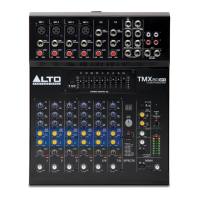
Alto TMX 80 DFX - User Manual

Alto TMX 80 DFX
28 pages
Print Icon
To Next Page IconTo Next Page
Loading...
QUICKSTART GUIDE
ENGLISH ( 3 – 6 )
MANUAL DE INICIO RÁPIDO
ESPAÑOL ( 7 – 10 )
GUIDE D’UTILISATION RAPIDE
FRANÇAIS ( 11 – 14 )
GUIDA RAPIDA
ITALIANO ( 15 – 18 )
KURZANLEITUNG
DEUTSCH ( 19 – 22 )
SNELSTARTGIDS
NEDERLANDS ( 23 – 26 )

Questions and Answers

  • K
    Kevin FreemanAug 2, 2025
    Why is my Alto TMX 80 DFX signal distorted and very loud?
    • J
      James WeberAug 2, 2025
      The signal from your Alto Music Mixer may sound distorted and very loud, with the LIMIT light frequently on, because the input signal is too high, exceeding the speaker's capacity. To resolve this, try reducing the output level from the source, lowering the level controls on the speaker, or testing with an alternative set of speakers.
  • S
    Stephanie FernandezAug 10, 2025
    Why is there so much hiss in the sound from my Alto TMX 80 DFX Music Mixer?
    • N
      Nathan PalmerAug 11, 2025
      Excessive hiss in the sound from your Alto Music Mixer, even with low control settings, is likely due to an improper gain structure. Ensure the MIC/LINE switch is in the LINE (disengaged) position. Also, reduce the level settings at the speaker, review your mixer's manual, and adjust controls as needed, paying attention to input sensitivity (gain), channel faders, and master faders.
  • A
    anthony52Aug 20, 2025
    What to do if I hear hum or buzz when moving the mixer level controls of my Alto Music Mixer?
    • D
      Daniel Campos DDSAug 21, 2025
      If the hum or buzz changes when you move the level controls on your Alto Music Mixer, it could be due to an improper A/C ground, faulty equipment connected to the mixer input, or a faulty cable between the source equipment and the mixer. Disconnect or mute channels one at a time to isolate the problem. Try substituting a known good cable for the suspected faulty one.

Summary

Connection Diagram

Quick Setup

Features

Input and Channel Controls

Configuration and adjustment of input signals, gain, level, pan, and EQ.

Auxiliary and Effects Management

Routing auxiliary signals and controlling the built-in effects module.

Output, Monitoring, and Indicators

Managing audio outputs, monitoring levels, and system status indicators.

Troubleshooting

Audio Output Issues

Diagnosing and resolving problems with audio output and unwanted noise.

Signal Integrity Problems

Addressing issues like distortion, loud signals, and hiss at low levels.

Grounding and Interference

Identifying and fixing hum or buzz caused by grounding or interference.

Connection Diagrams

Small Gig Connection Diagram

Illustrates connections for a small performance setup.

Bar, Pub, Restaurant Diagram

Shows typical connections for venue setups.

Speaker Output Connection

Details how to connect speakers to the unit.

Technical Specifications

Input and Impedance Specifications

Electrical characteristics of audio inputs and their impedance.

Power Output and Performance

Details on audio power output, distortion, and frequency response.

Protection and Safety Features

Information on safety mechanisms and power supply requirements.

Physical Specifications

Physical size and weight of the mixer.

Alto TMX 80 DFX Specifications

Input Channels IconInput Channels
microphone input impedance3.9 kOhm
frequency response20 Hz to 22 kHz, +/- 1 dB
signal to noise ratio115 dB
Power Section IconPower Section
inrush current at initial switch on6.20 A
continuous power at 4 Ohm2x350W
continuous power at 8 Ohm2x180W
Power Supply IconPower Supply
voltage100V~50/60Hz, 110-120V~50/60Hz, 220-240V~50/60Hz
inrush current after initial switch-on6.20 A
inrush current after power supply interruption4.02 A
Weight and Dimensions IconWeight and Dimensions
dimensions133mm x 322mm x 259mm
dimensions in inches5.2” x 12.6” x 10.2”
net weight4.8 kg

Related product manuals