27
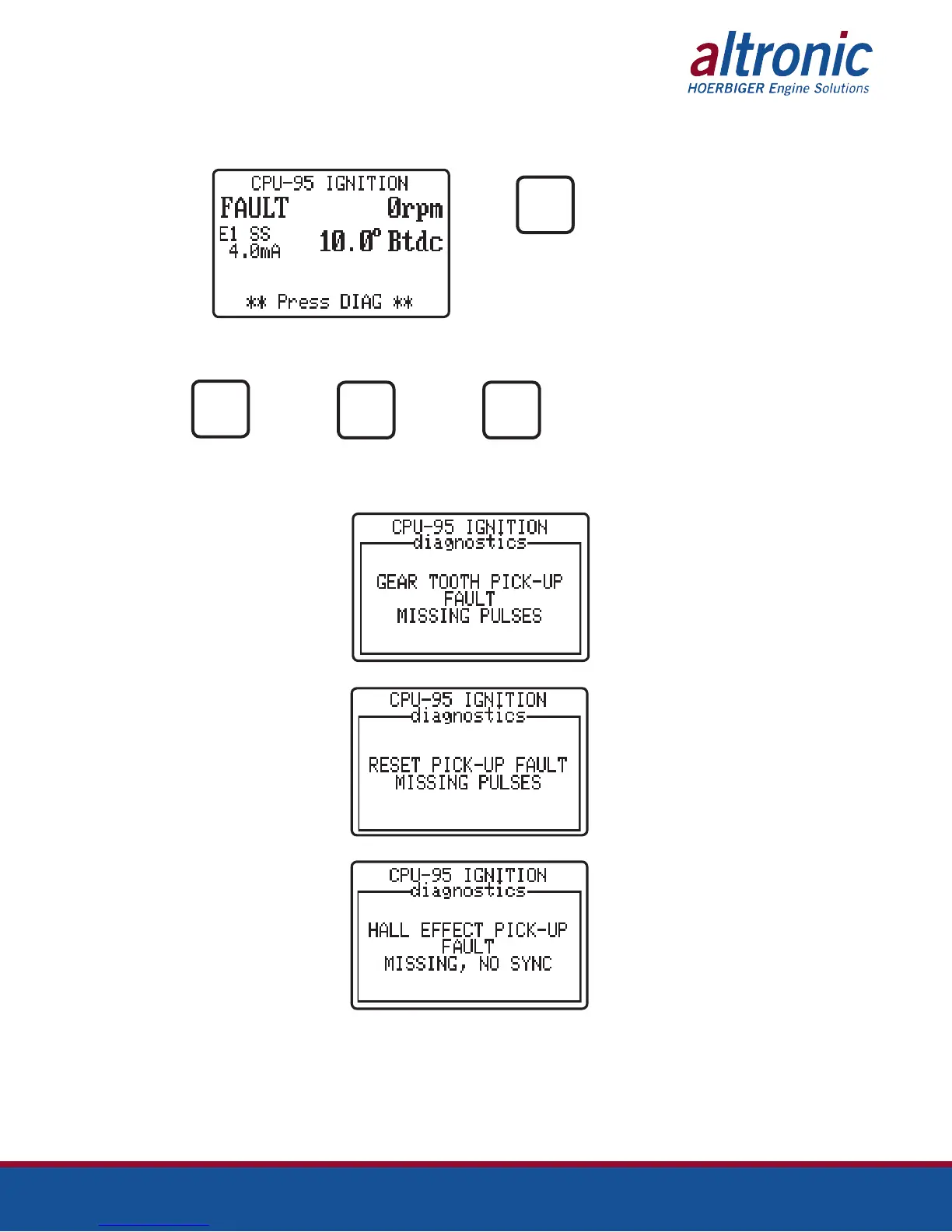
10.4 When a fault or warning is present, the operator can display the actual cause of
the diagnostic as depicted below.
FROM THE PRESS
HOME
SCREEN
DIAG
Then from the diagnostic description screens use the following keys.
PRESS TO OR PRESS PRESS TO
VIEW NEXT TO VIEW EXIT
NEXT
ENTER
NEXT
ESC
10.5 Diagnostic Fault screens, in order of display priority:
When zero gear-tooth pulses are
seen between two reset pulses.
When too many gear-tooth pulses
are seen without a reset pulse.
When there are no Hall-effect
pickup pulses or when the pick-
ups are not synchronized.


 To Next Page