17
9.0 SETUP CONTROL OPTIONS
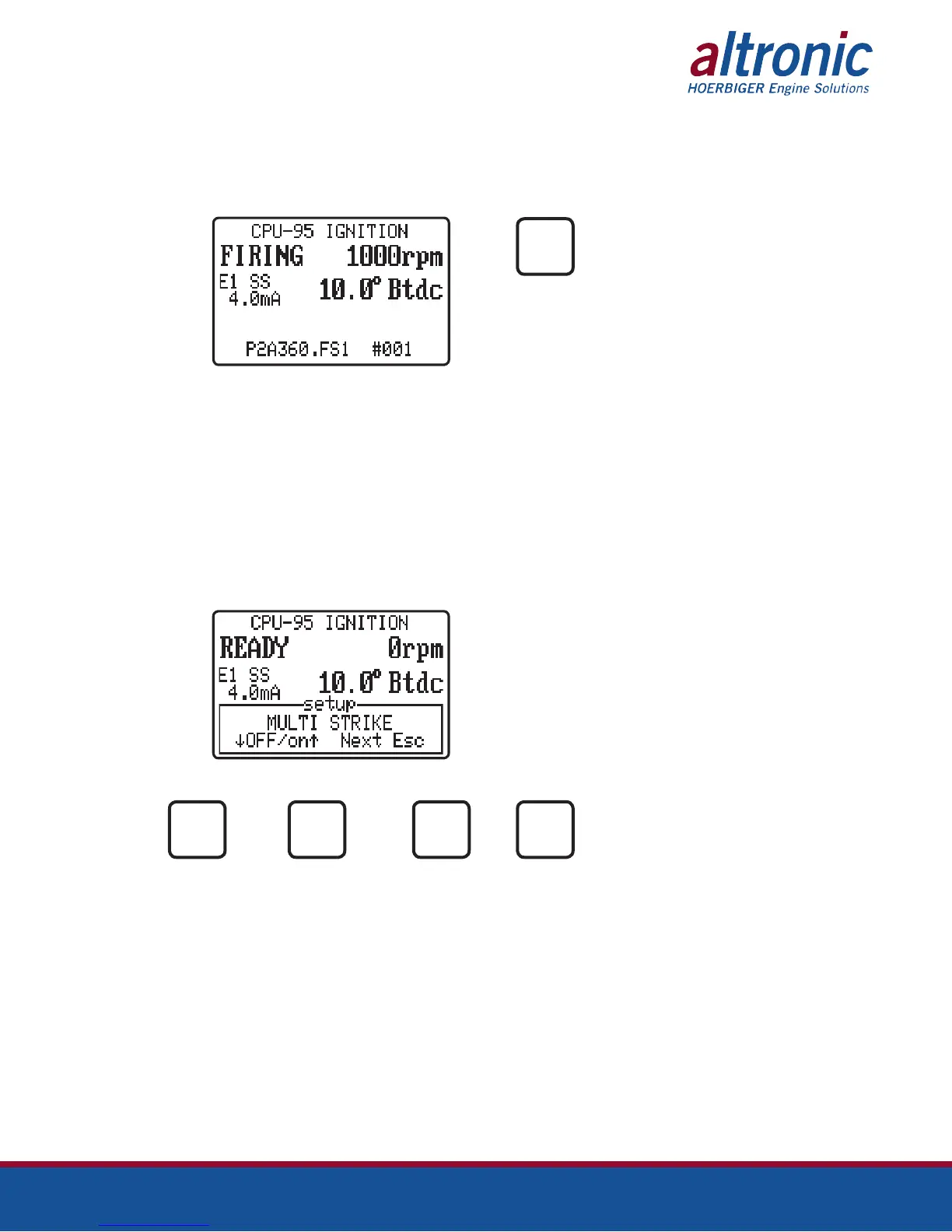
9.1 Additional control settings and display features can be accessed under the Setup
menu. Changes made under the Setup menu are stored in EEPROM and remain
fixed until changed again. The Setup menu can be entered as described below.
FROM PRESS
SETUP
9.2 The first setup screen permits the operator to enable or disable the Multi-Strike
feature.
Note 1: A special feature can be selected during configuration to force Multi-
Strike to be active below 250 rpm, or when the Misc. Input is grounded.
This feature is not active in a standard configuration.
Note 2: The use of Multi-Strike firings may tend to accelerate spark plug elec-
trode erosion.
Note 3: The Multi-Strike feature is used to select spark profiles 4-6. See figure 2.
AT
TO TO FOR TO
TURN TURN NEXT EXIT
ON off option
MULTI
MULTI
NEXT
ESC



 To Next Page