18
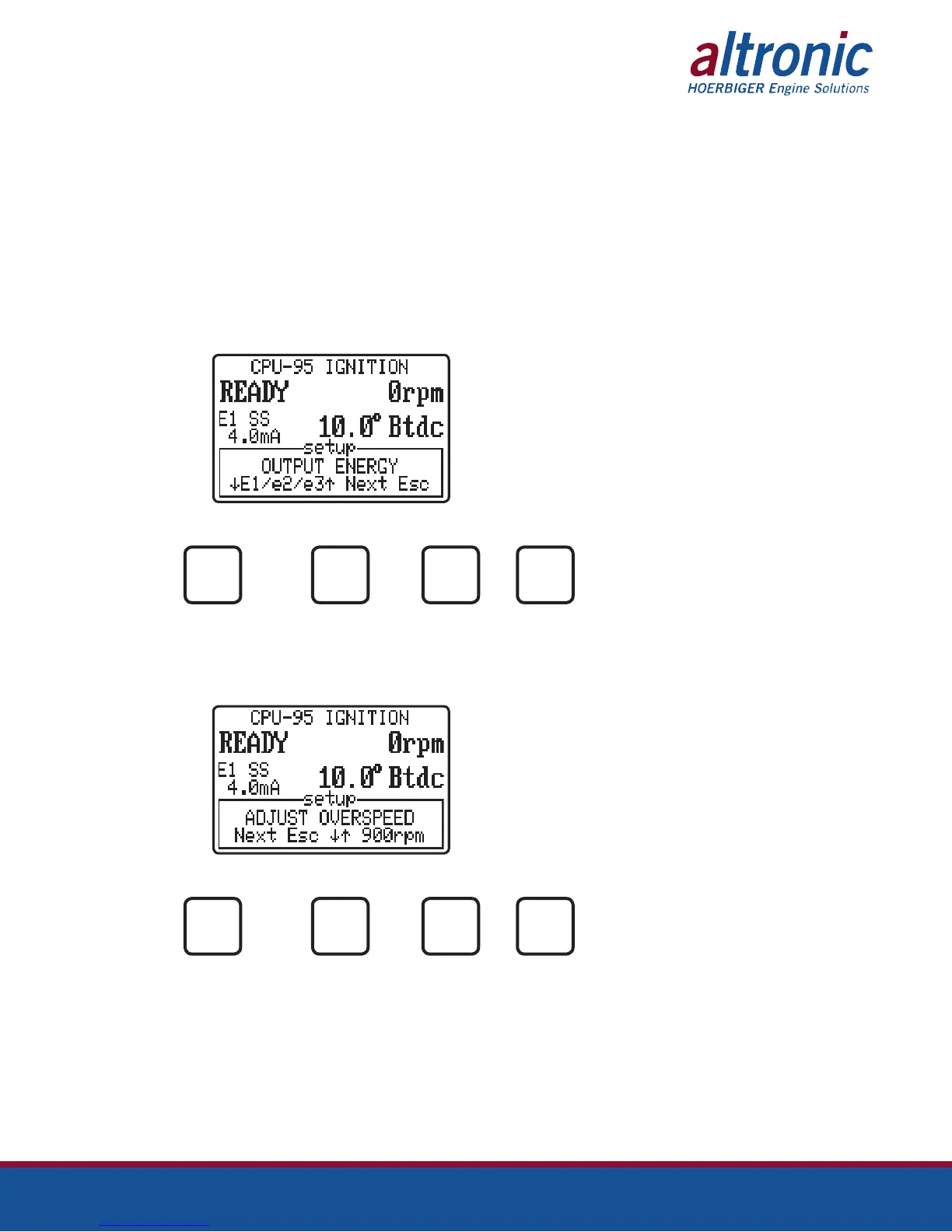
9.3 The next setup screen permits the operator to select one of three ignition spark
profile levels (E1,E2,E3) for the previously selected Single Strike or Multi Strike
mode.
Note 1: A special feature can be selected during configuration to use the maxi-
mum energy level below 250 rpm, or when the Misc Input is grounded.
This feature is not active in a standard configuration.
Note 2: The use of higher spark energy may tend to accelerate spark plug elec-
trode erosion.
Note 3: The energy levels are used to select preprogrammed spark profiles. Six
total, E1,E2,E3SS and E1,E2,E3MS. See Fig. 2 for spark profile details.
AT NOTE: Spark Profile
E1 is displayed.
TO TO FOR TO
INCREASE DECREASE NEXT EXIT
OPTION
NEXT
ESC
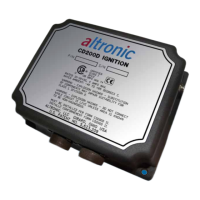
9.4 The next setup screen is used to adjust the engine overspeed setpoint. The
setpoint can be adjusted in increments of 10 rpm to a maximum of 2550 rpm.
AT
TO TO FOR TO
INCREASE DECREASE NEXT EXIT
OPTION
NEXT
ESC


 To Next Page