7 Servicing/Maintenance
63 of 124
Amarex KRT
7.2.2.3 Changing the coolant
WARNING
Coolants and supplies which pose a health hazard or are hot
Hazard to persons and the environment!
▷ When draining the fluid take appropriate measures to protect persons and the
environment.
▷ Observe all legal regulations on the disposal of fluids posing a health hazard.
WARNING
Cooling liquid spurting out due to excess pressure in the cooling liquid chamber at
operating temperature!
Risk of injuries by parts flying off and escaping cooling liquid!
▷ Open the screw plug of the cooling liquid chamber very carefully.
Draining the coolant
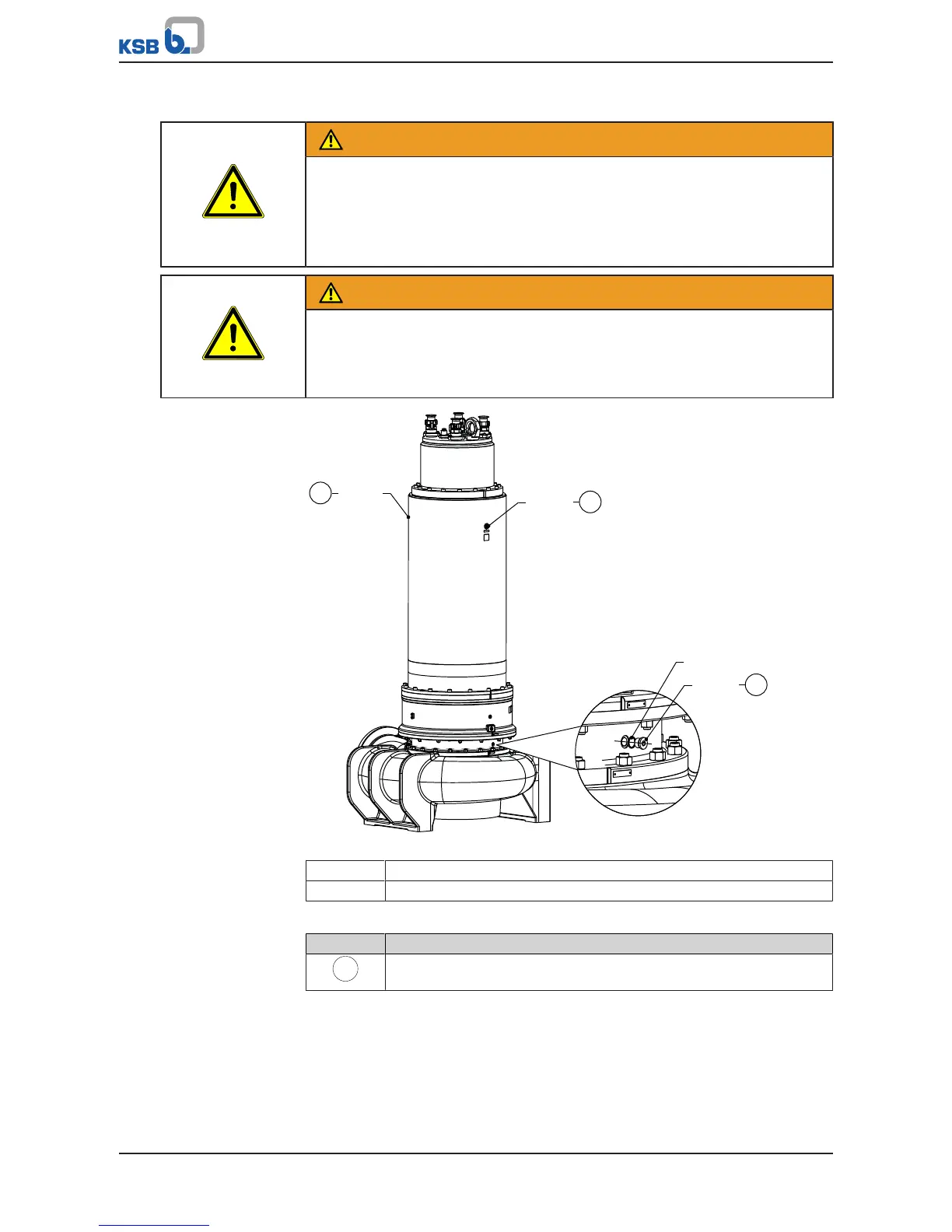
903.34
411.34
FD
903.34
411.34
FD
903.33
FD
411.33
Fig.35: Draining and filling in the coolant
411.33 Coolant drain
411.34 Coolant filler opening
Table34: Key to the symbols and codes
Symbol Description
Always apply a liquid sealing agent (e.g. Hylomar SQ32M) to sealing
surfaces marked with this symbol.
ü The pump set has been placed down in a vertical position.
1. Place a suitable container under screw plug 903.33. (Coolant quantity.)
2. Unscrew and remove both screw plugs 903.34 with joint rings 411.34 at the filler
openings (opposed by 180°).


 To Next Page