Copyright 2018 by Amber Kinetics. All rights reserved.
26
M32 FLYWHEEL - INSTALLATION & MAINTENANCE MANUAL
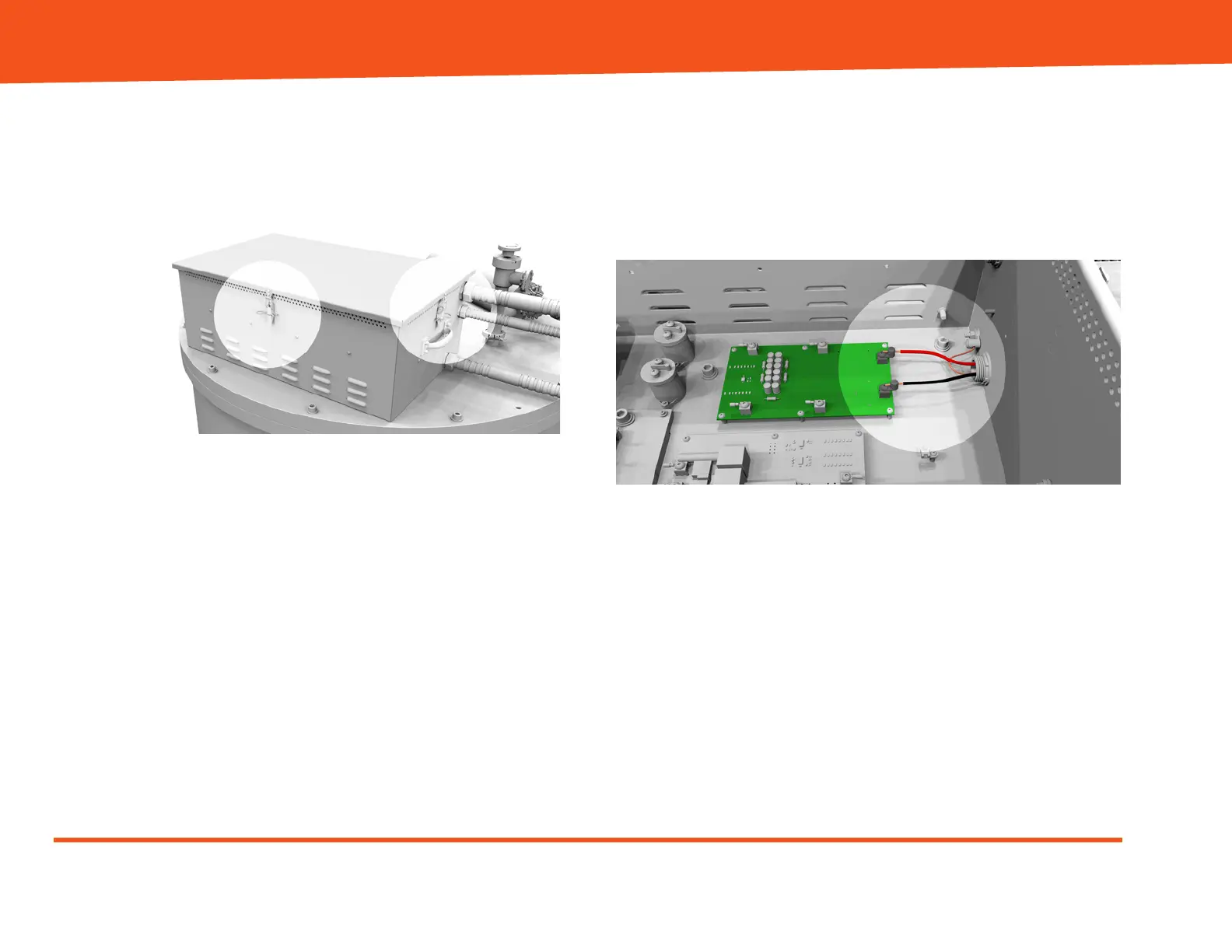
2. Remove the top of the Electronics Enclosure by
removing the four cotter pins (one on each side),
releasing the four latches, and then lifting the top
out of the way.
Figure 17: Cotter pins and latches on
Electronics Enclosure
3. Remove the fasteners, and then lift the upper
electronics tray up to gain access to connect the
DC wires to the terminals on the lower electronics
tray.
4. Connect the DC wires as follows:
- Red wire to the positive (+) terminal.
- Black wire to the negative (-) terminal.
- Bare wire to the grounding lug on the
Electronics Enclosure.
Figure 18: DC connections (lower tray)
5. Lower the upper electronics tray back into
position, and then reinstall all fasteners.


 To Next Page