27
Copyright 2018 by Amber Kinetics. All rights reserved.
3 - INSTALLATION
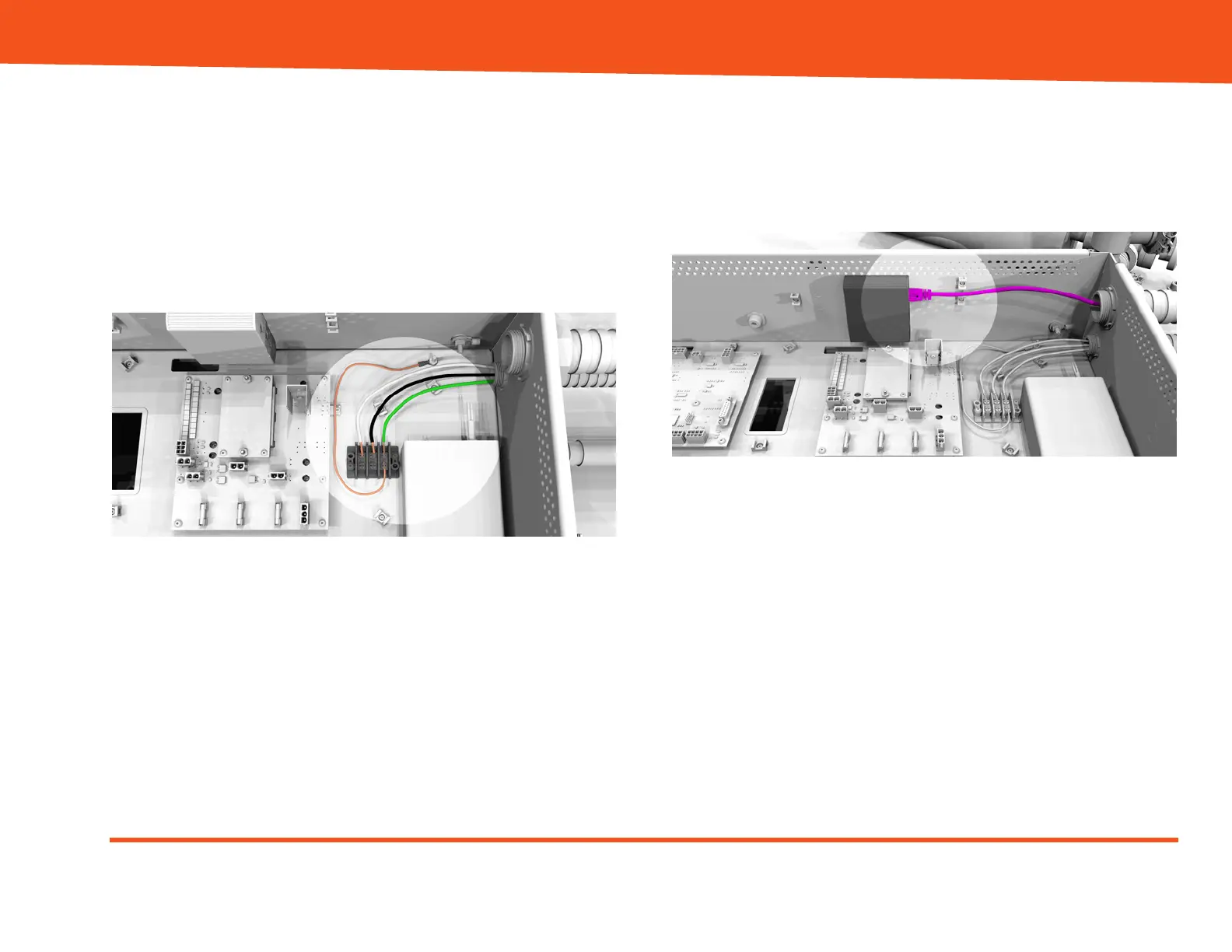
6. Connect the AC wires as follows:
- White wire to the neutral (N) terminal.
- Black wire to the hot/line (L) terminal.
- Green wire to the ground (G) terminal.
- Bare or green wire from the ground (G) terminal
to the grounding lug on the Electronics
Enclosure.
Figure 19: AC connections (upper tray)
7. Connect the flywheel debug Cat6a Ethernet cable
to the Ethernet-to-USB adapter (unit may vary
from that shown in Figure 21). Use the provided
cable tie points to provide strain relief for the cable
(cable ties not shown)..
Figure 20: Debug Cat6a Ethernet connection


 To Next Page