Compact Voice Alarm System
User Manual
8
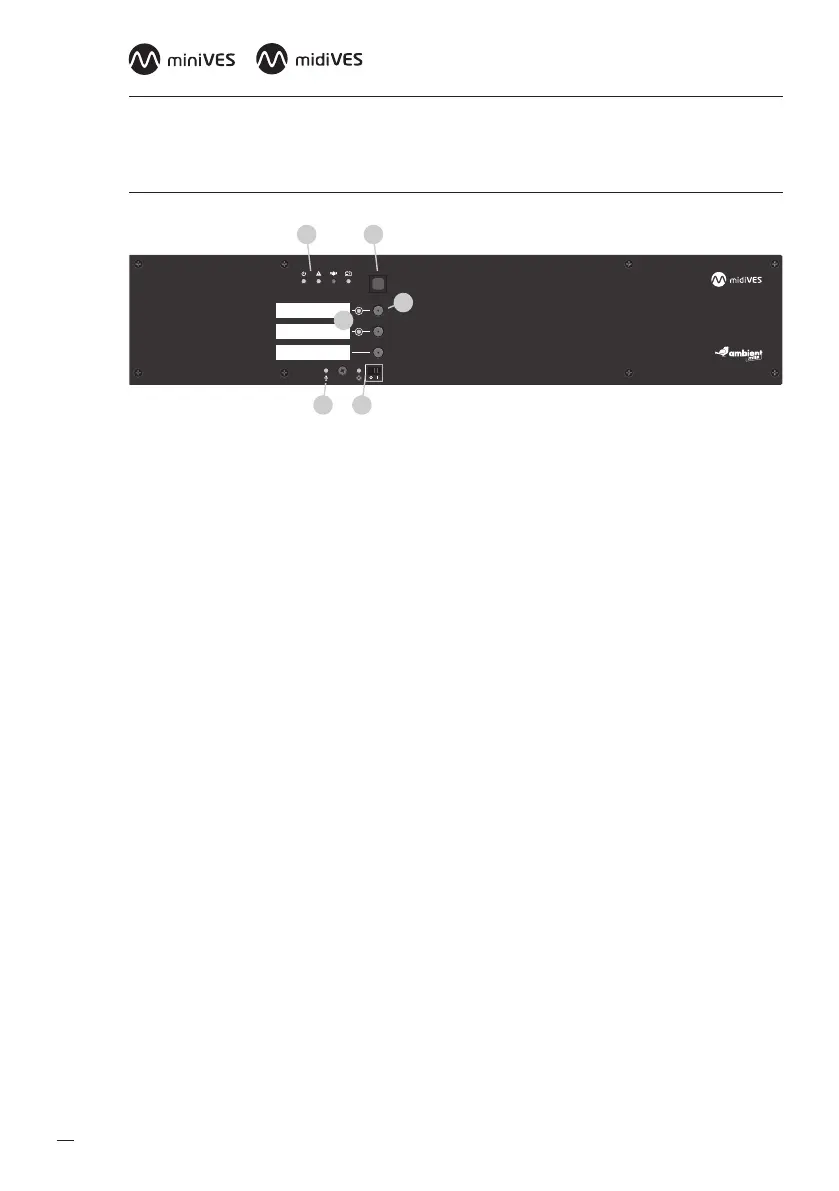
2.2 Front panel of midiVES 8003R
1 2
5 6
3
4
Fig. 2. Front panel of midiVES 8003R
1. Indicators
a. Power supply indicator (green LED)
b. Failure indicator (yellow LED)
c. Emergency indicator (red LED)
d. Battery power indicator (yellow LED)
2. Emergency button
3. Congurable function buttons
4. Function button activation LEDs
5. Handheld microphone LED
6. CPU o section
a. CPU o function LED (yellow)
b. CPU o function switch


 To Next Page