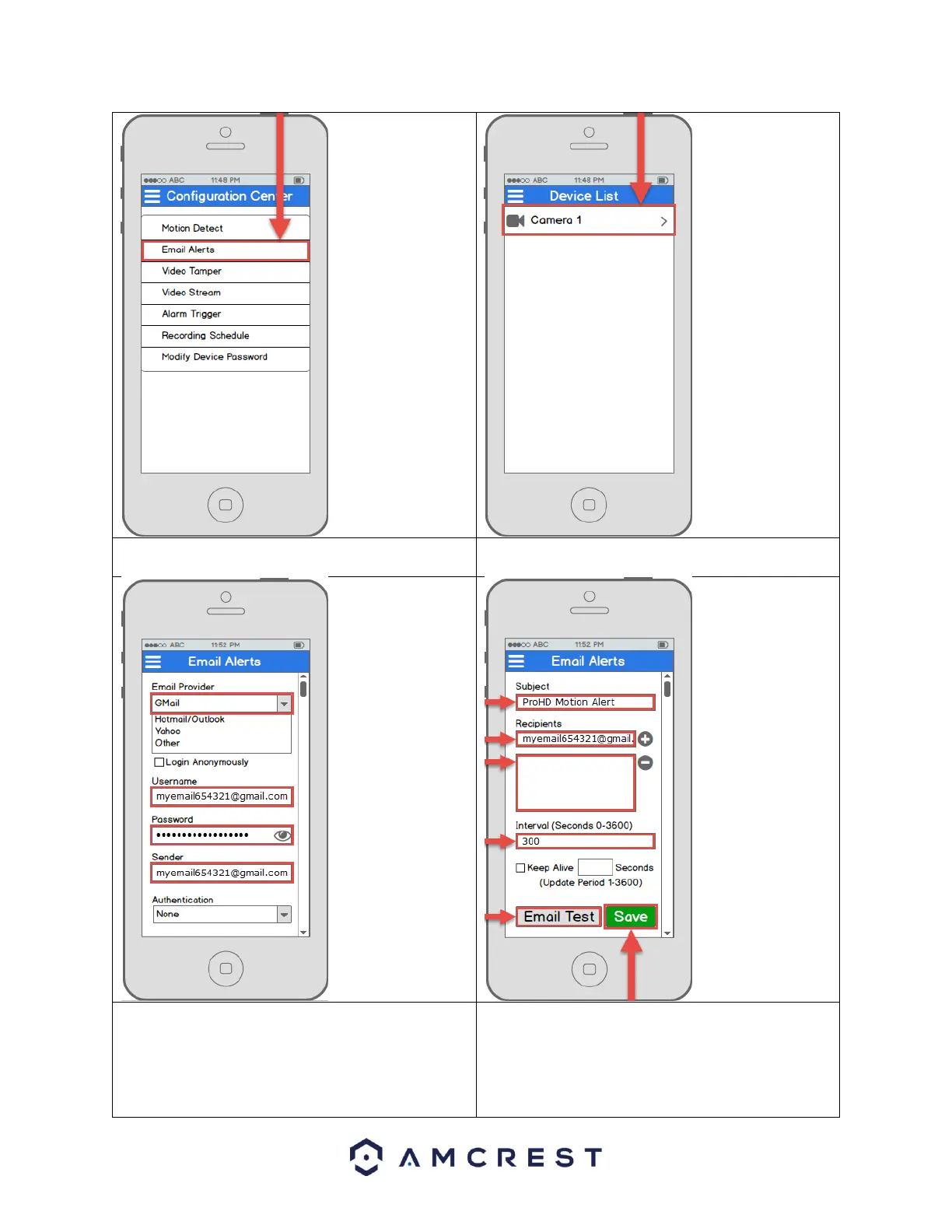
3. Tap Email Alerts to open the email alerts
settings menu.
4. Select the camera that you want to modify
email alert settings for.
Note: If your
provider is not
listed, select Other,
then fill out the
SMTP Server and
Port fields.
Note: You can
specify, in seconds,
the Interval: how
long the camera
should wait
between sending
emails.
5. Start by selecting your email provider.
Continue by entering your email address in
the Username field, followed by the
password to your e-mail in the Password
field. Specify the sender email in the Sender
field, then scroll further down.
6. Enter a subject line under Subject, then add
Recipients by entering in their email
addresses and tapping the plus sign. Tap the
Email Test button to initiate an email test. If
successful, tap the Save button to save the
email settings.















 To Next Page