41
4.6.2 User method
The user method requires that you first install the Amcrest browser plugin for AmcrestView.com. Then, you can
register for an account to set up your camera.
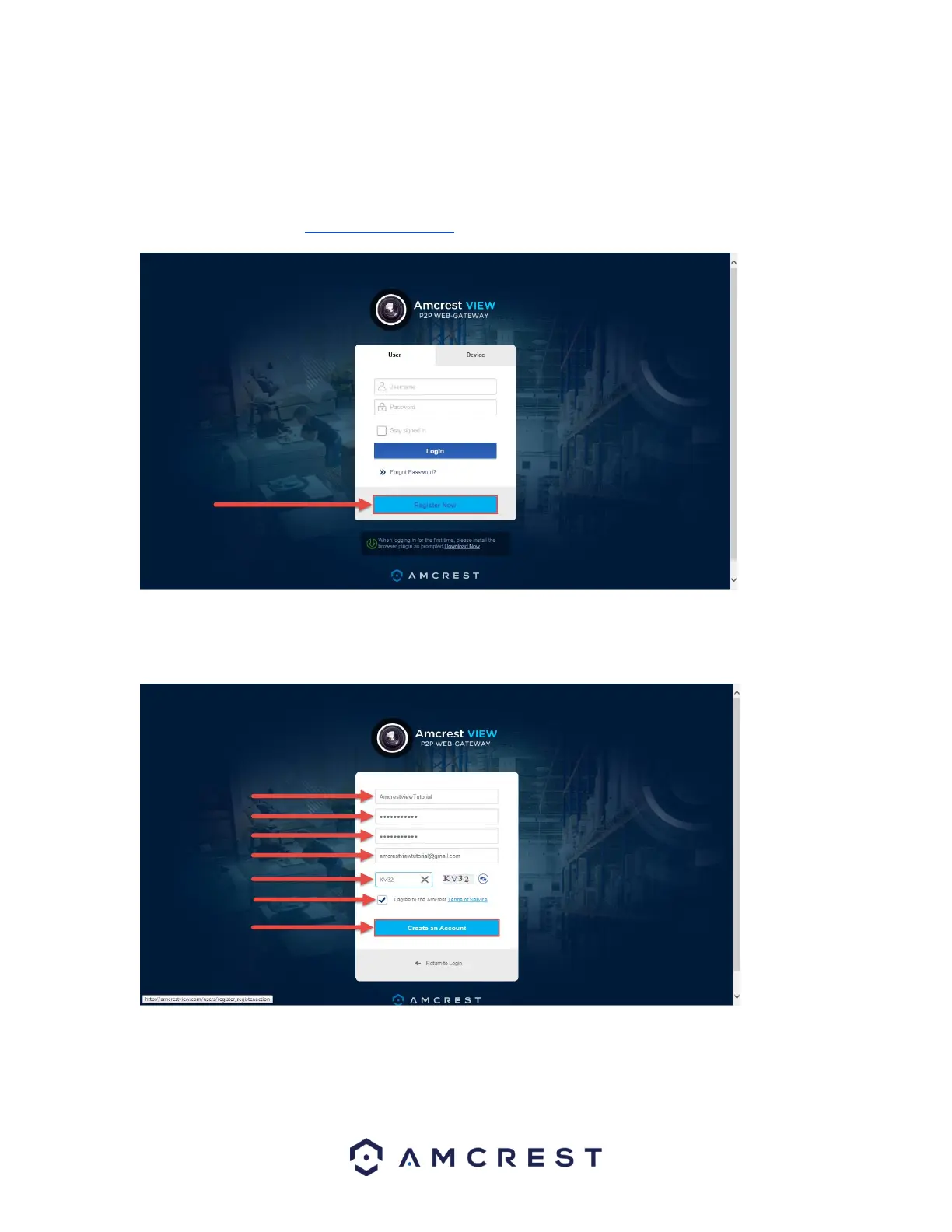
1. On the main login screen, www.amcrestview.com, click the Register Now button:
2. You will be taken to the registration form. Enter your Username, Password, then Confirm Password, type your
Email, enter the Verification Code, make sure the box is checked confirming you’ve read the ‘Amcrest Terms
of Service’, then click Create an Account:















 To Next Page