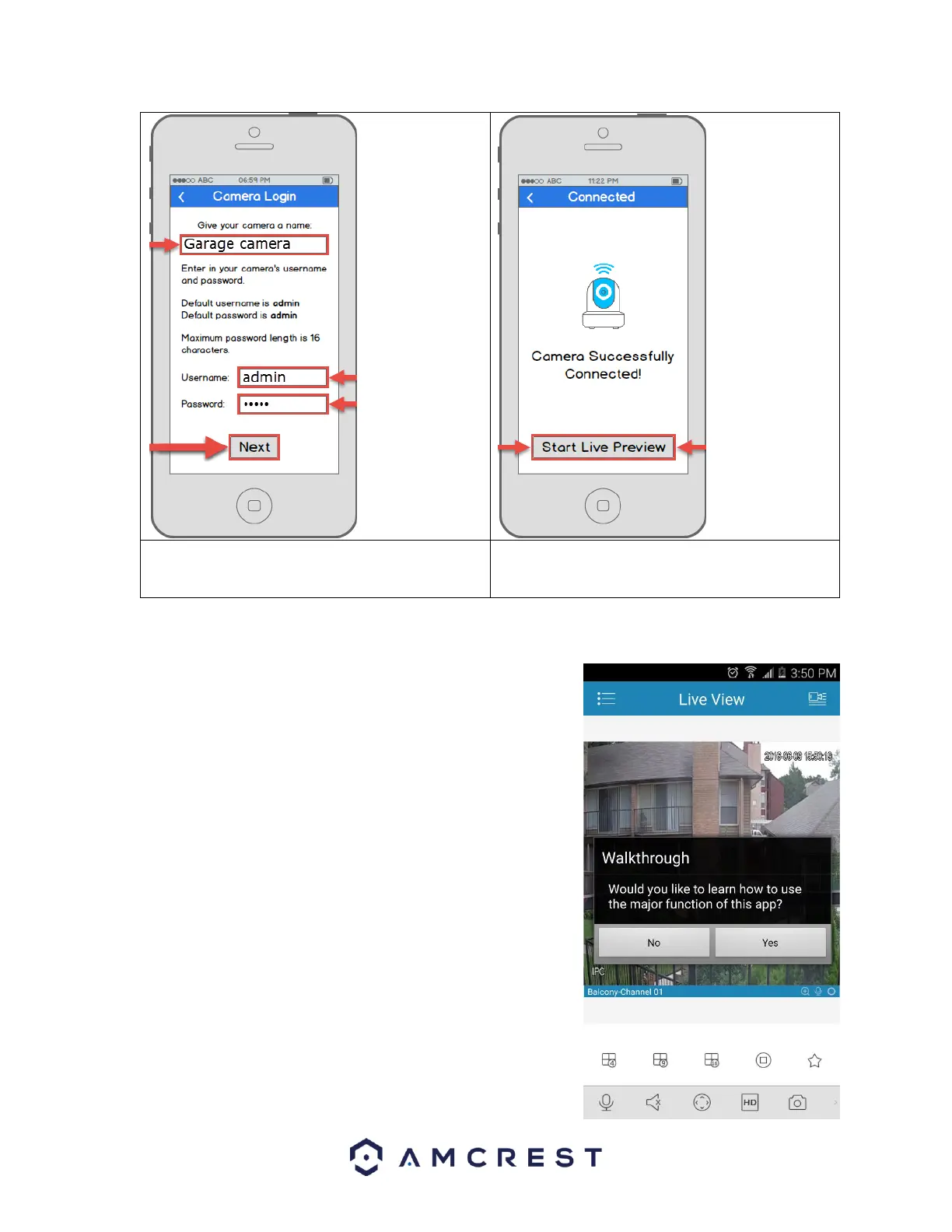
8. Give your camera a name, then enter in the
camera’s username and password. Once you’ve
filled out all of the fields, tap Next.
4.3.4 App walkthrough
Once you've set up your camera, the app will present you with a popup
that offers a walkthrough of different features. Tap “Yes” on this popup
to begin a tour of all of the icons located on the Live View screen. In the
future, you can always access the walkthrough again by opening the
Menu, tapping Help, then tapping Wizard.















 To Next Page