32
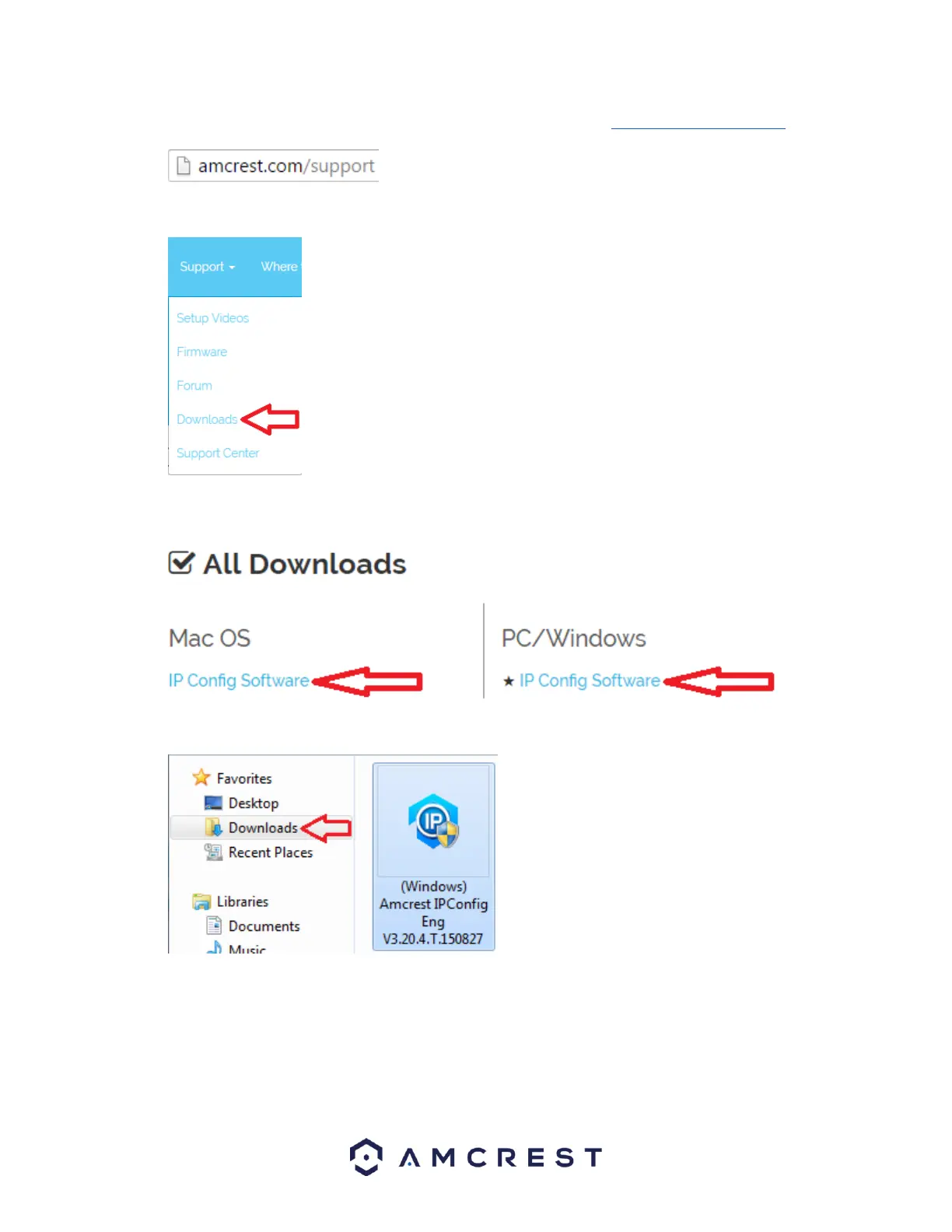
1. Log onto your computer, open your web browser of choice, and go to www.amcrest.com/support:
2. Then, hover over the Support tab up top and choose Downloads from the dropdown.
3. This brings you to the downloads page. Click the IP Config Software download link on this page for either
Windows or Mac.
4. Find the download in your Downloads folder, and click it to open the installer.
5. You will be asked to allow this program to make changes to your computer with a pop-up window, click
Yes.















 To Next Page