45
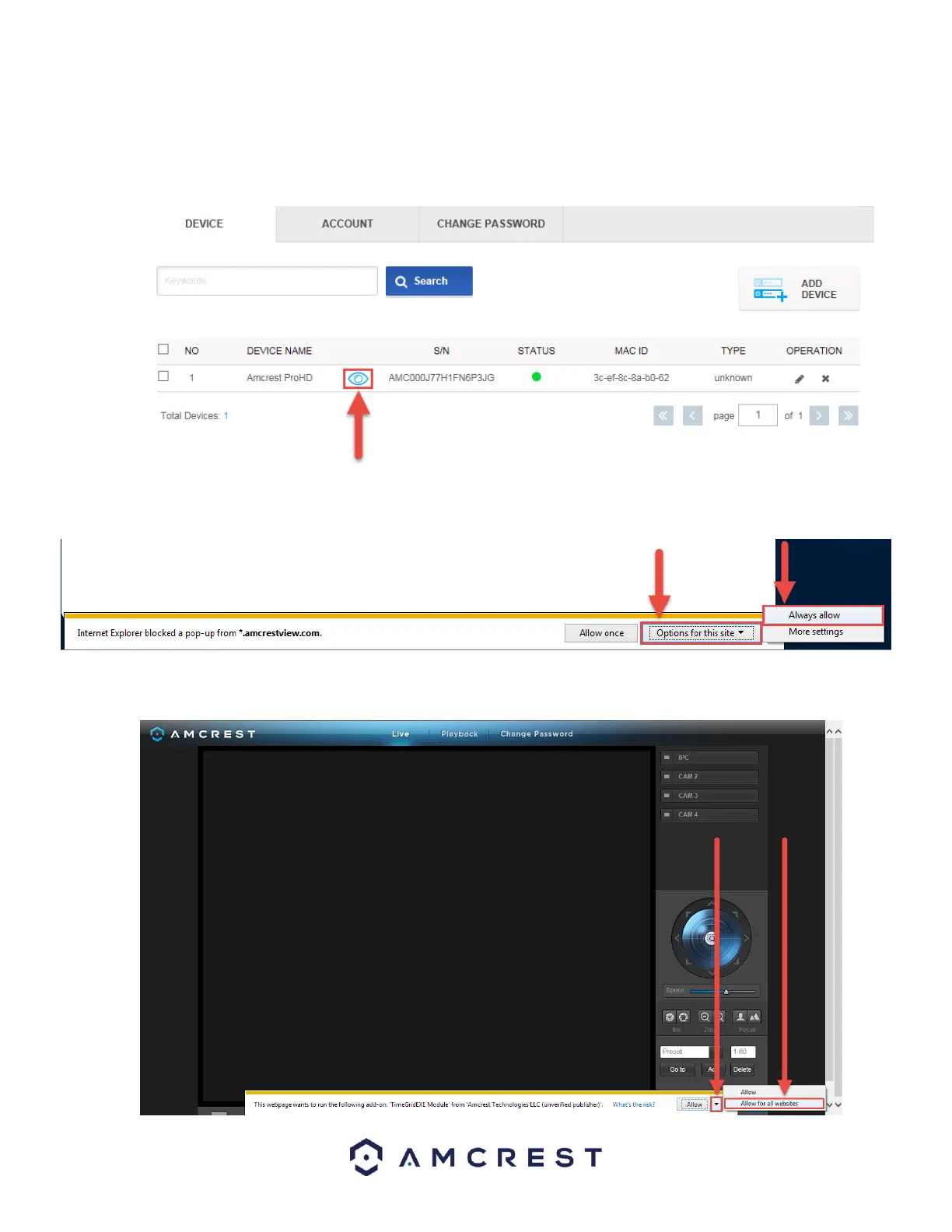
10. You will then see your camera added to the device list on the main screen. Click the ‘eye’ icon to view the live
feed:
11. Your browser will give you a notification asking you to allow popups from AmcrestView.com. Click Options for
this site, then click Always allow:
12. You will be taken to the live view page and given a notification to allow the plugin to pull the video feed
through here. Click the small arrow to the right of Allow, then click Allow for all websites:















 To Next Page