43
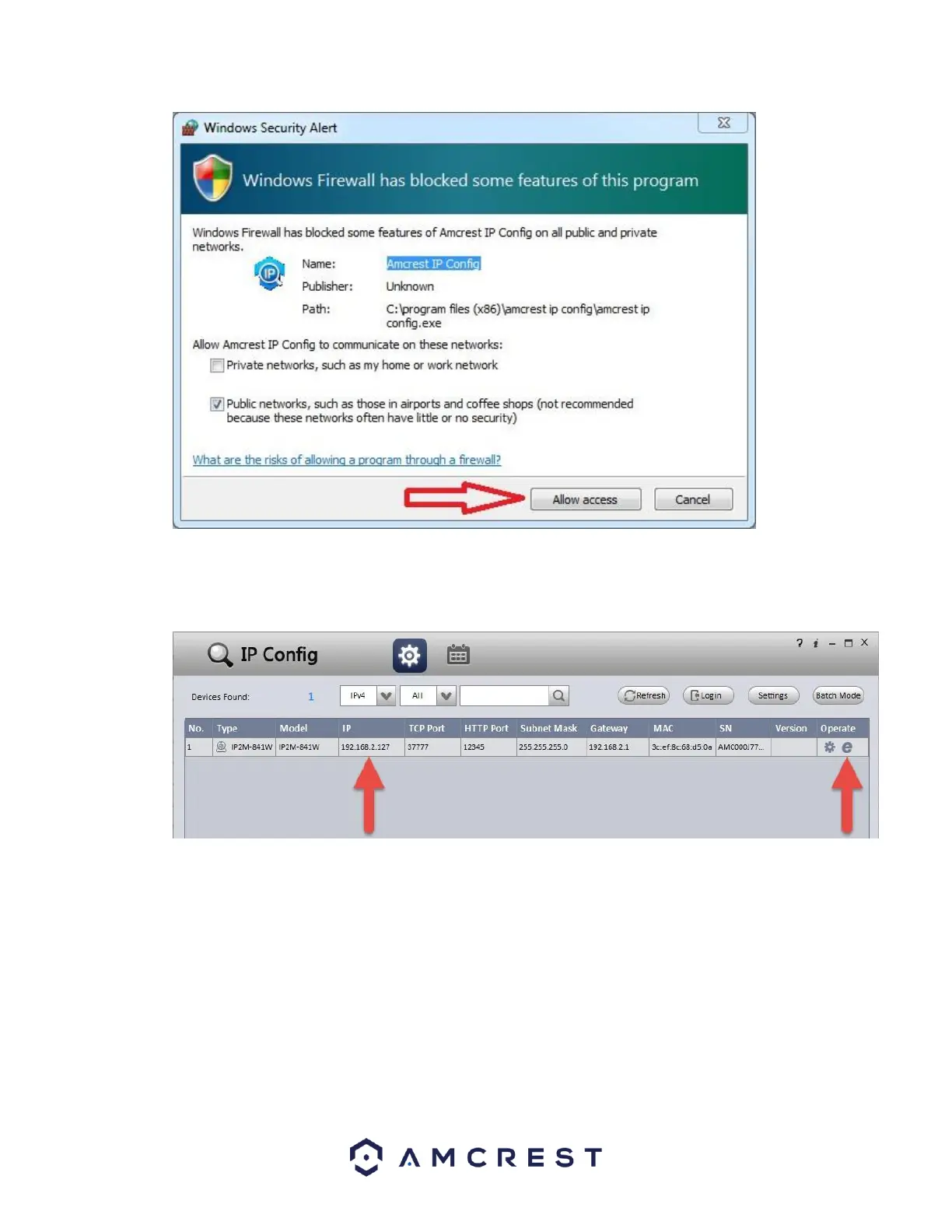
9. This brings you to the main screen of Amcrest IP Config Software. Your camera will automatically be found
on your network and appear in the list (if properly connected with an Ethernet cable to your router). You
will also see the IP address associated with your camera.
The “e” icon to the right allows you to launch directly into your web browser from this screen.
Note: This “e” icon will automatically take your camera’s IP address and use your computer’s “default” web
browser to access and log into your camera. If your default browser is not Internet Explorer, you can write down
the IP address from the Amcrest IP Config Software (IP address located above), open up Internet Explorer yourself,















 To Next Page