50
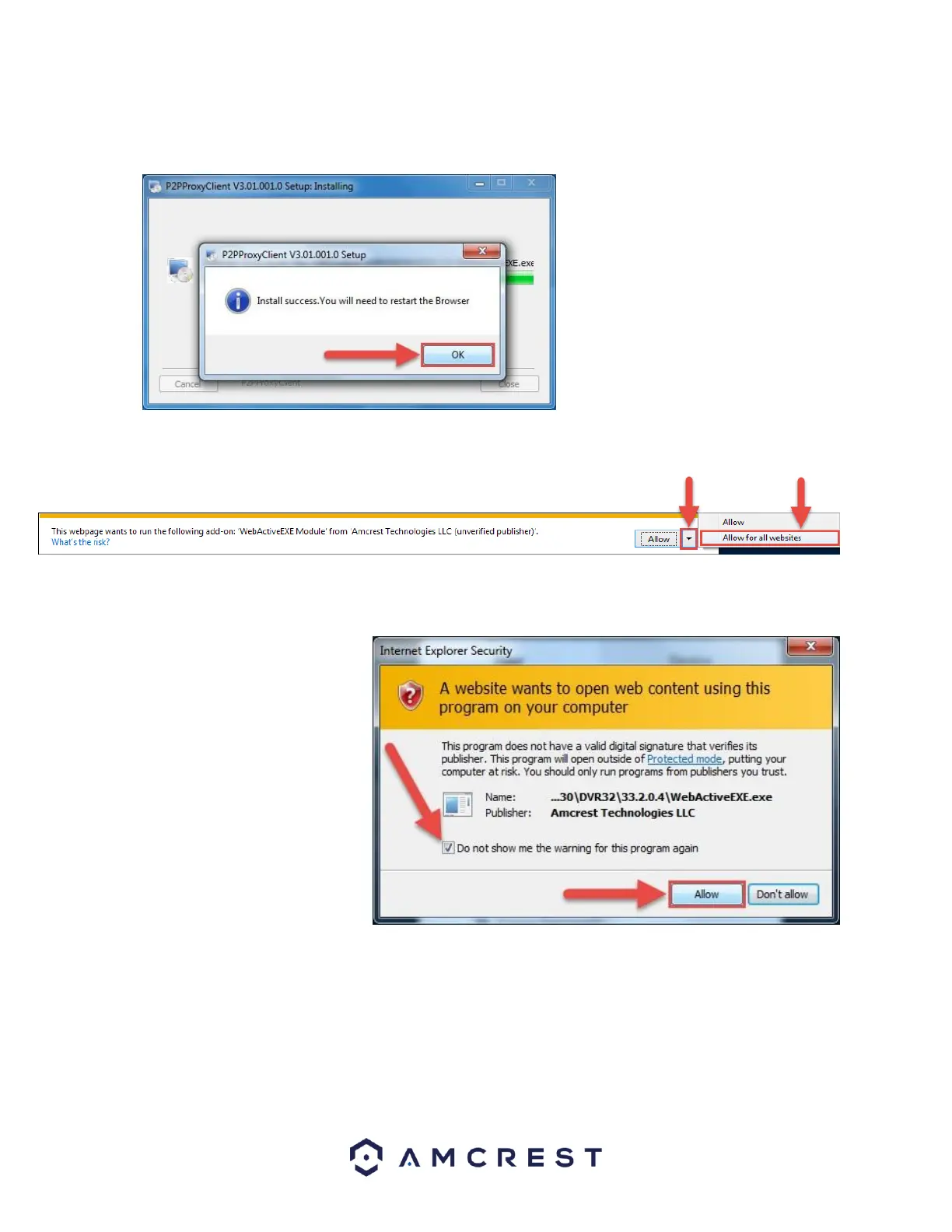
8. On the next prompt, it will say the install was successful and ask you to restart your browser. Click OK:
9. You will be taken back to the login page and see another notification from your browser asking you to allow
this plugin on this web page. Click the small arrow next to Allow, then click Allow for all websites:
10. Another popup will appear asking you to allow this plugin. Mark the checkbox next to Do not show me the
warning for this program again, then click Allow:
Now the plugin has been installed
successfully and you can continue on
to register for an account for camera
access through AmcrestView.com















 To Next Page