55
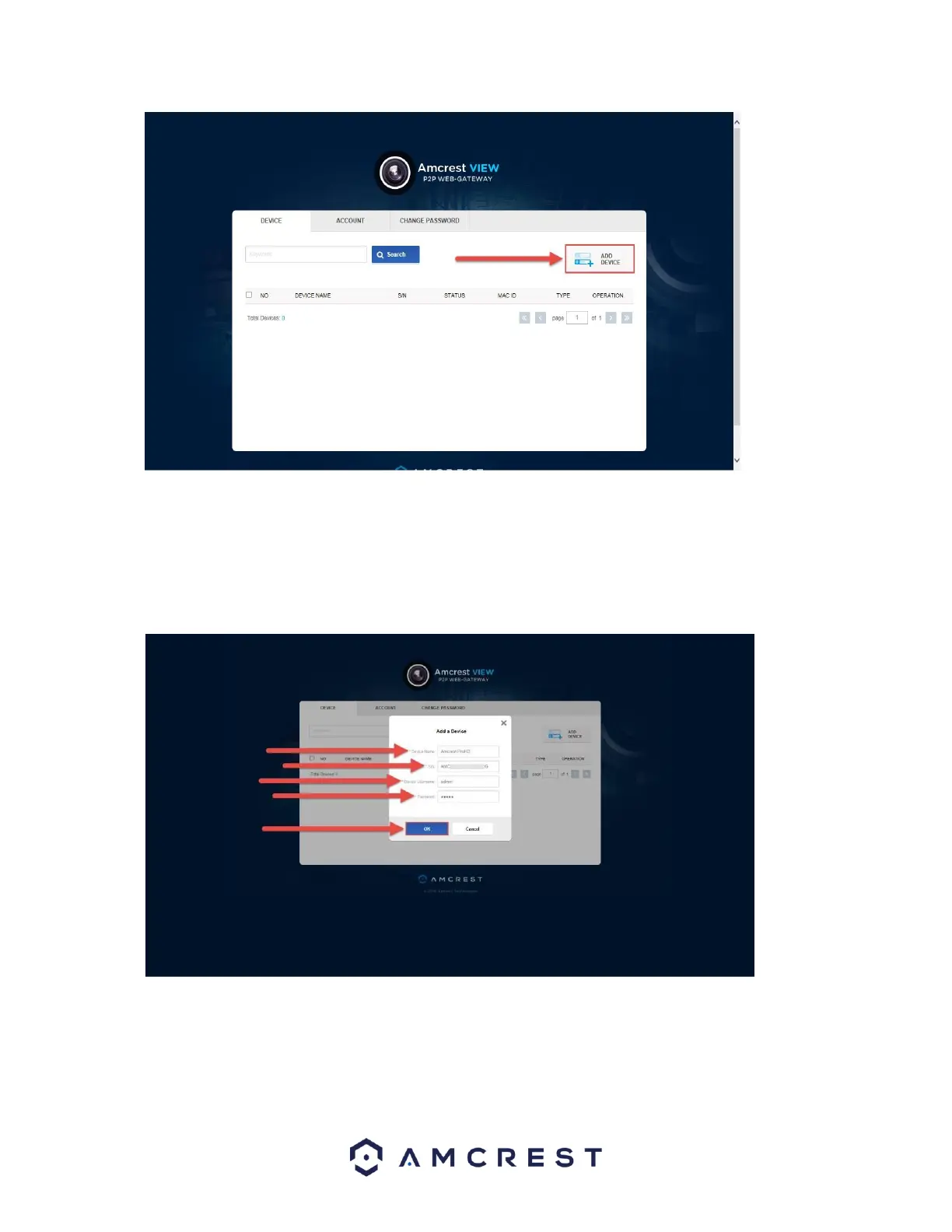
9. Now you can enter your camera’s information. Enter a Device Name (this can be anything).
Then, fill in the S/N (serial number) this can be found on the sticker attached to the bottom of your camera or
through the web interface (click the “i” icon in the top bar, then click Version).
Enter your username and password for the camera, not the username and password you just created for
AmcrestView.com. To find your camera login credentials, please refer to section 4.4.3. Finally, click OK:















 To Next Page