57
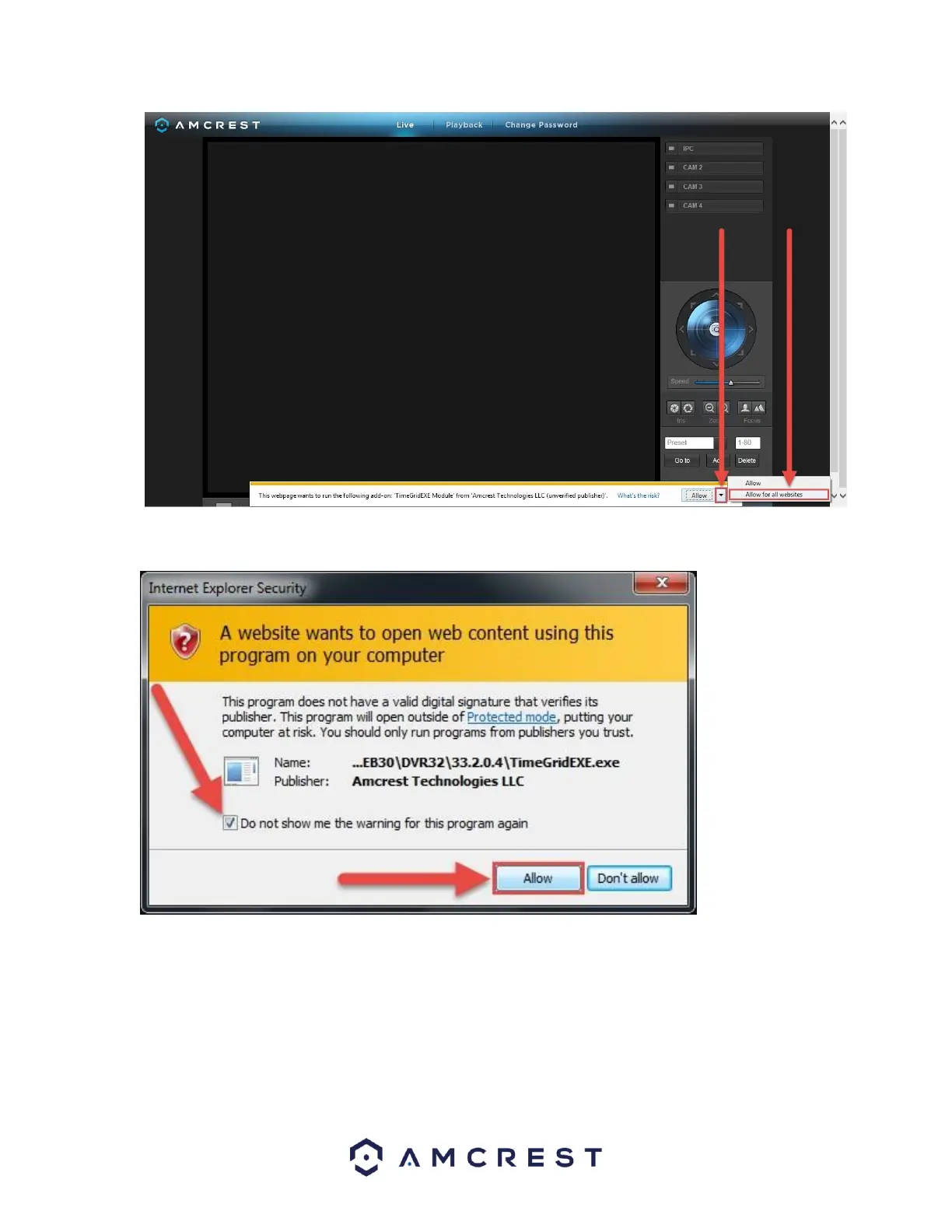
13. A final popup will appear asking you to confirm that you allow this plugin on your browser. Mark the checkbox
next to Do not show me the warning for this program again, then click Allow:
Now you can enable any of your added cameras to see their live feeds. In the top-right panel, there is a channel
list. Click the small square icon to enable your feed for an added camera to see the video feed:















 To Next Page