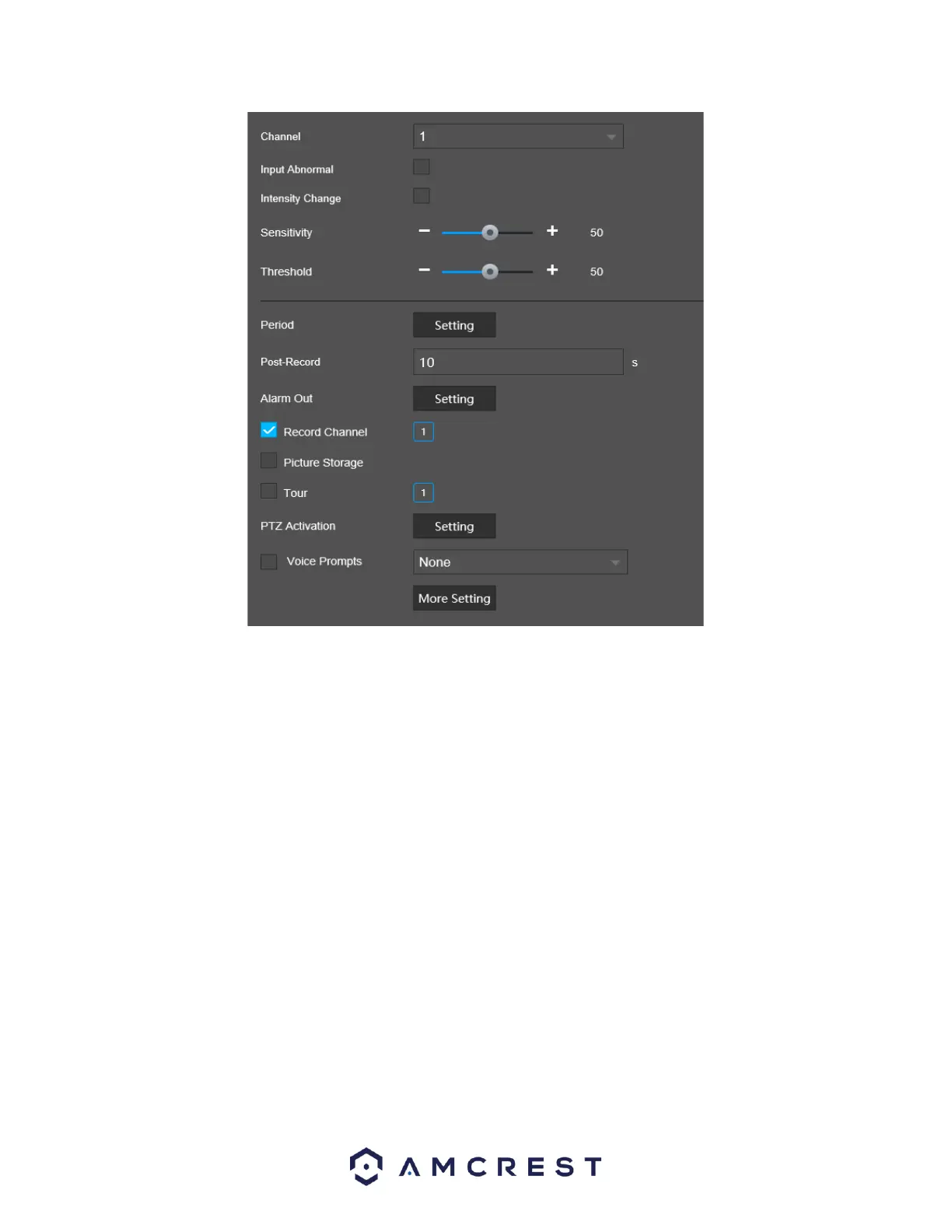
Below is a description of the features in this menu:
Channel: The channel dropdown menu is used to select which channel you would like to use to set your
motion detection.
Input Abnormal: Interprets if an audio input is abnormal, such as clipping audio, etc.
Intensity Change: Interprets if the intensity value surpasses the set threshold; it can record, send a
snapshot, and an alarm according to the result.
Sensitivity: Use this slider to control the sensitivity between 0~100. The default value is 50.
Threshold: Use this slider to control the threshold between 0~100. The default valuw is 50.
Period: This setup button takes the user to the motion detection period settings screen. Below is a
screenshot of the motion detection period settings screen.
Post Record: This allows the user to set a delay between masking events measured in seconds.
Alarm Out: Click Setting to display setting interface.
General Alarm: Enable alarm activation through the alarm NVR connected to the selected
output port.
Alarm Out: Enable an alarm channel in which an external alarm is connected.
Record Channel: This checkbox allows the user to enable the system to record video for that channel
when a motion detection alarm is triggered. Delay is also associated with this tab; it is the This field
specifies in seconds how long the delay between alarm activation and recording should be.
Picture Storage: When an alarm occurs, the NVR triggers a snapshot for the selected channel.



 To Next Page