Below is an explanation of the fields on the Holiday settings screen:
0: This number indicates how many holidays are in the system. Each line item has a number to signify its
place in the list.
Status: This dropdown box indicates the status of the holiday. There are two options:
Open: The holiday is active, and the NVR will stop recording for that holiday period.
Stop: The holiday is inactive, and the NVR will continue normal operation for that holiday period.
Name: This column is where the name of the holiday is displayed.
Date: This column shows the date that the holiday occurs on.
Duration: This column shows the range in which the holiday occurs.
Operation: This column allows the user to edit or delete the holiday.
Edit ( ): This column has a button that allows for the editing of the holiday.
Delete ( ): This column has a button that allows for the deletion of the holiday.
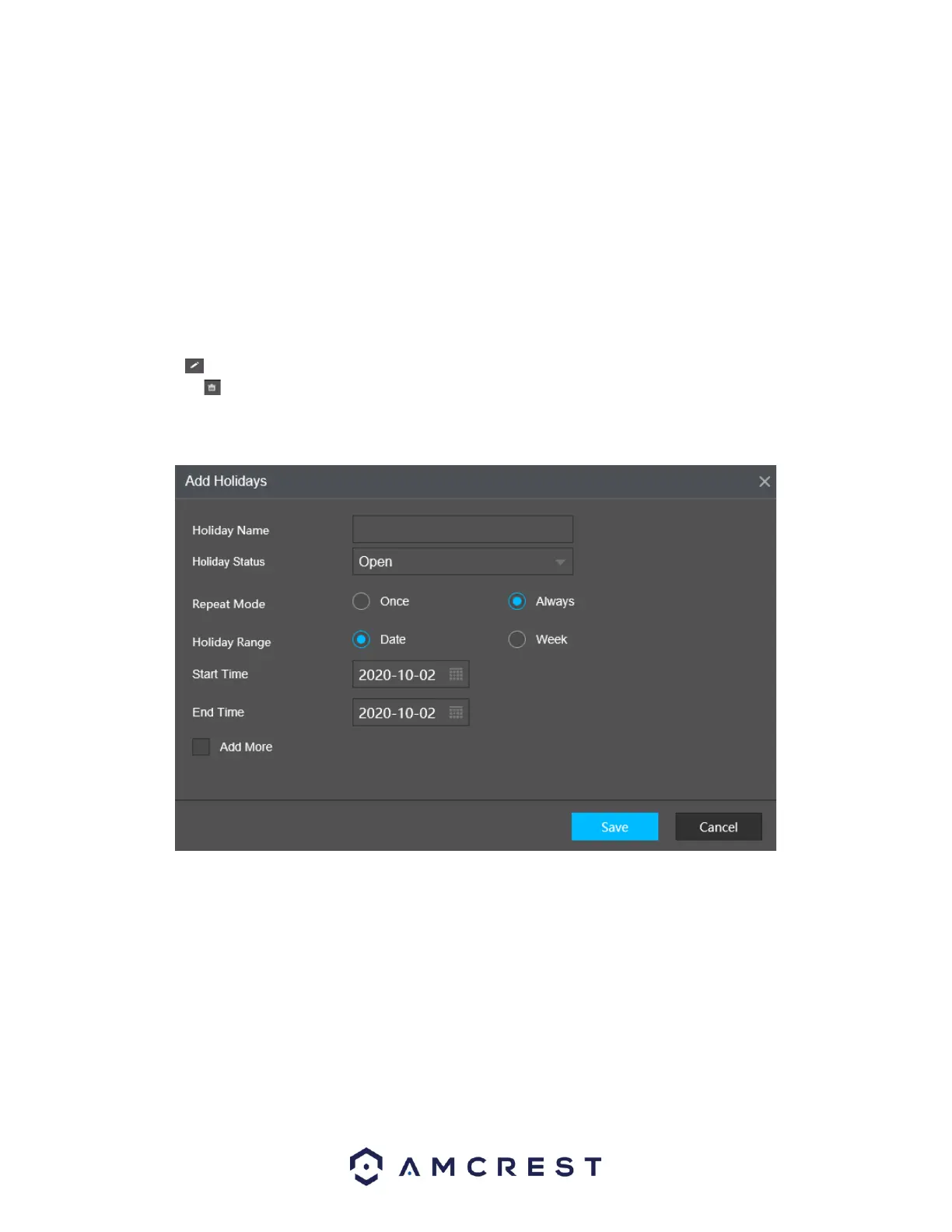
Add Holidays: This button allows the user to add a holiday. Below is screenshot of the Add New Holidays
screen.
Note: Holidays take precedence over the scheduled setup. Holidays do not roll over based on their
inherent date. Meaning, if a holiday is set for October 30th, then the system will treat every October
30th as a holiday.
Security
The Security menu allows the user to decide which IP addresses can be whitelisted or blacklisted in the
system.
Below is a screenshot of the Security menu:



 To Next Page