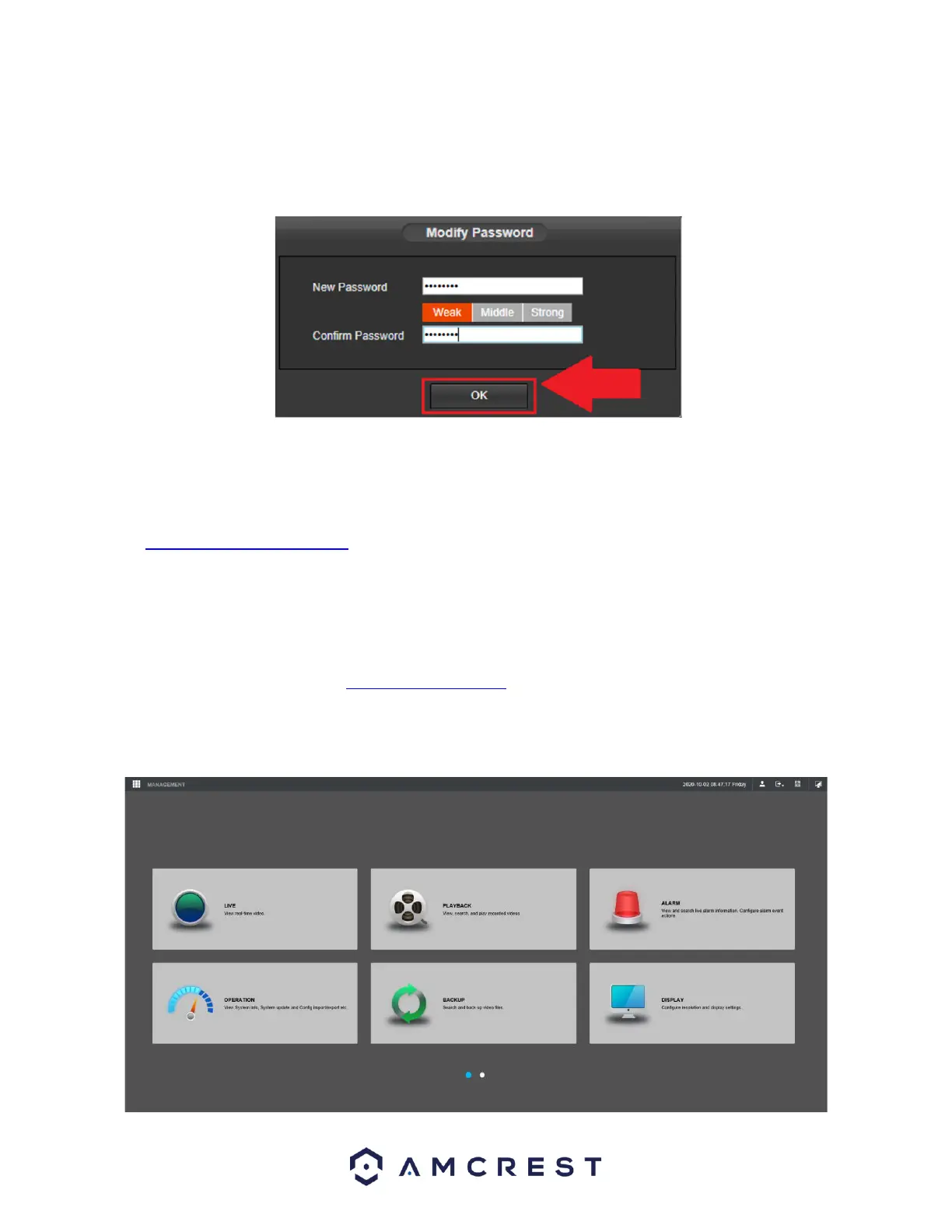
Please note, if this is the first-time logging into your device, you will be prompted to modify the
password for your device. To modify the password, enter the new password you would like to use in
the New Password field and confirm. The password used should be between 8 and 32 characters long
with a combination of letters and numbers.
Click OK. The main menu for the NVR will be displayed.
If the process above is not working, please contact Amcrest Support via one of the following options:
Visit http://amcrest.com/contacts and use the email form
Call Amcrest Support using one of the following numbers Toll Free: (888) 212-7538
International Callers (Outside of US): +1-713-893-8956
USA: 713-893-8956
Canada: 437-888-0177
UK: 203-769-2757
Email Amcrest Customer Support support@amcrest.com
Main Menu



 To Next Page