Click Default to set the display settings back to its original default settings. Click Refresh to refresh the
interface. Click Save to save display settings.
Tour
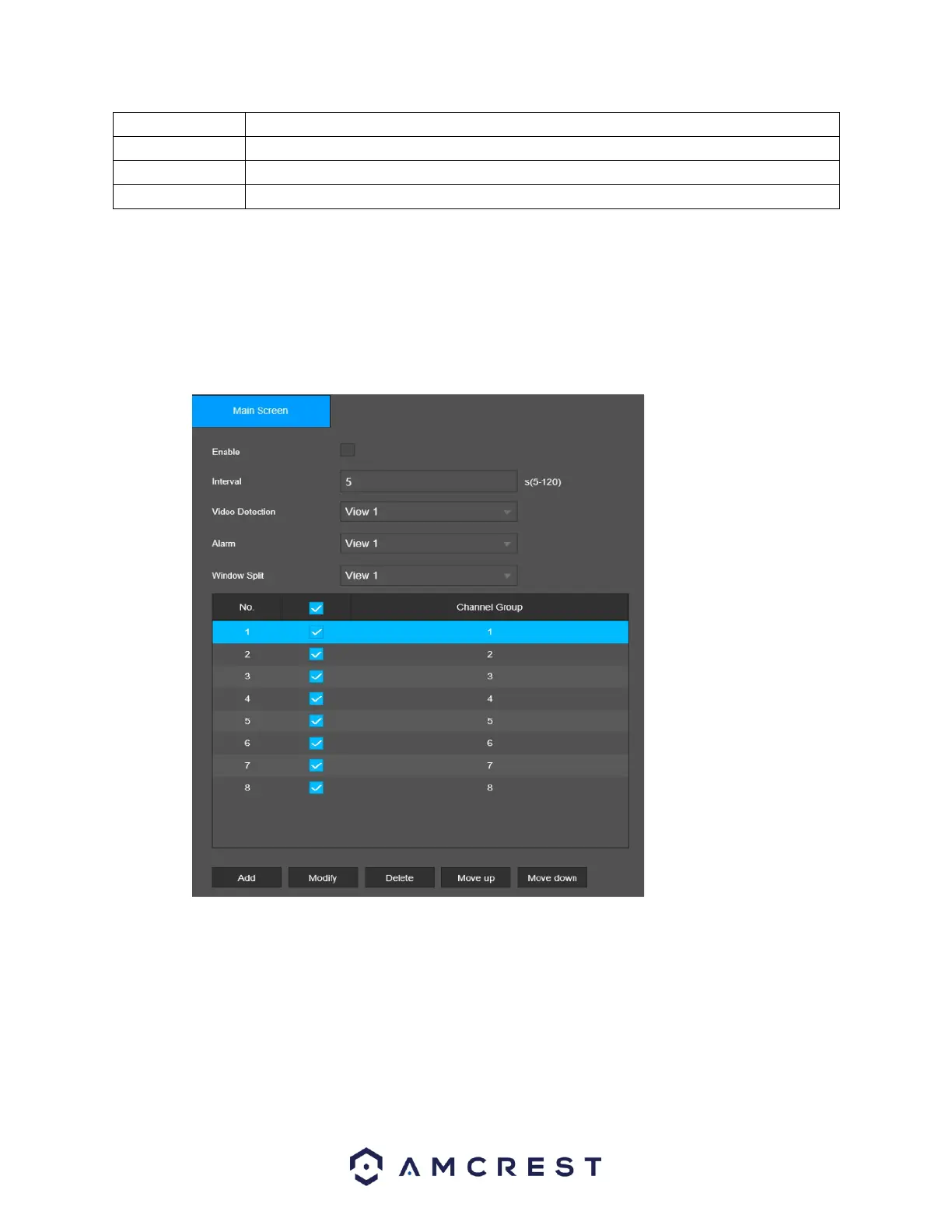
This screen is used to activate tour functionality for the live preview
Below is a screenshot of the Main Screen:
Below is an explanation of the fields on the Tour screen:
Enable: This checkbox allows the user to enable the tour functionality.
Interval: Enter the amount of time that you want each channel group displays on the screen. The value
ranges from 5 seconds to 120 seconds, and the default value is 5 seconds.
Video Detect: Select the View 1 or View 8 for Motion Detect tour.
Alarm: Select the View 1 or View 8 for Alarm tours (system alarm events).



 To Next Page