4
AMS-1000 Hard Drive Shredder Manual 2016 v.1
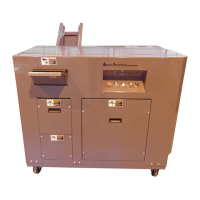
With the assistance of an overhead crane, a second person, a fork li, or any means available, rig a sling (just
o center of conveyor so that anged side is lower.) Li conveyor assembly into place using the six (6) bolts
supplied at rear of machine. Aach conveyor and ghten bolts.
NOTE:
Be sure that side frames of conveyor are aligned with side frames of shredder.
Install conveyor belt around drive pulley (under cuer head) and pull belt together. A second person may be
necessary to bring both ends together. When both ends are put together, take extra care to ensure that
staples are centered with belt. The edges of the belt should be aligned, if NOT, move belt ends over one
staple and recheck alignment. When aligned properly, put connecng pin (supplied) through staple lacing.
Clip o any excess pin which may be hanging out.
Snug up take-up adjustment one half turn each side unl approximately 2” of sag is present. Test run belt
and track belt by ghtening the side that rubs (as a rule of thumb) unl centered.
Refer to page 21 for full parts list.
ATTACHED OUTPUT CONVEYOR


 To Next Page