7
Service Department: 888.270.6879
PRE-START UP PROCEDURE
Familiarize yourself with all controls and buon locaons.
Ensure that all guards and covers are in place.
Ensure the area is clean.
Check input area for debris, discarded tools, etc.
START UP
Plug power cable into installed receptacle. Turn key switch ON. Depress momentarily the FORWARD pushbuon.
Cuers will begin to rotate and the output conveyor will begin to run forward.
To stop machine at any me depress the red STOP pushbuon. For emergency situaons the STOP pushbuon
may be depressed at any me. For normal stop situaons, wait for input chute to empty itself of all shredded
material before depressing STOP buon.
Begin feeding drives one at a me by dropping them into the infeed slot. It is recommended that during the
familiarizing period the operator should proceed slowly. Aer several hours experience the operator may wish to
increase the speed and frequency at which they feed the drives. The operator will soon be able to judge the
eciency of the operaon and feed material accordingly. It is nearly inevitable that during this learning process
the machine will jam. A jam condion will automacally turn o the machine just as if the operator had
depressed the STOP buon. This is normal.
PRE-START UP PROCEDURE
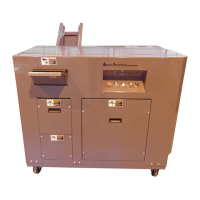
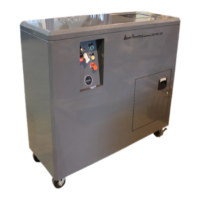
HD models have 1.5” or 3/4” wide cuers. They can shred solid state drives, but not to a secure parcle size.
SSD models have 3/8” wide cuers. They cannot shred hard disc drives, which require much wider cuers.
HD-SSD models use two separate cuer heads to allow you to destroy both magnec hard drives as well as
electronic media in the same shredder. Use the HDD side for hard disc drives and the SSD side for solid state
drives, CD’s, ash drives, oppy discs, etc.
WARNING: It is extremely important that rotaonal hard drives are shred ONLY on the HDD side.
Shredding or aempng to use the SSD side will likely result in cuer damage and will void the
warranty. Only one feed slot can be used at a me.
SHREDDER DIFFERENCES - HD, SSD & HD-SSD MODELS
START UP PROCEDURE


 To Next Page