Page 10 of 13
AMG Sicherheitstechnik GmbH Industriepark Straße A-9 39245 Gommern Telefon 039200-7797-0 Freecall 0800-2264264*
Fax 039200-7797-29 www.amg-sicherheitstechnik.de info@amg-sicherheitstechnik.de
Business hours are 8-17 clock, outside this time an answering machine is switched
*) free of charge from the German fixed network and all German mobile networks
12. App GPS tracking
App „Smart-Tracking” in Appstore and Google Playstore
To track your vehicle, please download the following available apps (free of charge).
Smart Tracking for iOS and Android to get the current GPS position on your mobile
device.
Download Android (Google Play)
Download iPhone (App Store)
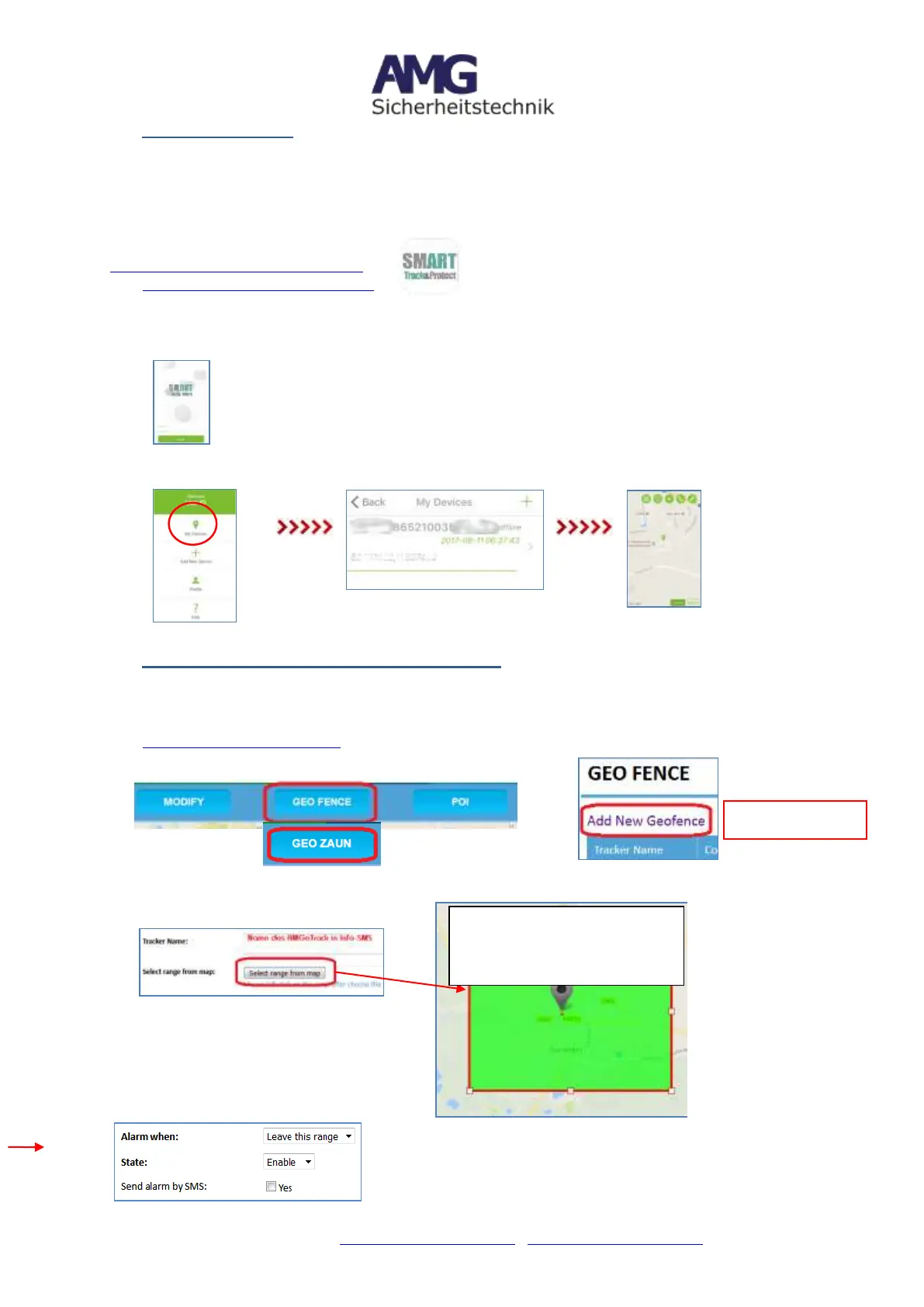
Open the App -> Log in-display
= User name (User ID) = last 6 digits of the IMEI (see label)
= 1 2 3 4 5 6 (or own password, if not changed)
13. GeoFence-Area and Smart- Live-Tracking
a. GeoFence
Recommendation -> Establish the GeoFence-Area in the online portal at
www.smart-tracking.com
->
Assign a name for CarPro-Tec that is used in Info-SMS
Set area directly in the map
->
Pulling the fence
sufficiently large to
ensure 1x
positioning inside
("leaving the area"
see below) of the
fence. Otherwise no
tripping possible
when crossing the
fence
Left click in map -> fence will be
activate -> Change by moving
the fence-points


 To Next Page