Page 9 of 13
AMG Sicherheitstechnik GmbH Industriepark Straße A-9 39245 Gommern Telefon 039200-7797-0 Freecall 0800-2264264*
Fax 039200-7797-29 www.amg-sicherheitstechnik.de info@amg-sicherheitstechnik.de
Business hours are 8-17 clock, outside this time an answering machine is switched
*) free of charge from the German fixed network and all German mobile networks
Programming additional sensors
Note: By default, all sensors and remote controls are delivered already set-up for
immediate usage. However, if you order additional sensors, they have to be set up by the
owner.
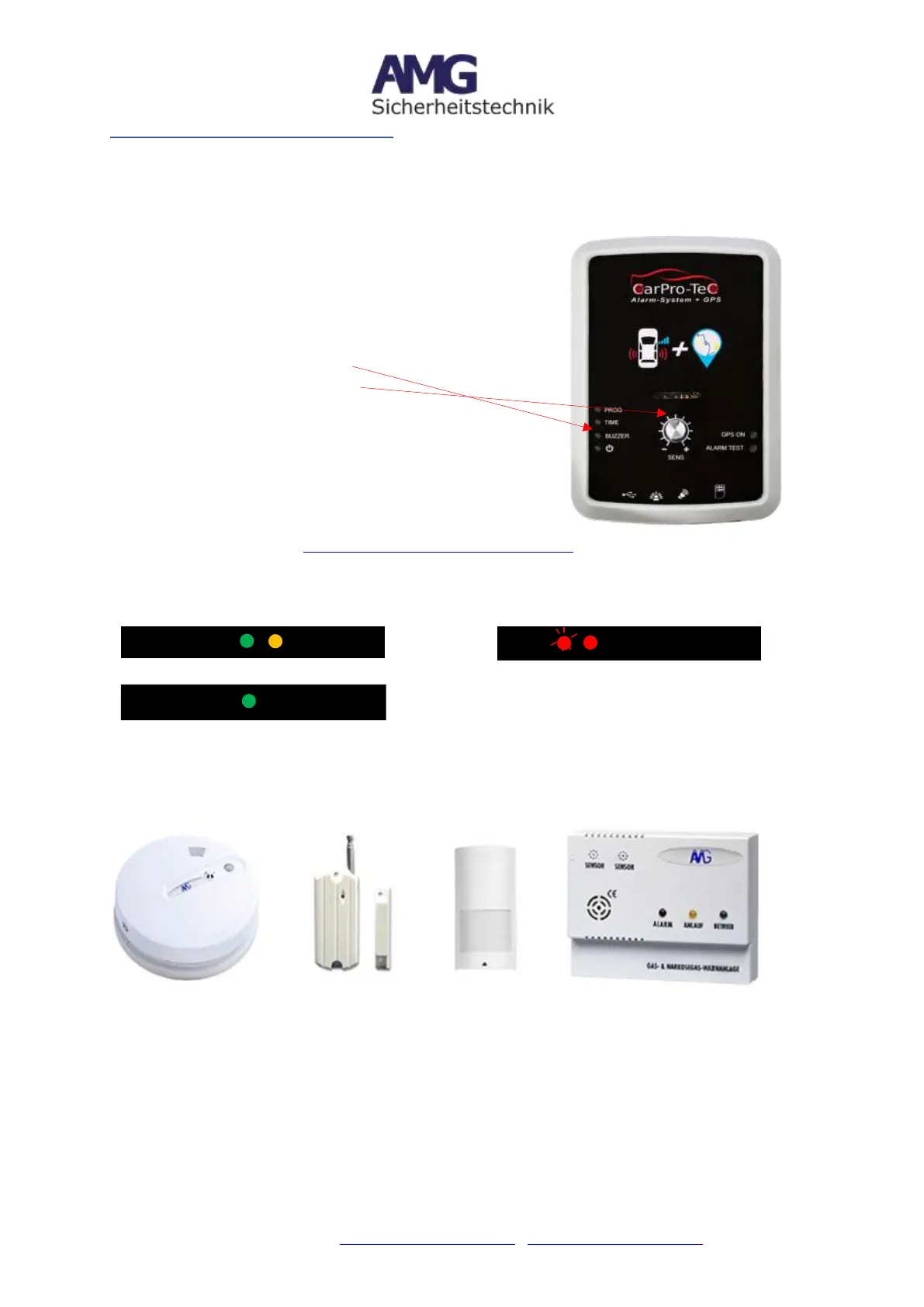
Push button (programming sensors)
1. Press Program button
2. LED (orange) is flashing
3. Trigger sensor (maybe multiple times)
4. orange LED will go off after successful
programming
Instructions for additional sensors such as door/window
sensors, glass-breakage sensors, motion detectors,
smoke detectors and anesthetic gas detectors can be
found in the AMG Shop (https://shop.amg-alarmtechnik.de). Enter the article number
900941 at the top of the search field.
LED Explanation
You can set your own personal monitoring, e.g. for RV / caravans, trucks, boats,
vacation homes etc. There are a variety of wireless sensors available:
Gas detectors, knockout-gas detectors, smoke, water and temperature sensors,
motion detectors, door / window magnetic sensors, bicycle and furniture
security, DSP proximity detectors for outdoor use, etc.
Up to 20 additional wireless sensors can be registered in CarPro-Tec GPS
Plus®, giving you a comprehensive safety system.
Ready for pairing process
Triggering a sensor => left
red LED flashes
Pairing process succesful =
orange LED goes out


 To Next Page