Page 4 of 13
AMG Sicherheitstechnik GmbH Industriepark Straße A-9 39245 Gommern Telefon 039200-7797-0 Freecall 0800-2264264*
Fax 039200-7797-29 www.amg-sicherheitstechnik.de info@amg-sicherheitstechnik.de
Business hours are 8-17 clock, outside this time an answering machine is switched
*) free of charge from the German fixed network and all German mobile networks
If you want to start it already without power connection, press the "GPS ON"
for one second.(see picture 1)
Turn OFF GPS tracker
To deactivate the GPS tracker, disconnect the plug from the USB socket and keep both
buttons "GPS ON" and "Alarm Test" pressed for at least 3 seconds. (see picture 1)
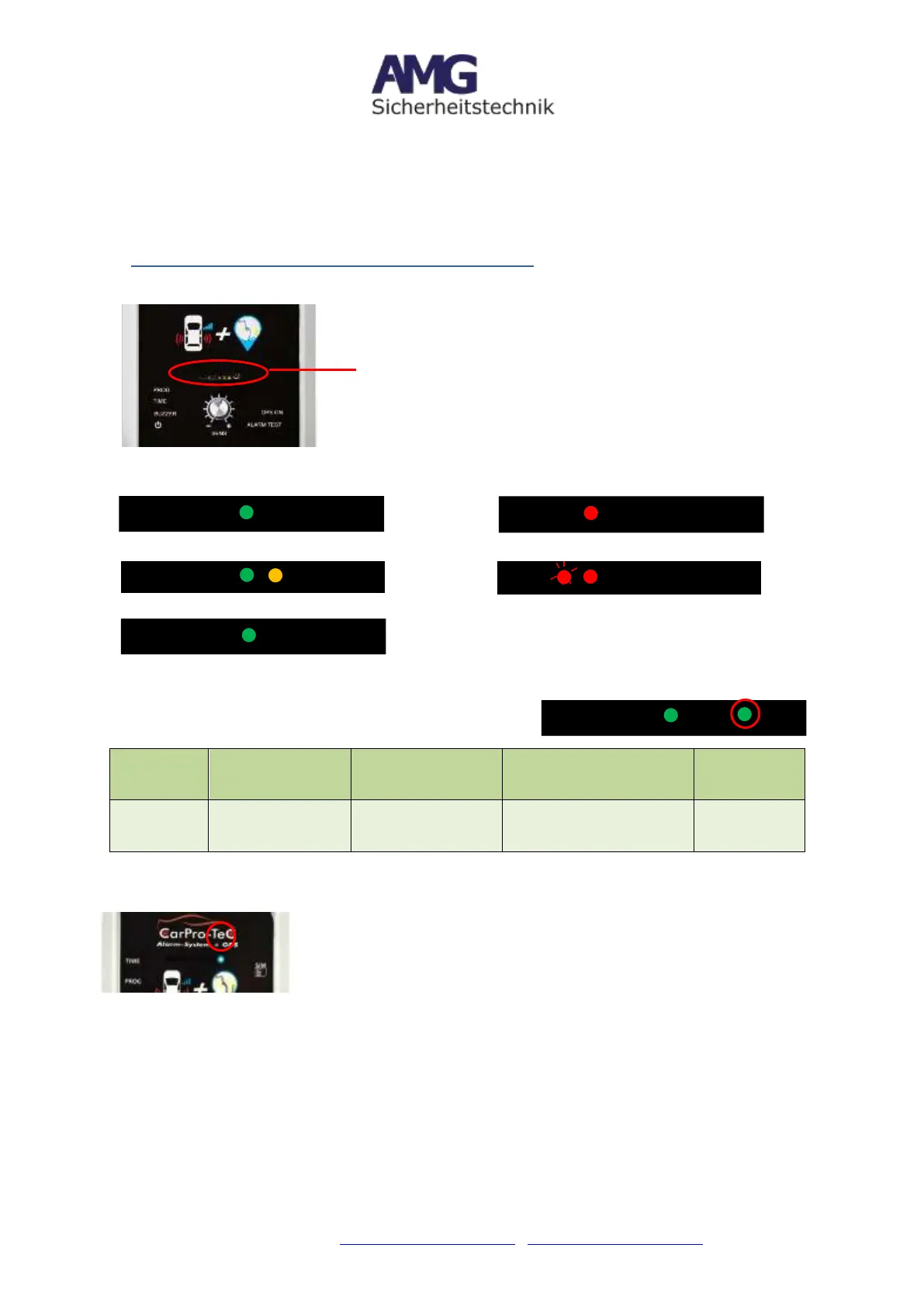
4. Front of the CarPro-Tec® GPS - LED Indicator
a. Overview
b. LED Explanation
c. Explanation: Right Green LED
Green flashes
short time all 3
seconds
Green flashes
twice all 3
seconds
Green flashes long time
all 3 seconds (1 sec. On,
3 sec. Off)
The device is
connected with
GSM-network
The device is
connected with
GPS-network
The connection to the
GSM-network is
established
SIM card
was not
recognized
d. Blue LED light when connected to 5V power supply (GPS tacker-Module)
- Lights up constantly = GPS-module is connected to 5V power
supply and working
- Flashing = GPS-module searching for GPS connection,
temporarily disconnect the power and operate the unit on a
battery-powered basis -> LED must flash when searching for
GPS)
Power-LED=device in operation
Ready for pairing process
Triggering a sensor => left
red LED flashes
Pairing process successful =
orange LED goes out


 To Next Page