EasyManua.ls Logo

Amico Alert-2 - User Manual

Amico Alert-2
56 pages
Print Icon
To Next Page IconTo Next Page
Loading...
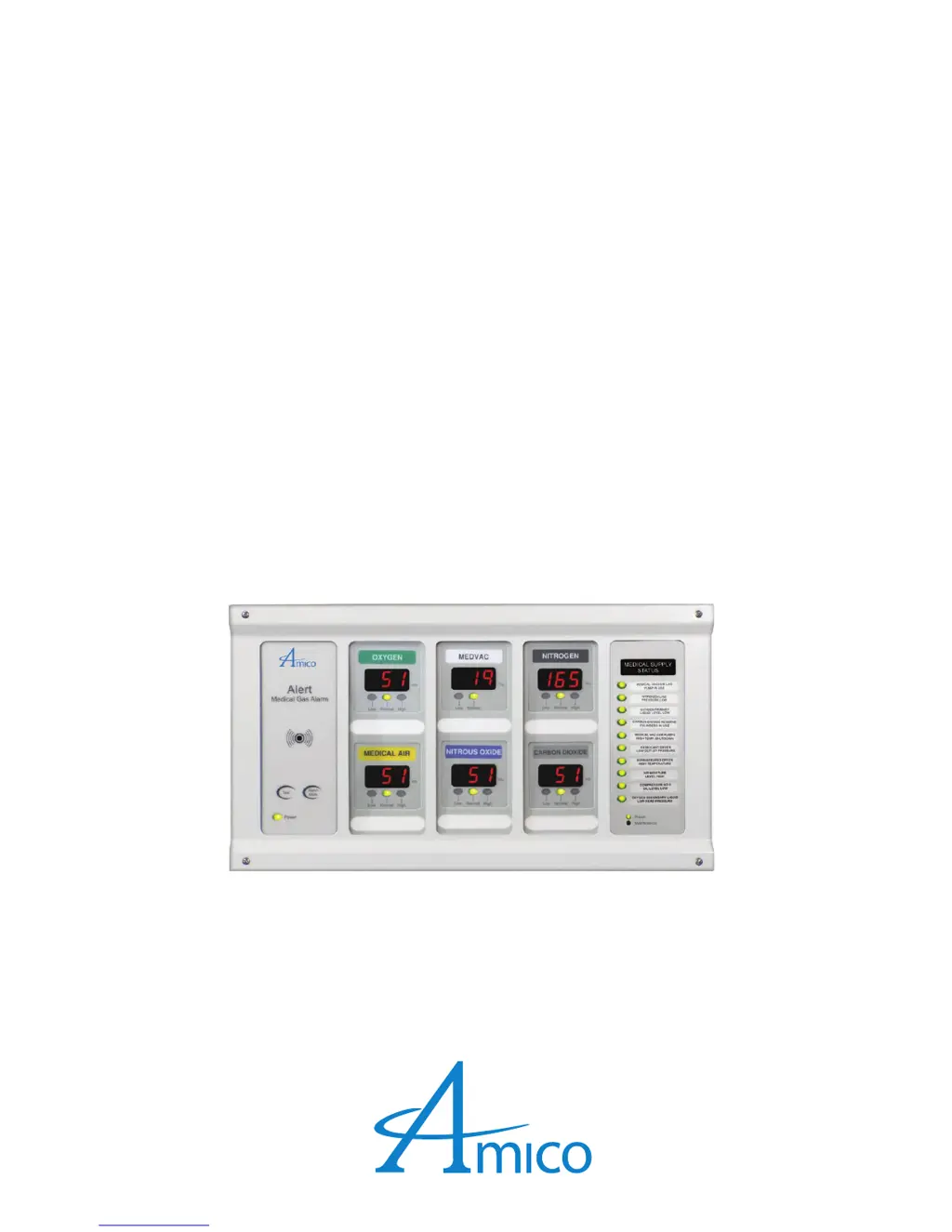
Operating & Maintenance Manual
Alert-2 Microprocessor Based
Digital Alarm System v5.9
www.amico.com

Table of Contents

Other manuals for Amico Alert-2

Questions and Answers

  • J
    Jessica HallAug 12, 2025
    How to fix an Amico Security System audible signal that will not silence?
    • C
      chapmanadamAug 12, 2025
      If the audible signal of your Amico Security System won't silence, start by disconnecting the ribbon cable from the back of any faulty display modules and replacing those modules. If the issue continues, disconnect and reconnect the DC power cable from the annunciator module; if that doesn't work, replace the System Power Supply unit. Lastly, if the alarm still persists, replace the annunciator module.
  • T
    Tammy FreyAug 16, 2025
    What to do if alarm condition exists, but LEDs are not illuminating on my Amico Security System?
    • A
      Anna HolmesAug 16, 2025
      If your Amico Security System has an alarm condition but the LEDs are not illuminating, make sure that the system was properly ordered with the correct factory default settings: Mid Pressure: Hi Pressure 60 Psi Low Pressure 40 Psi Vacuum: Low Vacuum 12 inHg High Pressure: Hi: Nitrogen & Air 195 Psi Low: Nitrogen & Air 140 Psi. If calibration is required, refer to setting HIGH and LOW calibration procedure. If the issue persists, replace the display module.
  • P
    petersonkimberlyAug 19, 2025
    What to do if there is no power on my Amico Security System alarm?
    • A
      Ann CarrollAug 19, 2025
      To resolve this, first, ensure the ON/OFF switch on the power supply module is turned ON. If the problem persists, check the fuse located on the upper-right corner of the system power supply and replace it if defective. Also, verify that the DC power plug is firmly connected to its socket on the annunciator module. If these steps don't work, replace the ribbon cable. Additionally, check the building's electrical breaker and the voltage at the terminal block above the transformer to ensure proper power supply (115 VAC or 220 VAC). As a last resort, replace the System Power Supply unit.
  • E
    Eric BoyerAug 23, 2025
    Why are the LEDs not on, on other modules of my Amico Security System, but the power light on the annunciator module is ON?
    • S
      Shelby TuckerAug 23, 2025
      If the power light on the annunciator module is ON, but the LEDs on other modules of your Amico Security System are not, ensure that all modules on the Frame/Module assembly are connected to the ribbon cable. If the problem persists, replace the annunciator module.
  • M
    Megan PooleAug 27, 2025
    How to troubleshoot an error code on my Amico Security System display module?
    • J
      Jay EstradaAug 27, 2025
      If your Amico Security System displays an error code, first, turn the power switch to the OFF position and wait at least 5 seconds before turning it back on to reset the program. If the error persists, check the error codes to identify the issue.
  • V
    Veronica NguyenAug 31, 2025
    Why is the gas reading incorrect on my Amico Security System?
    • K
      Krista DiazAug 31, 2025
      To correct an incorrect gas reading on your Amico Security System, first, ensure that the sensor module is properly connected to the DISS demand check-valve. Next, verify that the sensor module is correctly wired to the display module using the wiring diagram. If the problem continues, replace the sensor module. Also, check the ribbon cable connection to the display module, ensuring it is properly seated. If the issue persists, replace the display module.
  • S
    sdeanSep 3, 2025
    What to do if there is no audible alarm and LEDs are not illuminating on my Amico Security System?
    • J
      Jason GutierrezSep 3, 2025
      To address this, ensure that the DC power cable from the system power supply is snugly connected to the annunciator module. If the issue persists, depress the “TEST” button; if the LEDs illuminate but there is no audible sound, replace the annunciator module. If this does not work, try solutions to problem #2.
  • S
    Scott JonesSep 7, 2025
    What to do if an error code appears on the Amico Alert-2 display module?
    • J
      justin46Sep 7, 2025
      If an error code appears on the display module, it indicates that the microprocessor has detected a fault and shut down. To resolve this, turn the power switch to the OFF position and wait at least 5 seconds before turning the power back on. This will reset the program. Also, it could be a faulty wire connection between the sensor and display module. Check error codes at the end of this section.

Summary

Description of the Alarm

Alarm Modules Overview

Introduces the various modules that comprise the ALERT-2 alarm system.

System Power Supply Module

Explains the power supply module's function and voltage conversion.

Annunciator Module

Details the annunciator module's functions, buttons, and remote capabilities.

Area Display Module

Covers the Area Display Module's digital display, trend bar, and adjustability.

2 in 1 Display Module

Explains the 2 in 1 Display Module's dual display and monitoring features.

Compact Display Module

Describes the Compact Display Module with its dual displays and trend bar.

Sensor Module

Details the sensor module's role in converting pressure to digital signals.

Master;NEMA 4 Status Module

Explains the Master Status Module's monitoring of multiple signals and alarm indication.

Installation Guide

Alarm Back Box Installation

Instructions for securely installing the alarm system's back box onto wall studs.

Frame;Module Assembly Installation

Step-by-step guide for attaching the frame and module assembly to the back box.

Wiring Guide

System Power Supply Wiring

Instructions for connecting the AC power to the system power supply.

Module Wiring Connections

Master;NEMA 4 Status Module Wiring

Instructions for wiring remote signals and connections for Master/NEMA 4 Status Modules.

Interface and Configuration Wiring

Annunciator Module Settings

Module Calibration and Settings

Sensor Recalibration Procedure

Step-by-step guide to re-calibrate the sensor using the Area Module.

Master;NEMA 4 Status Module Settings

Troubleshooting Guide

General Troubleshooting Steps

Lists common symptoms, causes, and corrective actions for alarm system issues.

Power and LED Issues

Addresses symptoms like no power, no LEDs illuminated, and annunciator issues.

Error Code Messages

Explains error codes displayed on the module, their causes, and corrective actions.

Appendix A: Wiring Diagram - Auto-Switching Power Supply

Appendix B: Wiring Diagram - Annunciator

Appendix D: Wiring Diagram - Area Display Module - Local Sensor

Appendix E: Wiring Diagram - Area Display Module - Remote Sensor

Appendix F: Wiring Diagram - 2 in 1 Display Module

Appendix G: Wiring Diagram - Compact Module

Appendix H: Wiring Diagram - Area Module to Master Module

Appendix I: Wiring Diagram - 2 in 1 Module to Master Module

Appendix J: Wiring Diagram - Abnormal Condition

Appendix K: Wiring Diagram - Area Slave

Appendix L: Wiring Diagram - Master;NEMA 4 Module

Appendix M: Wiring Diagram - Pressure Switch Connection to Master Alarm

Appendix N: Wiring Diagram - Computer Interface Module

Appendix O: Wiring Diagram - Master to Slave Module

Appendix P: Technical Specifications

Amico Alert-2 Specifications

General IconGeneral
TypePersonal Emergency Response System (PERS)
GPS Location TrackingYes
Fall DetectionYes
Water ResistanceIP67 (Waterproof)
Two-Way Voice CommunicationYes
Battery LifeUp to 5 days
CoverageNationwide