EasyManua.ls Logo

Amiga 1000 - Power Supply Test

Default Icon
45 pages
Print Icon
To Next Page IconTo Next Page
To Previous Page IconTo Previous Page
Loading...
AMIGA
1000 ASSEMBLY
LEVEL REPAIR
1.4
POWER SUPPLY
TEST
1.4.1
Remove
the TOP
COVER
and SHIELD
from
the
computer.
Refer to
SECTION 2,
COMPUTER
DISASSEMBLY,
Steps 2.3
and
2.4.
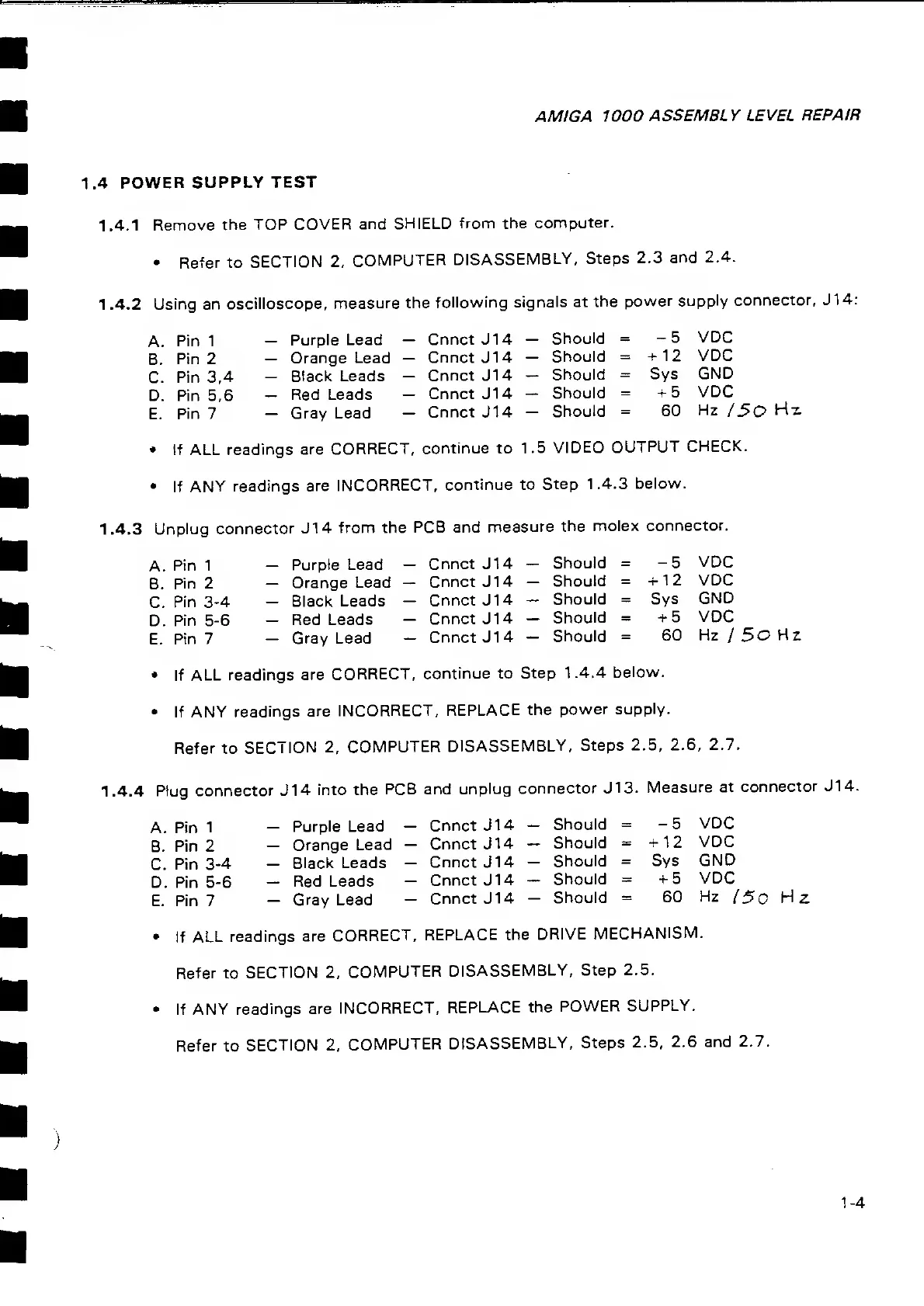
1 .4.2
Using an
oscilloscope,
measure the
following
signals
at
the
power supply
connector, J14:
A. pin
1
Purple Lead
CnnctJ14
Should
=
-5
VDC
B.
Pin
2
-
Orange Lead
-
CnnctJ14
Should
= +12
VDC
C.
Pin
3,4
Black
Leads
-
CnnctJ14
Should
= Sys
GND
D. Pin 5,6
-
Red Leads
-
CnnctJ14
Should
=
+5
VDC
E.
pi n
7
_
Gray Lead
-
Cnnct
J14
-
Should
=
60
Hz
/ 50
Hz
tf ALL readings
are CORRECT,
continue
to 1.5
VIDEO
OUTPUT
CHECK.
If ANY
readings
are
INCORRECT, continue to
Step
1.4.3
below.
1.4.3
Unplug
connector J14
from the
PCB and
measure the molex
connector.
A.
pin
1
Purple
Lead
-
Cnnct J1
4
Should
=
-5 VDC
B.
Pin
2
-
Orange Lead
-
Cnnct
J1 4
-
Should
=
+12
VDC
C.
Pin
3-4
-
Black
Leads
-
Cnnct
J14
-
Should
=
Sys
GND
D.
Pin
5-6
Red
Leads
Cnnct J1 4
Should = +5
VDC
E.
Pin
7
-
Gray
Lead
- Cnnct J1
4
-
Should = 60
Hz /5oHz
if ALL
readings
are
CORRECT,
continue
to
Step
1.4.4
below.
If
ANY readings
are
INCORRECT,
REPLACE the
power
supply.
Refer to SECTION 2,
COMPUTER
DISASSEMBLY,
Steps 2.5,
2.6,
2.7.
1.4.4
Plug connector J14
into
the
PCB and
unplug
connector
J
13.
Measure
at
connector J14.
A.
Pin
1
-
Purple
Lead
-
Cnnct
J1
4
-
Should
=
-5
VDC
B. Pin
2
Orange Lead
Cnnct
J1 4
Should
= +12
VDC
C.
Pin
3-4
Black Leads
-
Cnnct J1 4
Should
=
Sys
GND
D. Pin
5-6
-
Red Leads
-
Cnnct
J1
4
-
Should - +5
VDC
E> pin
7
_
Gray Lead
-
Cnnct J14
-
Should
=
60
Hz
(50
Mz
if
ALL readings
are
CORRECT,
REPLACE the
DRIVE
MECHANISM.
Refer to
SECTION 2,
COMPUTER
DISASSEMBLY,
Step
2.5.
If ANY
readings are
INCORRECT,
REPLACE the
POWER
SUPPLY.
Refer
to
SECTION 2,
COMPUTER
DISASSEMBLY,
Steps 2.5,
2.6
and
2.7.
1-4

Related product manuals