EasyManua.ls Logo

Amiga 1000 - Rfi Shield

Default Icon
45 pages
Print Icon
To Next Page IconTo Next Page
To Previous Page IconTo Previous Page
Loading...
AMIGA
1000
ASSEMBLY
LEVEL
REPAIR
3.4
INSTALLING THE
TOP RFI
SHIELD
PI
t& iS
l _JSL
_/S\
I
r
\^r\
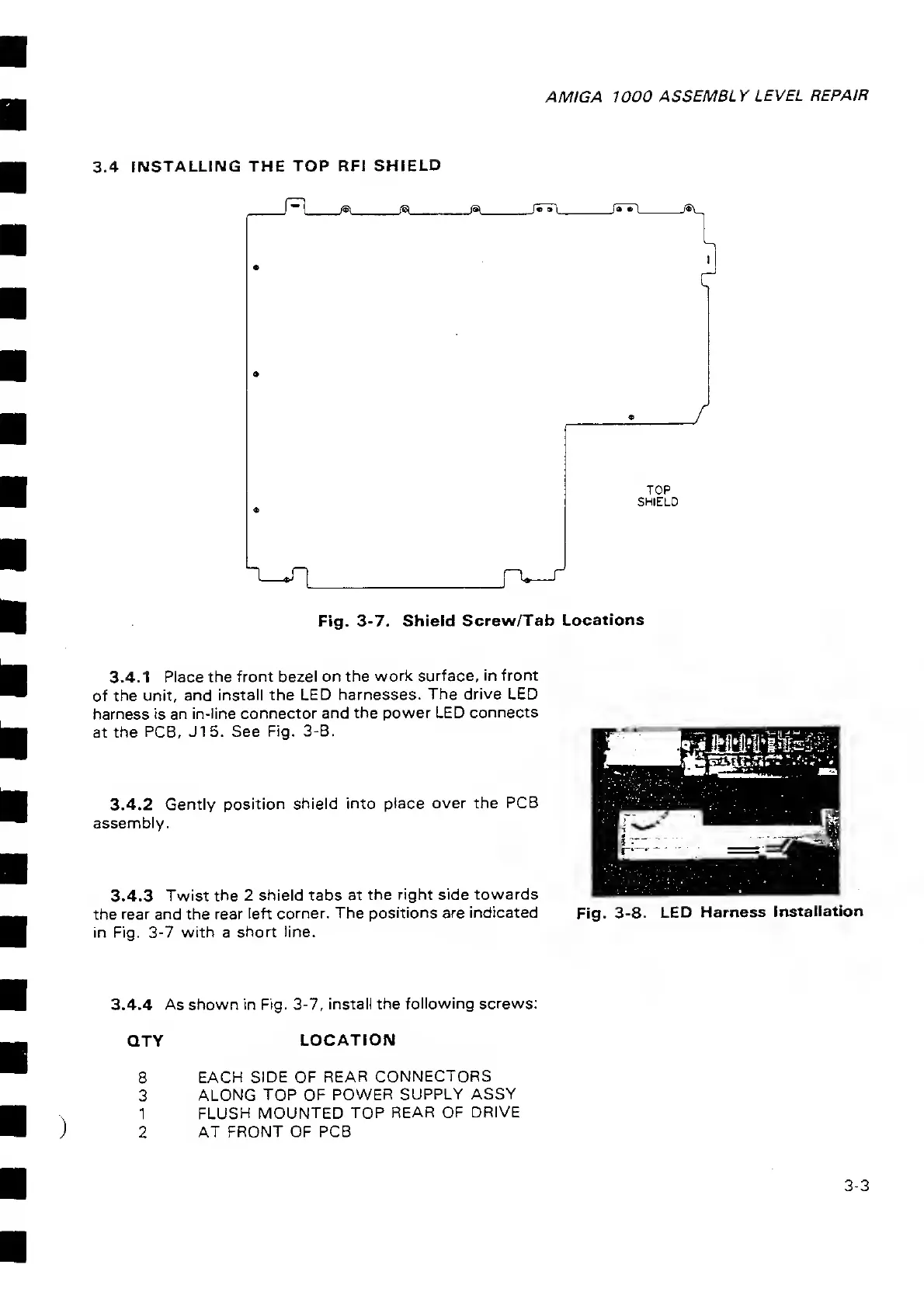
TOP
SHIELD
Fig.
3-7. Shield
Screw/Tab
Locations
3.4.1
Place the
front bezel on the
work surface,
in front
of the
unit, and
install the
LED harnesses.
The drive LED
harness is an
in-line connector
and the power LED
connects
at the
PCB, J15. See
Fig.
3-8.
3.4.2
Gently position
shield
into place over the
PCB
assembly.
3.4.3
Twist the
2 shield
tabs at
the
right side towards
the
rear and the rear
left corner. The
positions are
indicated
in Fig.
3-7
with a
short line.
Fig.
3-8.
LED
Harness
Installation
3.4,4 As shown in Fig.
3-7, install the
following screws:
QTY
LOCATION
8 EACH
SIDE OF
REAR CONNECTORS
3
ALONG TOP OF
POWER SUPPLY
ASSY
1
FLUSH
MOUNTED TOP
REAR OF DRIVE
2 AT
FRONT OF PCB
3-3

Related product manuals