Home
Amped Wireless
Extender
REC10
Page 39 (Password Settings)
Amped Wireless REC10 - Password Settings
58 pages
Manual
Save Page as PDF
To Next Page
To Next Page
To Previous Page
To Previous Page
Loading...
REC10
USER’S GUIDE
38
38
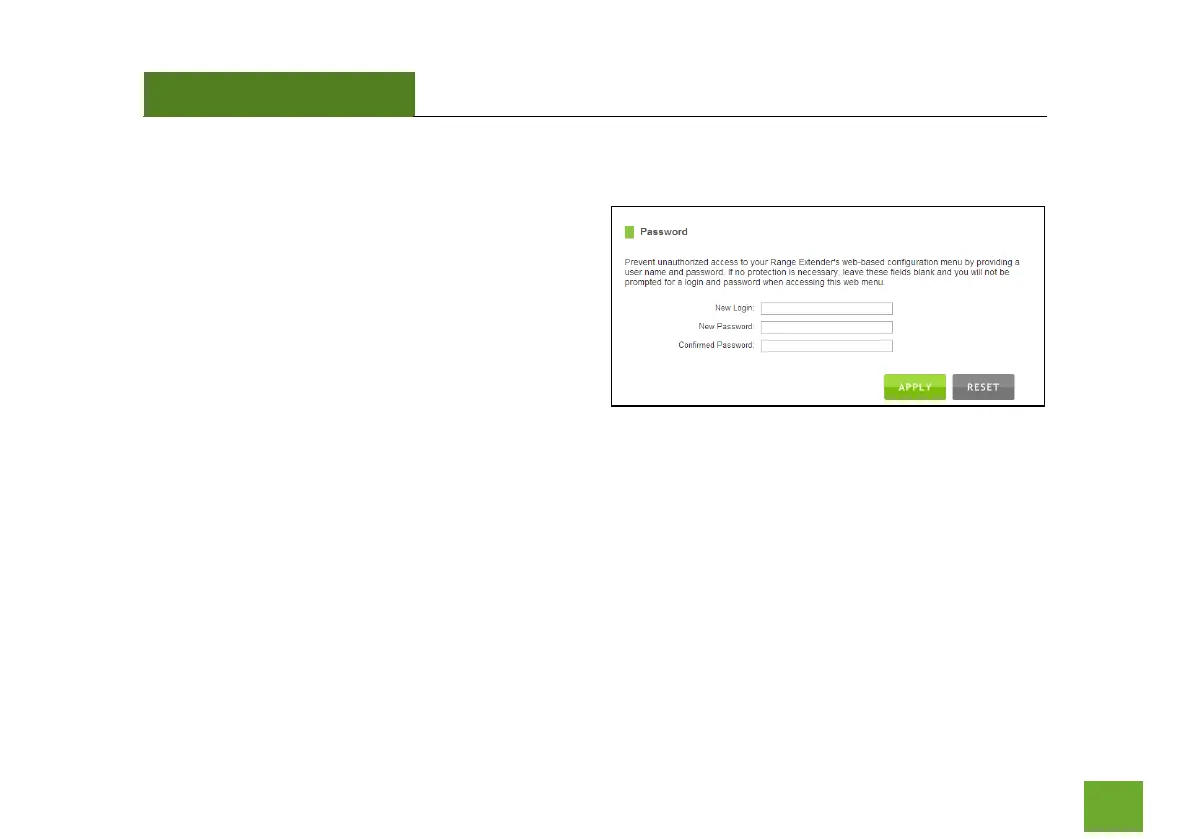
Management: Passwor
d Settings
By default, the Ran
ge Extender
does not require a
password to login to th
e web menu. If you wish to
enable a password to
protect unauth
orized access to
the web menu and
Wizard, y
ou may enter one here.
38
40
Table of Contents
Main Page
Default Chapter
2
Table of Contents
2
Introduction
3
Getting Started
4
Package Contents
4
LED Indicators
5
Back Panel Description
6
Setup Guide
7
Welcome to the Dashboard
10
Scan for a Home Network
11
Connecting to a Secure Network
12
Range Extender Settings
13
Connect to the New Extended Network
13
Setup Summary
16
Wi-Fi Settings
18
Home Network Settings
18
Extended Network Settings
19
Wi-Fi Protected Setup (WPS)
22
Advanced Settings
23
Smart Features
25
Access Schedule
26
User Access Control
27
Wi-Fi Coverage Controls
28
Ip Settings
29
Management Features
31
System Status
32
Statistics
34
System Clock
35
System Logs
36
Upgrade Firmware
37
Save and Reload Settings
38
Password Settings
39
Technical Specifications
40
Default Settings
41
Troubleshooting
42
Warranty Information
51
Regulatory Information
54
Other manuals for Amped Wireless REC10
Setup Guide
2 pages
Related product manuals
Amped Wireless REC15A
75 pages
Amped Wireless REA20
82 pages
Amped Wireless RE1750A
85 pages
Amped Wireless HELIOS-EX RE2200T
22 pages
Amped Wireless ATHENA-EX RE2600M
2 pages
ARTEMIS-EX RE1300M
2 pages
Amped Wireless SR300
59 pages
Amped Wireless TAP-EX
108 pages
Amped Wireless B750EX
2 pages
Amped Wireless SR20000G
81 pages
Amped Wireless HighPower AC1750
68 pages













 To Next Page