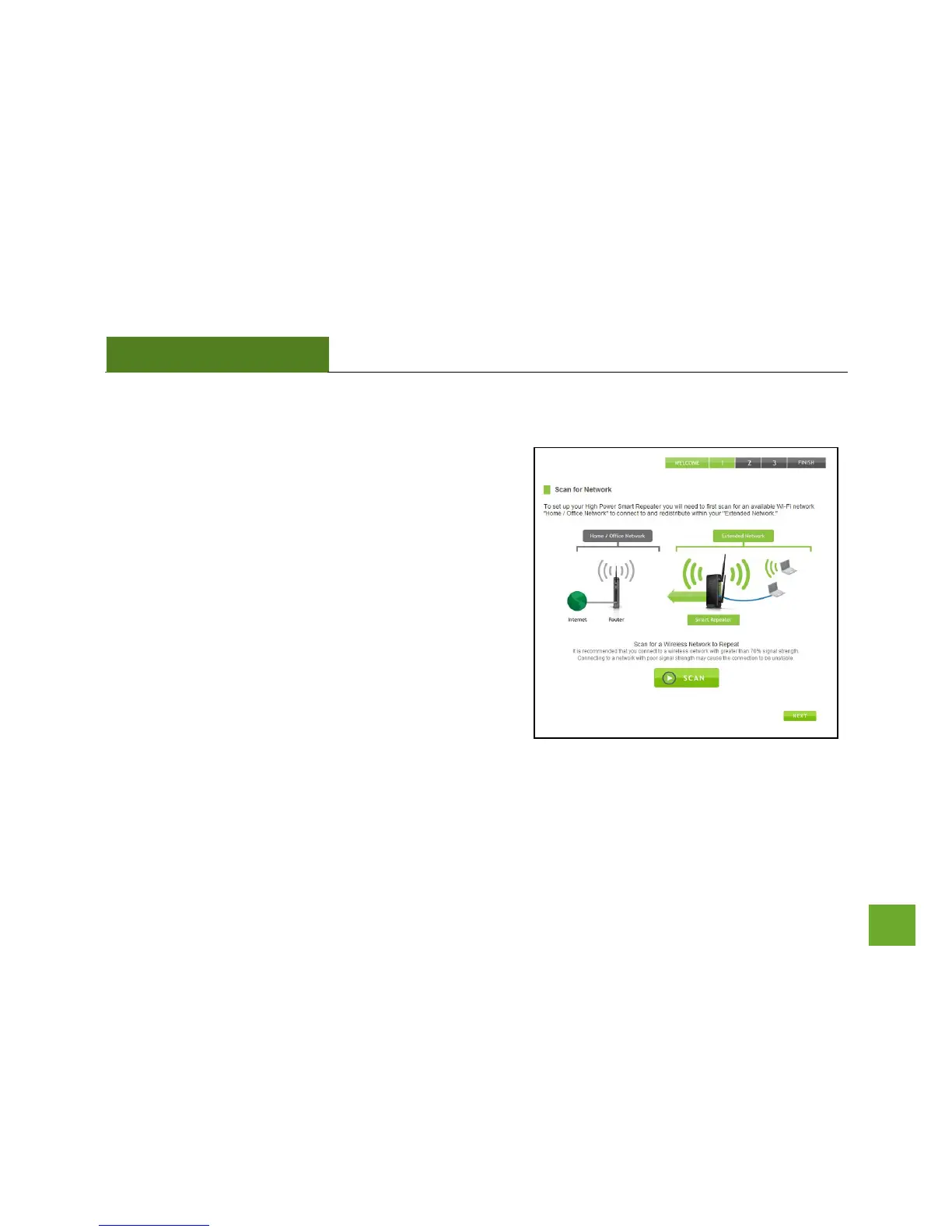
Scan for a Wireless Network
Click SCAN to begin searching for available wireless networks
to repeat.
Highlight your network and click Next to continue. Check that
your Wireless Network has a signal strength of 70% or
greater.
If you fail to find any wireless networks, or your signal
strength is below 70%, the Smart Repeater may be placed too
far from the wireless network that you are trying to repeat.
Move your Smart Repeater closer to the wireless network
that you are trying to repeat and click SCAN again.
The Scan results page will display information regarding the
name of the network (SSID), the channel which the wireless
network is operating on and the type of network that it is. AP stands for Access Point and is the standard type
of wireless network. The results page will also display whether or not your network has security and what the
signal strength is coming from each specific network detected.


 To Next Page