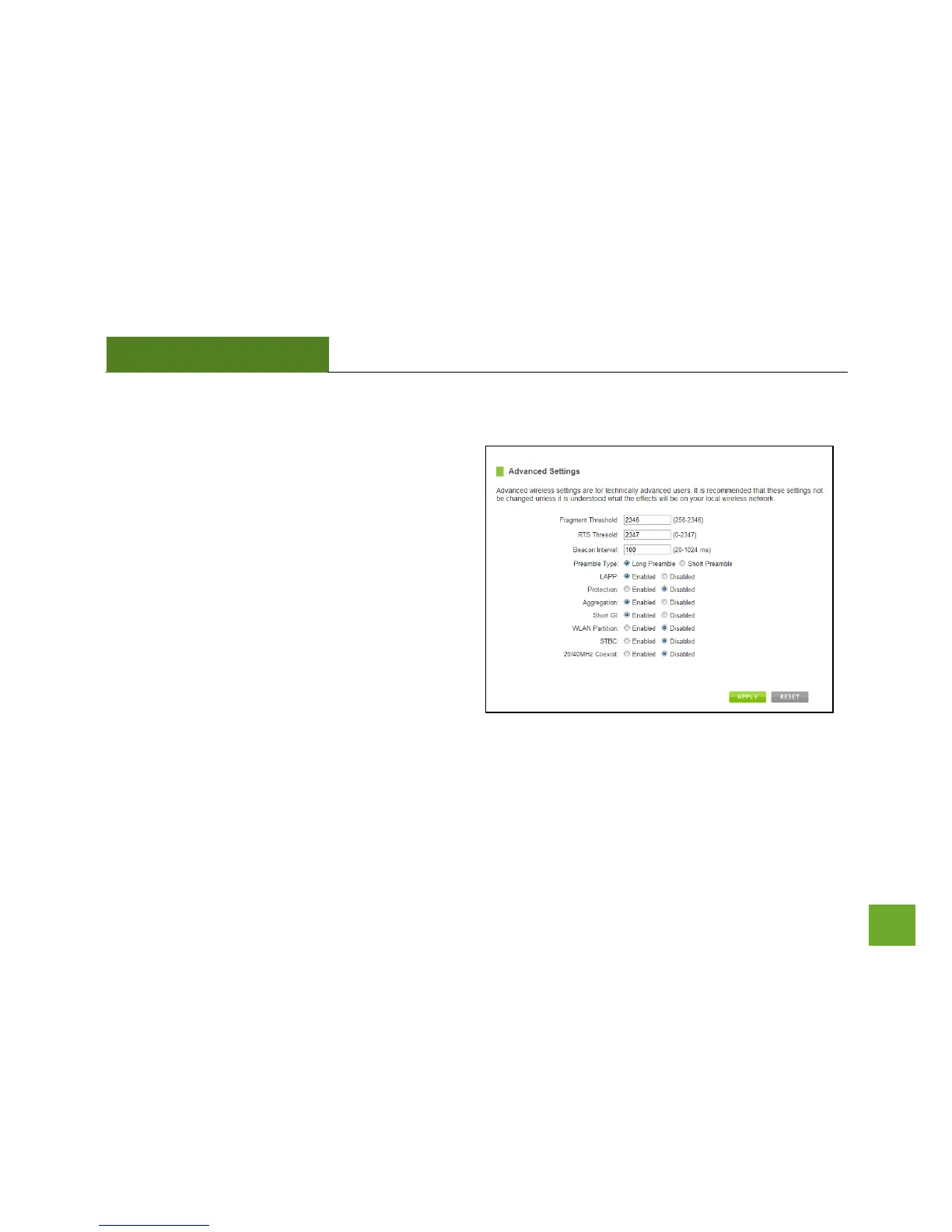
Wireless Settings: Advanced Settings
It is recommended that only experts in Wi-Fi
configuration adjust the advanced wireless settings
for the Smart Repeater.
These settings allow you to control the details of your
wireless network configuration.
Here are a few definitions on some settings.
Fragment Threshold: The Default and Recommended
setting is at 2346, meaning the High Power Repeater
will never fragment any frames that it sends to
wireless users.
RTS Threshold: Adjusts the size of RTS data packets. Lower values reduce throughput, but allow the system to
recover quicker from interference/collisions. Higher values provide the fastest throughput.
Beacon Interval: Indicates the frequency interval of the beacon. A beacon is a packet broadcast by the repeater
to sync the wireless network.


 To Next Page