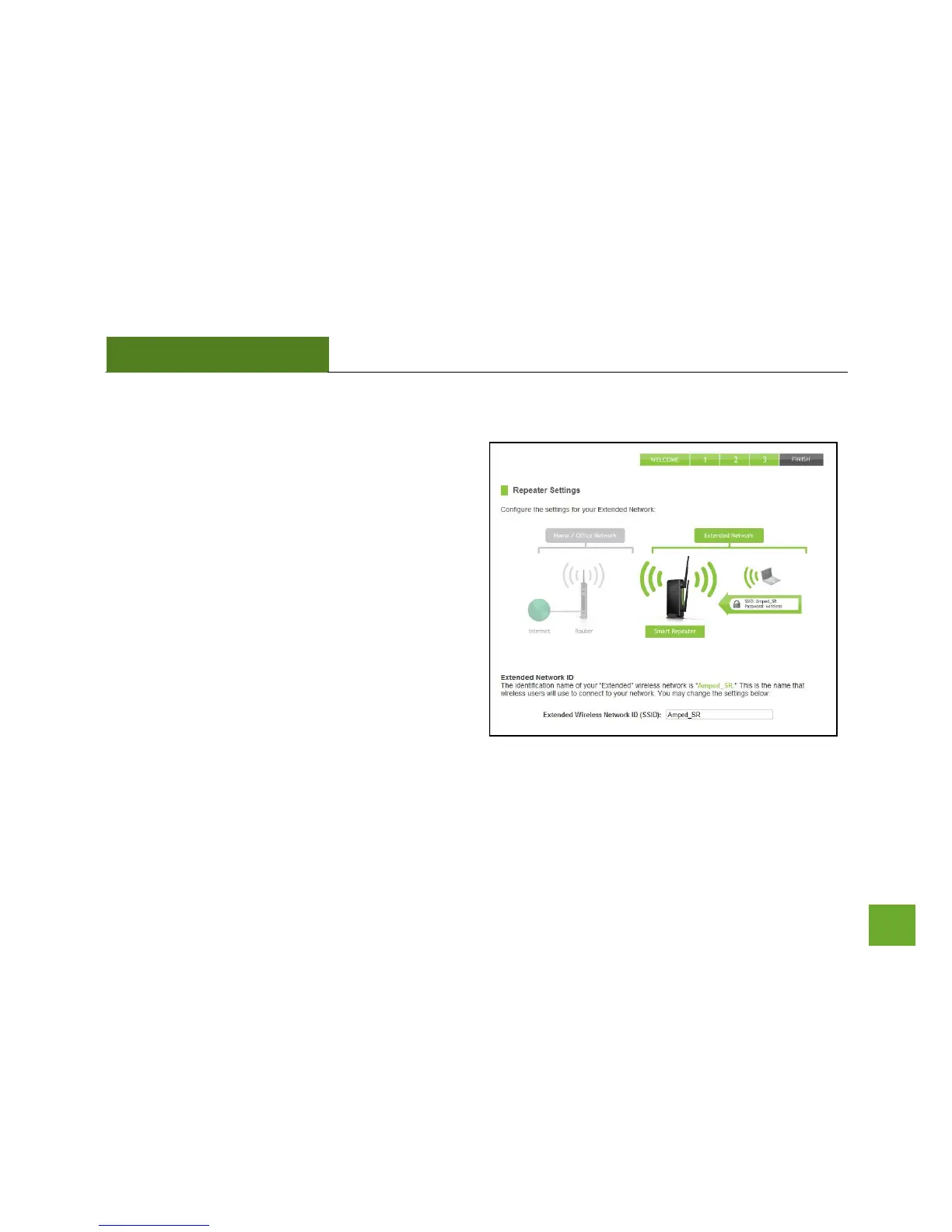
Repeater Settings (SSID)
The default SSID of the Smart Repeater is “Amped_SR”
This SSID for the Extended Network may be changed
by adjusting the name in the field for the Extended
Wireless Network ID.
This ID will be used by wireless users connecting to the
Smart Repeater to identify the Smart Repeater’s
Extended Network.
It is recommended to use the default settings.


 To Next Page