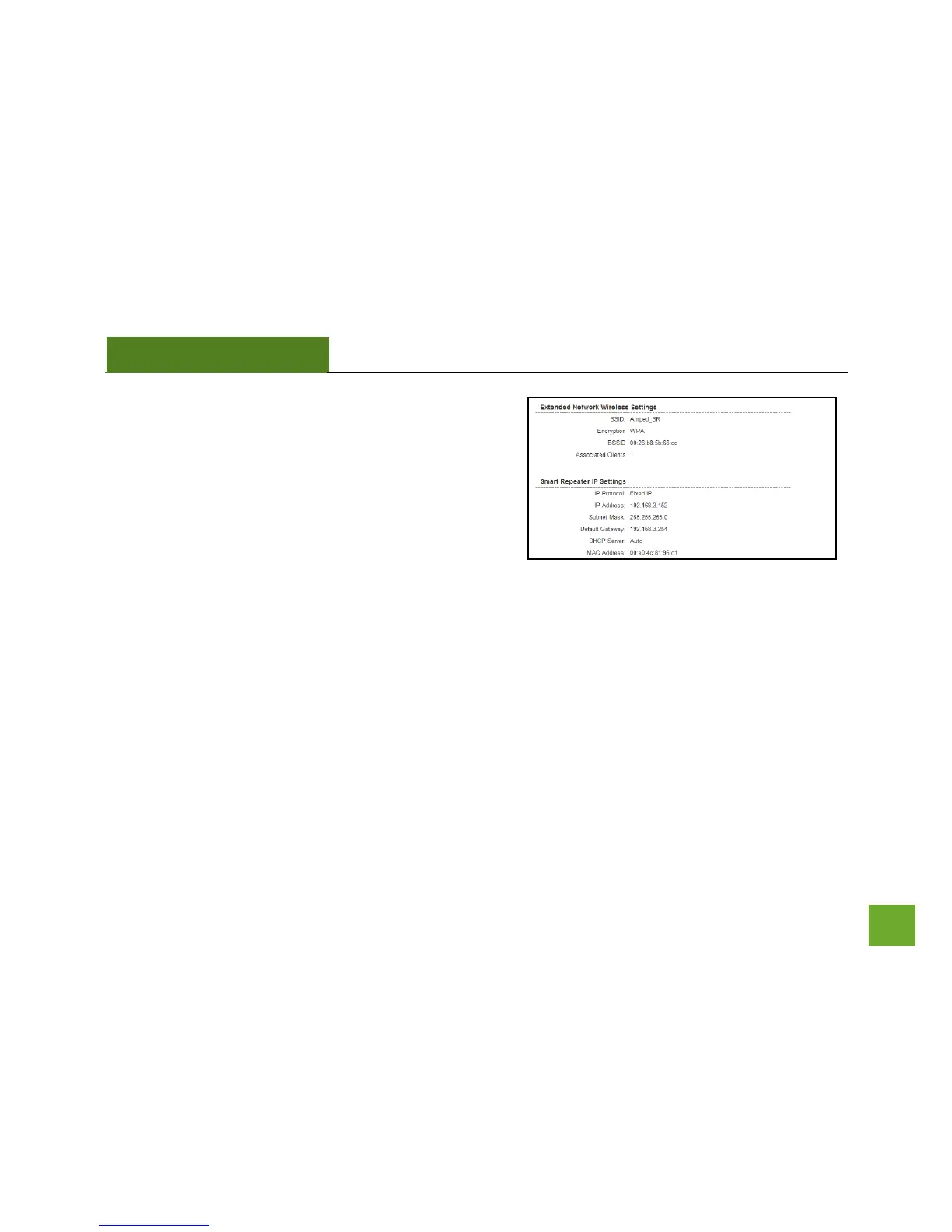
Connection State: The Connection State will say
"Connected" when there are no problems with the
connection to your Home Network.
If the Connection State shows "Waiting for Keys" then the
WPA/WPA2 security key you entered is incorrect.
If the Connection State shows "Scanning" the Smart
Repeater may be too far away from your home/office
router.
The Signal Strength display can be updated by refreshing the page and is a good tool to use for finding the
optimal installation location. A signal strength of 70% or greater is recommended for stable operation of the
High Power Smart Repeater.
Extended Wireless Network Settings: Shows the current settings for your Extended Wireless Network.
Smart Repeater IP Settings: The network IP settings for your High Power Smart Repeater will change as you
connect and disconnect from your Home Network. When connected to your Home Network, the network IP
settings will be assigned by your Home Network. When not connected, the High Power Smart Repeater will
use its own default network IP settings.


 To Next Page