The range from the Smart Repeater seems low.
a. Check to see that your wireless output settings are at 100%. Go to the Web Menu, Wireless Settings
and check the Advanced Settings. Make sure the output power is at 100%.
b. Your Smart Repeater may be installed in a poor location. Avoid setting up your Smart Repeater in
areas with high interference, such as, near fridges, microwaves, metallic objects and low surfaces.
Install the Smart Repeater in a higher location if possible.
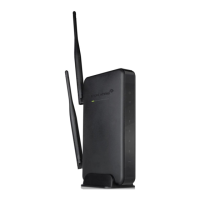
c. Check the connections of the Antennas to the Smart Repeater. Tighten them if necessary.
d. Adjust the Antennas of the Smart Repeater in different angles.
My Wireless Access Schedule is being erratic and not working at the correct times.
a. You need to adjust your Time Zone Settings from the Management Web Menu page.
WiFi Protected Setup (WPS) is not working. Push button configuration does not detect the connection.
a. The Smart Repeater supports WPS connections however some companies may use proprietary code
for their own push button configurations. Try connecting using the Windows wireless utility or Mac
wireless utility instead.


 To Next Page