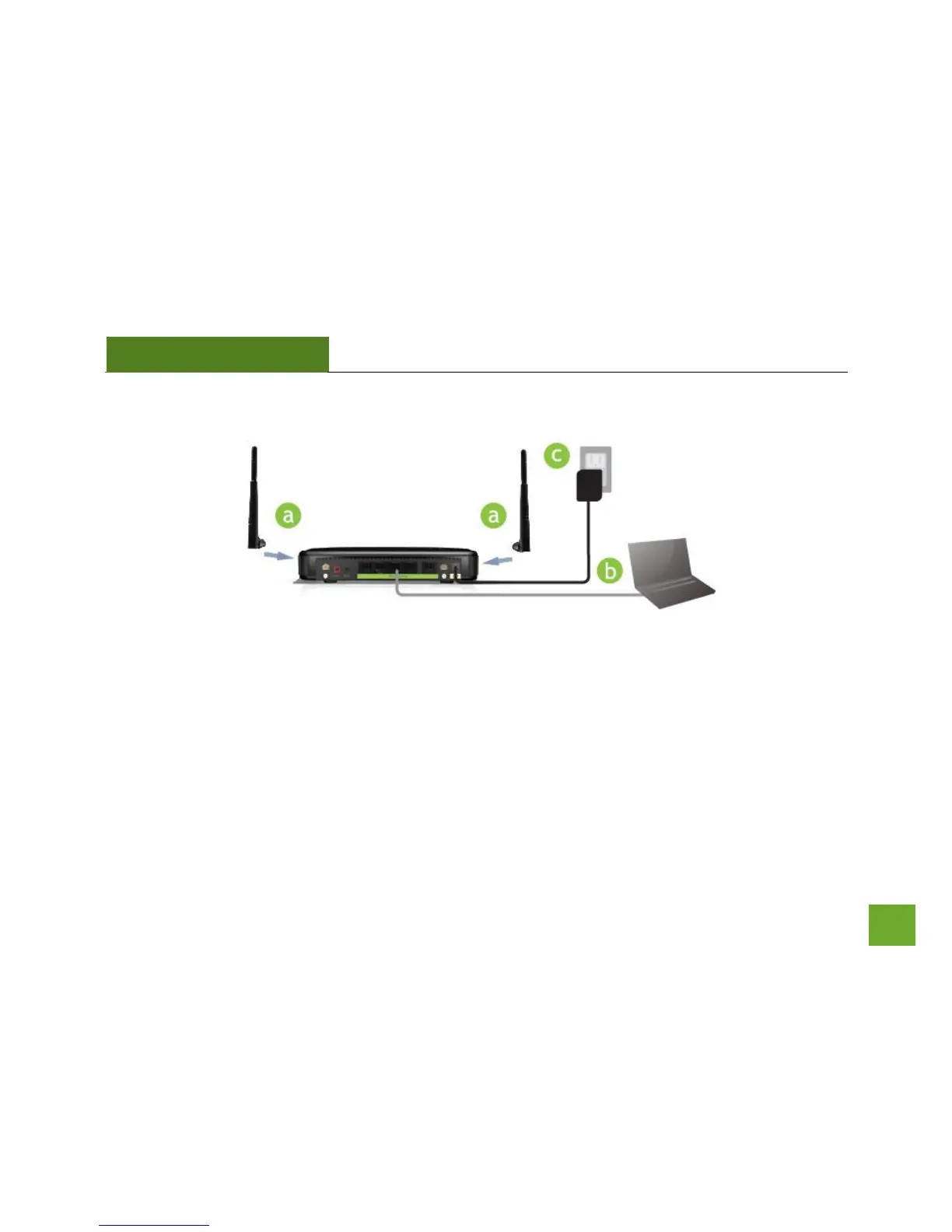
Connect your PC to the Smart Repeater
a. Connect the two included high gain antennas by screwing them into the antenna connectors.
b. Use the included Ethernet cable to connect one end into any Wired Port on the Smart Repeater and
use the other end to connect to the network port on your laptop or desktop computer.
c. Connect the power adapter to the power port on the back of the Smart Repeater.
Do NOT attempt to connect to the Smart Repeater with a wireless connection at this time.


 To Next Page